Sinapsi Alfa Smart-Home-Integration, kostenlos und Open Source
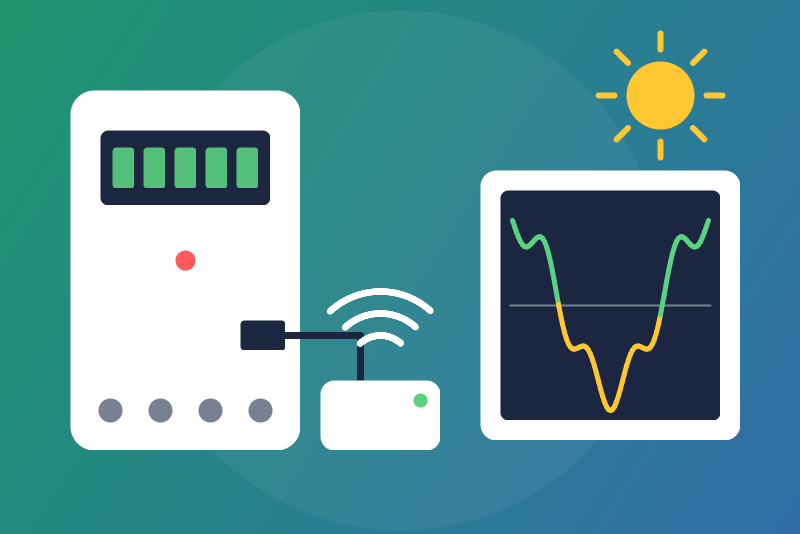
Unofficial: Sinapsi Alfa (Italian meters) over local Modbus TCP: power, indexes, band.
Veröffentlicht von LM1LC3N7
- Geräte
- Version 0.1.1
- Erfordert Gladys >=5.1.0
- ★ 0
Die Dokumentation dieser Integration wird von ihrem Autor geschrieben und ist bisher nur auf Englisch verfügbar.
Unofficial integration, not affiliated with Sinapsi. It reads the Sinapsi Alfa, the device that reads the Italian 2G electricity meters (and, when present, the production meter) over "Chain 2", through its local Modbus TCP server: no cloud, no account, no key. Read-only: the only request ever sent is "read holding registers" (Modbus function 3), one read every 30 seconds at most.
Never tested with a real device: it was built from the Home Assistant integration ha-sinapsi-alfa (Alessandro Del Prete, MIT) and its register map. The Sinapsi documentation of the registers for the current firmware could not be found: the addresses are the ones of that integration, the same in another independent project. Feedback welcome.
What you get
One device, Sinapsi Alfa. Its features appear as the Alfa shows them (no production features without production data, no export features before the first kWh fed to the grid):
| Feature | Kind |
|---|---|
| Home power | energy sensor, W |
| Power drawn | grid, power drawn, W |
| Power fed | grid, power fed, W |
| Power produced | production, W |
| Energy drawn (index) | energy index, kWh |
| Energy fed (index) | grid, energy fed, kWh |
| Energy produced (index) | production index, kWh |
| Power drawn, quarter-hour average (W) | plain sensor |
| Power fed, quarter-hour average (W) | plain sensor |
| Tariff band (1 = F1 ... 6 = F6) | plain sensor |
| Cut-off warning | plain sensor, 1 = warning |
| Cut-off in (s) | plain sensor, seconds |
- Home power = power drawn + power produced - power fed. Without production data (see below), it is sent only for a home that never fed the grid (then it is the power drawn).
- Energy drawn feeds the Gladys energy monitoring (consumption and cost); energy produced feeds the production. Energy fed is never counted as consumption nor production.
- The three indexes are lifetime totals. They are published once a minute at most and checked first, each by its own guard: a value of 0 is never sent; any drop, even of 1 Wh, or a jump larger than what could have flowed (the "highest plausible power" of the configuration, 30 kW by default, above any Italian home contract, over the time since the last value) is held back (the last accepted value is sent again) and shown in the integration status. If it is right (a new meter, a reset, another Alfa), click Accept the held index twice (see Buttons). Saving the configuration never accepts it. A held index stays held after a restart.
- The tariff band is a number from 1 to 6 (F1 to F6); another value is not sent.
- The cut-off warning is 1 while the meter announces a supply cut (too much power drawn), 0 otherwise: a time of 0, 0xFFFFFFFE or 0xFFFFFFFF (or any value starting with 0xFFFF) means "no warning", as some meters give it. Cut-off in gives the seconds left when the meter gives them (it is not updated once the warning ends). The status also shows the time of the cut, in UTC, or says it is already past; a warning dated more than a day before or after now is an old or a false one: 0, said in the status (how long the meter keeps a warning is not known yet).
- The daily totals of each band (registers 30 to 65) are not read.
Values that are not sent
- The Alfa is starting: after a restart, its registers read 0 for a few minutes. A read whose energy drawn or tariff band is 0 sends nothing at all (the status says the Alfa is starting). When the band cannot be read, the energy drawn alone tells it (the status says so).
- Not available: a power of 65535 W, a total whose first word is 0xFFFF (4294901.76 kWh and above, 4294967295 Wh among them).
- Production data: the production is sent whenever its total is above 0. Without a production total while energy was fed to the grid, production and home power are not sent and the status says so. A production total below the energy fed (a production meter replaced, two meters that differ) is still sent, and the status says so.
- Frozen values: when no register of the Alfa has changed for 30 minutes,
nothing is sent until one moves (the status says so). This age is kept in
/dataacross restarts.
One Alfa per integration
The Alfa gives no serial number over Modbus: the integration reads one Alfa, and its device is that one whatever the address. If you put another Alfa behind the address, its totals do not follow the old ones: the guards hold them back until you accept them, unless the new total falls within the margin (the highest plausible power times the time since the last value: after a long absence of the Alfa, a larger margin).
One Modbus client at a time
The Alfa serves a single Modbus TCP client. The integration opens the connection for each read (four requests, one after the other, never two at once) and closes it right after, so it holds the Alfa for a fraction of a second every 30 seconds. Another Modbus client connected all the time (a Home Assistant Modbus configuration, for example) may prevent the reads: the status then says the connection could not be made.
Setup
- Find the IP address of the Alfa in your router, and preferably give it a fixed address there.
- In Gladys, open the integration, enter this address (with a port only if it is not 502) and save.
- In the Discover tab, create the device.
Buttons
- Test the connection: reads the Alfa once when a read is due (never more than one every 30 seconds), otherwise tells the last read: the powers, the band and the three indexes (a held index is said so).
- Accept the held index, in two clicks. The first click lists the indexes held back and takes nothing. The second click, a few seconds to 5 minutes later, takes what the first listed, for each index whose held value has not changed since (beyond what may have flowed meanwhile). A jump is counted at once; a drop counts nothing.
When something goes wrong
- Unreachable, no answer, wrong answer: new try after 30 seconds, then doubled up to 10 minutes. A request without an answer within 5 seconds closes the connection (a late answer is never taken for another one).
- The Alfa refuses or does not answer some registers (the band, the cut-off warning or the production): those values are not read, the others go on, and the status says which and why. A refusal (Modbus exception) keeps the connection; a batch without an answer within 5 seconds closes it (the batches after it wait for the next read) and is left out for 4 reads, then tried again. A refusal or a silence of the grid registers (2 to 19) fails the read.
- The configuration cannot be read from Gladys at a (re)connection: new try after 5 seconds, doubled up to 5 minutes, the status says so; meanwhile the reads go on with the last configuration received, if any.
- The state file in
/datacannot be read: it is left as it is (never written over) and the status says so; a held index may then be forgotten.
Privacy
Everything stays on your network. The integration only connects to the address you entered, on the Modbus TCP port.
Konfigurationseinstellungen
Diese Einstellungen fragt Sinapsi Alfa in seinem Konfigurationsbildschirm in Gladys ab.
| Einstellung | Typ | Pflichtfeld | Beschreibung |
|---|---|---|---|
| Sinapsi Alfa | section | Nein | Unofficial connector, not affiliated with Sinapsi. It reads the Alfa (the device that reads the Italian 2G electricity meters over Chain 2) through its local Modbus TCP server, without any cloud: every 30 seconds the powers drawn from and fed to the grid, the power produced and the power used at home, the tariff band (F1 to F6) and the cut-off warning of the meter; once a minute the energy drawn (for the Gladys energy monitoring), fed and produced. Read-only: nothing is ever written to the Alfa. The Alfa serves one Modbus client at a time: the connection is opened for each read and closed after it. Never tested with a real device. |
| Alfa address | string | Ja | The IP address of the Alfa on your network (shown by your router), with a port only if it is not 502. Preferably give it a fixed address in your router; if it changes, enter the new one: the device keeps its history. |
| Highest plausible power (kW) | number | Nein | The guards of the three indexes (drawn, fed, produced) hold back a drop, or a rise larger than this power over the time since the last value (30 kW by default, above any Italian home contract). A rise within that margin is taken: the longer the Alfa was away, the larger the margin. |
So installierst du Sinapsi Alfa in Gladys
- Öffne in Gladys Integrationen: Sinapsi Alfa erscheint im Katalog neben den nativen Integrationen, mit einem Community-Badge.
- Klicke auf Installieren. Gladys lädt das Docker-Image (
ghcr.io/lm1lc3n7/gladys-sinapsi-alfa:0.1.1) herunter, startet es in einer vom Kern isolierten Sandbox und erzeugt die Oberfläche der Integration (Geräte, Erkennung und Konfiguration). - Öffne den Bildschirm Konfiguration der Integration, fülle die Einstellungen aus und speichere.
- Du kannst sie auch direkt über die URL ihres Repositorys installieren: https://github.com/LM1LC3N7/gladys-sinapsi-alfa.
Sinapsi Alfa benötigt Gladys >=5.1.0. Der Katalog in Gladys wird stündlich aktualisiert, eine neue Version ist also spätestens eine Stunde nach ihrer Veröffentlichung verfügbar.
Du nutzt Gladys noch nicht? Es ist kostenlos und Open Source: folge der Installationsanleitung, um loszulegen.
Über externe Integrationen
Sinapsi Alfa ist eine externe Integration: eine Community-Integration, die als Docker-Container verpackt und auf GitHub veröffentlicht wird. Gladys installiert sie mit einem Klick und führt sie in einer vom Kern isolierten Sandbox aus. Sie wird von LM1LC3N7 veröffentlicht und gepflegt, nicht vom Gladys-Kernteam.
- Alle Integrationen durchsuchen, native und aus der Community
- Deine eigene externe Integration bauen und veröffentlichen
- Quellcode auf GitHub — Quelle dieser Dokumentation