SAX Power Home Smart-Home-Integration, kostenlos und Open Source
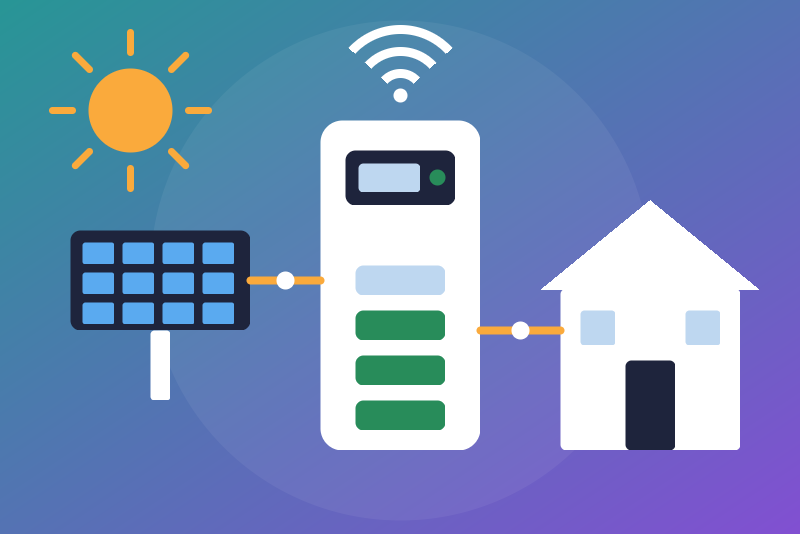
Unofficial: SAX Power Home batteries on your network over Modbus TCP, read-only.
Veröffentlicht von LM1LC3N7
- Geräte
- Version 0.1.1
- Erfordert Gladys >=5.1.0
- ★ 0
Die Dokumentation dieser Integration wird von ihrem Autor geschrieben und ist bisher nur auf Englisch verfügbar.
Unofficial connector, not affiliated with SAX Power. It reads your SAX Power Home or Home Plus batteries on your local network through their Modbus TCP interface (port 502): a single battery, or a group of up to three (the master A and the others). Read-only: it never changes a setting and never steers the battery. No cloud.
Never tested with a real device. Feedback welcome.
What you get
For each battery (the registers sax_battery_ha reads, Modbus units 64 and 40):
- state of charge (%), battery power (W, signed as the battery gives it: SAX does not document which sign is charging), status code;
- temperature, number of cycles, capacity (kWh);
- two energy counters, "energy produced" and "energy consumed" (kWh), shown only: they do not go to the Gladys energy monitoring (SAX does not document their meaning nor their unit).
For battery A (the master), also the values of the whole system from the SunSpec interface SAX documents (firmware Master V61 / Gateway V54 or later):
- state of charge of the system, storage power (W, signed), highest cell temperature, state (1 off, 2 standby, 3 waiting, 4 on, 7 meter fault), events;
- charge and discharge power available, capacity of the system;
- with the ADW200 meter only: solar power and grid power (W, signed as the meter gives it). Without an ADW200 (grid voltage read under 100 V), these two are not published.
SAX advises reading only the master of a group: it already gives the values of the system. Add B and C only to see each battery's own values.
Setup
- Have the Modbus TCP interface of your batteries enabled if it is not (the SAX Power customer service does it; a firmware update may be needed for the SunSpec interface).
- Give each battery a fixed address in your router (it takes its address by DHCP; the address is shown on its display).
- In Gladys, install the integration, enter the address of battery A, then those of B and C if any, and save.
- "Discover" tab: create the device of each battery. Its values come with the next read.
Reading
- Each battery is read every 30 s by default (15 to 300 s), over its own connection, one request at a time and at least 500 ms between two requests, as SAX asks. The batteries are read side by side: one that does not answer never delays the others.
- Never faster than the interval: not the test button, not Discovery, not a reconnection to Gladys, not a restart of the container (the first read then waits the interval and one minute after the last read). Only a new address saved is read at once.
- While its display refreshes, the battery does not answer for 1 to 3 s: the part not read is missing this time, the status says so ("not read this time"), the rest is published. A part that fails three reads in a row is skipped for ten reads (never the serial number of a battery already known by its serial number).
- A battery unreachable: tried again after 1 min at least, then a delay doubled up to 15 min.
Identity of each battery
- Every read reads the serial number of the SunSpec interface (with its fixed words "SunS", model 1 of length 15 and "SAXPOWER"); when the read has to open a new connection, it reads it again first, and another battery at that address gives nothing there. The values only go to the device of that number.
- A battery without the SunSpec interface (an older firmware, or a battery of a
group that leaves it to the master) is named after its address
(
ip192-168-1-51-502) after three reads where its unit 64 answered and its serial number did not. If a serial number shows up later, it wins: a new device appears in Discovery, the old one keeps its history. - A battery whose serial number is known and does not give it this time: nothing is published for it (never to the device of its address).
- Another serial number at the same address: another battery, its own device appears in Discovery; the old one gets no value any more.
Energy counters
The two counters "energy produced" and "energy consumed" of each battery are published as read, as plain sensors (kWh), never counted by the energy monitoring. SAX documents neither their direction, nor their unit, nor their nature: they are 16-bit registers that may start over from zero (near 65.5 kWh if they are in Wh) or be periodic (reset now and then). To be confirmed on a real battery. A value of 0 is taken as unknown and never published.
What is not done
- No steering: no charge or discharge limit, no power set-point (the "pilot mode" of sax_battery_ha is not ported).
- No index for the Gladys energy monitoring.
Troubleshooting
- "unreachable": check the address and the port (502), and that the battery is on the same network.
- "connected, but no register answered": the Modbus interface is probably not enabled; ask the SAX Power customer service.
- "serial number (SunSpec)" never read on the master: the firmware is probably older than Master V61 / Gateway V54; the system values are then missing.
- /data unreadable: the file is left as it is, no battery is named after its address (a battery identified by its serial number is still read); restart the integration.
Konfigurationseinstellungen
Diese Einstellungen fragt SAX Power Home in seinem Konfigurationsbildschirm in Gladys ab.
| Einstellung | Typ | Pflichtfeld | Beschreibung |
|---|---|---|---|
| SAX Power Home batteries | section | Nein | Unofficial connector, not affiliated with SAX Power. It reads your SAX Power Home or Home Plus batteries (one, or a group of up to three: the master and the others) on your network through their Modbus TCP interface (port 502), every 30 s by default: state of charge, power, temperature, cycles, capacity and two energy counters of each battery, and the values of the whole system from the master (SunSpec interface, firmware Master V61 / Gateway V54 or later). No cloud. Read-only: it never changes a setting nor steers the battery (the "pilot mode" of other tools is not offered). Never tested with a real device. |
| Battery A (master) | string | Ja | The IP address of the master battery (A), shown on its display, with a port only if it is not 502. Give it a fixed address in your router (the battery takes its address by DHCP). The values of the whole system are read from this one. |
| Battery B (optional) | string | Nein | The IP address of a second battery of the group, for its own values. Leave empty with a single battery. |
| Battery C (optional) | string | Nein | The IP address of a third battery of the group, for its own values. Leave empty otherwise. |
| Reading interval (seconds) | number | Nein | How often each battery is read, from 15 to 300 seconds. Never faster, except right after you save a new address. |
So installierst du SAX Power Home in Gladys
- Öffne in Gladys Integrationen: SAX Power Home erscheint im Katalog neben den nativen Integrationen, mit einem Community-Badge.
- Klicke auf Installieren. Gladys lädt das Docker-Image (
ghcr.io/lm1lc3n7/gladys-sax-power:0.1.1) herunter, startet es in einer vom Kern isolierten Sandbox und erzeugt die Oberfläche der Integration (Geräte, Erkennung und Konfiguration). - Öffne den Bildschirm Konfiguration der Integration, fülle die Einstellungen aus und speichere.
- Du kannst sie auch direkt über die URL ihres Repositorys installieren: https://github.com/LM1LC3N7/gladys-sax-power.
SAX Power Home benötigt Gladys >=5.1.0. Der Katalog in Gladys wird stündlich aktualisiert, eine neue Version ist also spätestens eine Stunde nach ihrer Veröffentlichung verfügbar.
Du nutzt Gladys noch nicht? Es ist kostenlos und Open Source: folge der Installationsanleitung, um loszulegen.
Über externe Integrationen
SAX Power Home ist eine externe Integration: eine Community-Integration, die als Docker-Container verpackt und auf GitHub veröffentlicht wird. Gladys installiert sie mit einem Klick und führt sie in einer vom Kern isolierten Sandbox aus. Sie wird von LM1LC3N7 veröffentlicht und gepflegt, nicht vom Gladys-Kernteam.
- Alle Integrationen durchsuchen, native und aus der Community
- Deine eigene externe Integration bauen und veröffentlichen
- Quellcode auf GitHub — Quelle dieser Dokumentation