PG LAB Electronics Smart-Home-Integration, kostenlos und Open Source
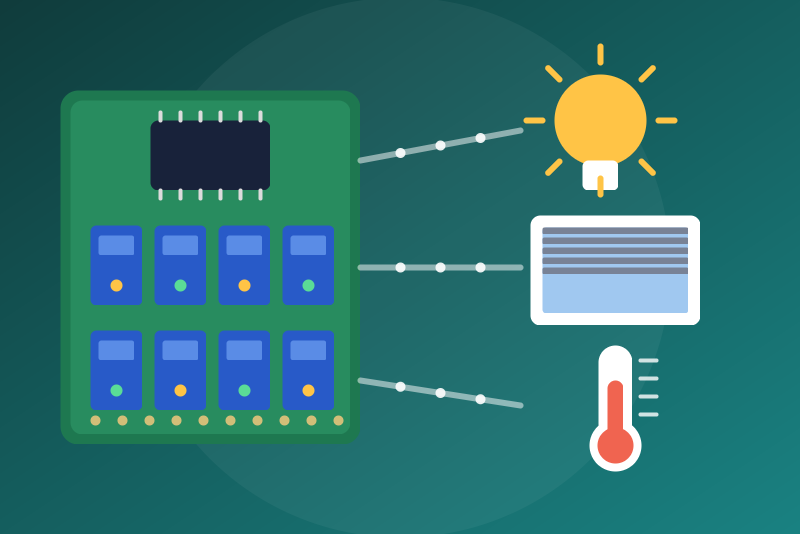
PG LAB Electronics E-Board: relays, shutters and board temperature over local MQTT.
Veröffentlicht von LM1LC3N7
- Geräte
- Version 0.1.1
- Erfordert Gladys >=5.0.0
- ★ 0
Die Dokumentation dieser Integration wird von ihrem Autor geschrieben und ist bisher nur auf Englisch verfügbar.
This integration reads and controls the PG LAB Electronics E-Board boards through an MQTT broker on your local network: their relays, their shutters, and the temperature and processor voltage of the board. Nothing goes through the Internet.
Never tested with a real board. This integration has never been tested with a real PG LAB board: it follows the MQTT protocol of pypglab, the library PG LAB Electronics wrote for Home Assistant. Unofficial, not affiliated with PG LAB Electronics. Feedback is welcome.
What you need
- An MQTT broker the boards and Gladys can both reach. Two choices:
- your own broker (Mosquitto on a Raspberry Pi, a NAS…): type its IP address;
- the broker of Gladys: in Gladys, open Integrations → MQTT, start
the broker it offers and note its user and password. Then type
mqtt://<IP address of the Gladys machine>:1883(the configuration screen shows the address it guesses). Neverlocalhost: the integration runs in its own container, wherelocalhostis the container itself. A firewall on the Gladys machine must let port 1883 through.
- Each board set to that broker: in the MQTT settings of the E-Board
(its web page), type the same broker, user and password. The board then
announces itself under
pglab/discovery/<id>/configand publishes its states underpglab/<name>/….
Anybody allowed to publish on the broker can impersonate a board: give the broker a password, and keep it on your local network.
Setting up
- Install the integration, then open its Configuration tab.
- Type the address of the broker, and its user and password if it asks for them. The password is kept by Gladys in its database, never shown again, sent only to your broker.
- Click Test the connection: it connects (or reconnects) the single session of the integration and counts the boards that announced themselves.
- Open the Discovery tab and create the devices you want.
What you get
| Device | Features |
|---|---|
| The board | board temperature (°C), processor voltage (V), read only |
| Each shutter | open / close / stop (a shutter, never a switch) |
| Each relay, by default | its state (read only), Turn on and Turn off buttons (off by default) |
| Each relay declared safe | a switch (on/off) |
A relay may feed anything: a lamp, but also a circulator, the boiler, a heater, a freezer, a gate. A "turn everything off / on" of a voice assistant or a scene reaches every switch. So a relay is a switch only when you declare it safe:
- Relays declared safe: the numbers of the relays (parameter
PGLAB_RELAYin the Discovery tab), for example4, 5. With several boards, writeboard-id:number(parameterPGLAB_ID), for exampleDD53AC85:5: a plain number is then applied nowhere (the status says so, and also names an id that matches no accepted board). - Allow the "Turn on" / "Turn off" buttons: off by default. While off, the buttons of the relays not declared safe send nothing.
What a board announces never turns a relay into a switch, and never makes a relay commandable: only these two settings do.
When a board changes its configuration
The integration keeps, for each board, the configuration you accepted: its
name (which its MQTT topics carry), its type, its MAC address, its number of
shutters and its extension boards (in /data/pglab-state.json, without any
user name or password). The devices and the routing of the commands come
from it, from the start, even before the board announces itself. The first
announcement of a new board is accepted as it is (64 boards at most).
If a board later announces another name, type, MAC address or layout (other shutters, other relays), it is not applied: the status says so (for a name: "old → new"), and until you click Scan in the Discovery tab, its relays and the opening of its shutters are refused. Stop and close still leave, under the accepted name and under the announced one: if the announced name is the name of another board, the shutter of the same number on that board receives them too.
Clicking Scan accepts what the boards announce at that moment, and forgets the boards that no longer announce themselves and have no device in Gladys. Past 64 accepted boards, a new board is ignored and the status advises a Scan.
Two boards with the same name share their topics: their states are ignored, their relays and openings refused (stop and close reach all of them) until one of them is renamed (or the old retained announcement of a board you removed is cleared from the broker) and you Scan. A board replaced by a new one of the same name stays accepted as long as it has devices in Gladys: delete the devices of the old board, then Scan.
When a command is refused
A stop or a close of a shutter is refused only in these cases:
- the broker is not connected;
- the shutter is not part of the accepted configuration of its board (a Scan accepted a configuration without it);
- the value received is not a shutter command;
- the command could not leave within 3.5 s of the click (nothing waits in front of it, so this should not happen).
An open and the relay commands are refused in these cases, and also:
- when the board has not announced itself since the connection to the broker (after a restart or a reconnection, until its announcement comes back);
- when it announced another name, type, MAC address or layout (until a Scan);
- when two boards use the same name;
- for a relay: when it is not declared safe (its switch), or when the buttons are off (its buttons).
A command is sent once, never queued by the integration while the broker is down. When the board does not publish the expected state within about 4 seconds, Gladys says "sent, without confirmation": the message did leave, and if the broker was frozen it may still reach the board later, when the broker wakes up.
Connection problems
- Broker unreachable: the integration tries again every 10 seconds, the status says why.
- Credentials refused, or a broker that closes the connection (or does not answer) after receiving the credentials, twice in a row (a certificate refused or a connection that never opened does not count: the credentials did not leave, the integration tries again): the integration stops for good (also after a restart) and tries nothing by itself. Save other credentials (or another TLS check), or click Test the connection; the stop is lifted once a connection succeeds. Without user name and password, the integration keeps trying.
- A password without a user name: refused in the configuration (MQTT cannot send it).
- No board announced itself: check the MQTT settings of the boards.
- A board that published nothing for 5 minutes is shown unreachable (the board sends its temperature about every minute).
- TLS: keep "Verify the TLS certificate" on. Turned off, the user name and the password go to whoever answers at the address of the broker: nothing checks who it is.
Limits
- MQTT over TCP or TLS (
mqtt://,mqtts://), no WebSocket. - The integration uses MQTT 5 and asks the broker for no message over 8 KB (Mosquitto honours it). A message over 8 KB that still arrives cuts the connection before it is read (a reconnection follows). With a broker without MQTT 5, the integration uses MQTT 3.1.1 and says so in the status: such a message then cuts the connection every time it is sent again (a huge retained message must be removed from the broker).
- E-Switch and E-Relay boards are recognised but offer nothing yet (pypglab 0.0.5 gives them no output).
- The inputs of the board are not offered: pypglab has no topic for them.
- The states kept by the broker (retained) are ignored: they may be old. A relay shows its state at its next change.
- At most 64 boards, 64 relays and 32 shutters per board.
- The time since the last restart of the board (
rtime) is not offered.
Konfigurationseinstellungen
Diese Einstellungen fragt PG LAB Electronics in seinem Konfigurationsbildschirm in Gladys ab.
| Einstellung | Typ | Pflichtfeld | Beschreibung |
|---|---|---|---|
| Your PG LAB boards in Gladys | section | Nein | Reads and controls the PG LAB Electronics E-Boards through an MQTT broker, on your local network: relays, shutters, and the temperature and voltage of the board. The boards announce themselves on the broker (topic pglab/discovery). A broker is needed: yours (Mosquitto…), or the one of Gladys (MQTT integration of Gladys, broker started) at mqtt://{{gladys_host}}:1883 with its user and password (never localhost: the integration runs in its own container). Set the same broker in the MQTT settings of each board. Nothing goes through the Internet. Never tested with a real board. Unofficial, not affiliated with PG LAB Electronics. |
| MQTT broker address | string | Ja | The broker your boards publish to: its IP address (port 1883), or mqtts://address:8883 in TLS (no WebSocket). The broker of Gladys: the IP address of the Gladys machine. |
| User name | string | Nein | The user of the broker, if it asks for one. |
| Password | secret | Nein | The password of the broker: kept by Gladys in its database, never shown again, sent only to your broker. |
| Verify the TLS certificate of the broker (mqtts) | boolean | Nein | Turn off only for a broker with a self-signed certificate on your local network. Turned off, the user name and the password go to whoever answers at that address (no check of who it is). |
| Relays | section | Nein | A relay of an E-Board may feed anything (a lamp, but also a circulator, the boiler, a heater, a freezer, a gate), and a "turn everything off / on" of a voice assistant or a scene reaches every switch. So a relay is only shown in Gladys, read only, with "Turn on" / "Turn off" buttons, until you declare it safe below: it then becomes a switch. What a board announces never makes a relay a switch. Shutters are shutters (open, close, stop), never switches. |
| Relays declared safe | string | Nein | The numbers of the relays (parameter PGLAB_RELAY in the Discovery tab), separated by commas. With several boards, write board-id:number (parameter PGLAB_ID, for example DD53AC85:5): a plain number is then applied nowhere. Only loads that may be switched off or on at any time (a lamp, a socket for a lamp). |
| Allow the "Turn on" / "Turn off" buttons | boolean | Nein | Off by default: the buttons of the relays not declared safe do nothing. On: a press (dashboard, scene) switches the relay. |
| Minimum interval between two readings of the board temperature and voltage (s) | number | Nein | Relays and shutters are never delayed. |
| Language of the messages | select | Nein |
So installierst du PG LAB Electronics in Gladys
- Öffne in Gladys Integrationen: PG LAB Electronics erscheint im Katalog neben den nativen Integrationen, mit einem Community-Badge.
- Klicke auf Installieren. Gladys lädt das Docker-Image (
ghcr.io/lm1lc3n7/gladys-pglab:0.1.1) herunter, startet es in einer vom Kern isolierten Sandbox und erzeugt die Oberfläche der Integration (Geräte, Erkennung und Konfiguration). - Öffne den Bildschirm Konfiguration der Integration, fülle die Einstellungen aus und speichere.
- Du kannst sie auch direkt über die URL ihres Repositorys installieren: https://github.com/LM1LC3N7/gladys-pglab.
PG LAB Electronics benötigt Gladys >=5.0.0. Der Katalog in Gladys wird stündlich aktualisiert, eine neue Version ist also spätestens eine Stunde nach ihrer Veröffentlichung verfügbar.
Du nutzt Gladys noch nicht? Es ist kostenlos und Open Source: folge der Installationsanleitung, um loszulegen.
Über externe Integrationen
PG LAB Electronics ist eine externe Integration: eine Community-Integration, die als Docker-Container verpackt und auf GitHub veröffentlicht wird. Gladys installiert sie mit einem Klick und führt sie in einer vom Kern isolierten Sandbox aus. Sie wird von LM1LC3N7 veröffentlicht und gepflegt, nicht vom Gladys-Kernteam.
- Alle Integrationen durchsuchen, native und aus der Community
- Deine eigene externe Integration bauen und veröffentlichen
- Quellcode auf GitHub — Quelle dieser Dokumentation