OpenThread Border Router Smart-Home-Integration, kostenlos und Open Source
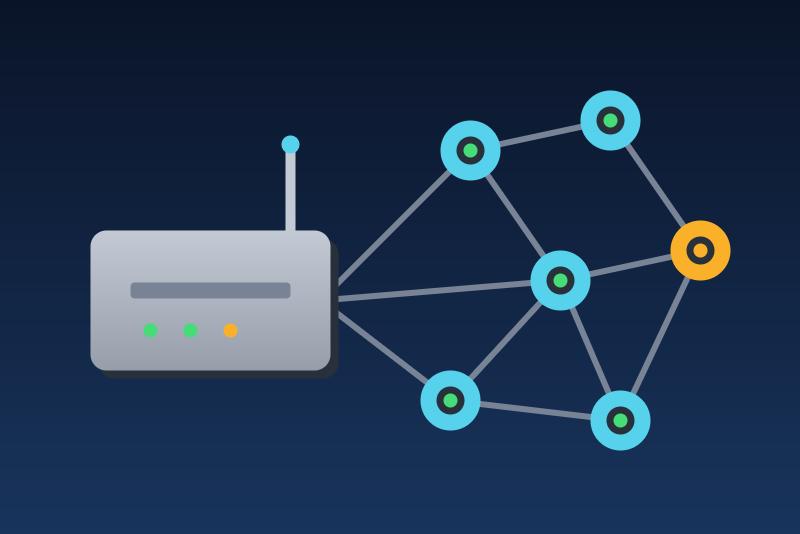
Thread network of an OpenThread border router: role, routers, network; actions off by default.
Veröffentlicht von LM1LC3N7
- Geräte
- Version 0.1.1
- Erfordert Gladys >=5.1.0
- ★ 0
Die Dokumentation dieser Integration wird von ihrem Autor geschrieben und ist bisher nur auf Englisch verfügbar.
An OpenThread Border Router (ot-br-posix) that already runs on your network, read by Gladys through its local REST API. Handy to see at a glance, or in a scene, that the Thread network of your home is up, which role the border router holds, and how many Thread routers it counts:
- the border router becomes a Gladys device (Discovery tab): Thread role (leader, router, child, detached or disabled), Thread network up (yes / no: yes for leader, router or child), Thread routers (the routers of the Thread partition the border router knows), Thread network name, Thread channel, Thread PAN ID, Thread extended PAN ID, Active dataset present (yes / no) and Last action (the outcome of the last Thread action sent from Gladys);
- two buttons of the configuration screen, Disable Thread and Enable Thread, each one refused until you allow it.
The Thread radio stays on the border router: Gladys never talks Thread itself, and never pairs a Thread device. Your Thread devices come into Gladys through Matter (the Matter service of Gladys), not through this integration.
This integration has never been tested with a real border router. This first version follows the REST API of ot-br-posix (its
openapi.yaml) and the python-otbr-api library of Home Assistant; it was tested against a fake server and against ot-br-posix run in Docker with a simulated Thread radio (no real radio, no real Thread device). Tell on the Gladys forum what works and what does not, with your border router (Home Assistant add-on, Raspberry Pi, other).
Unofficial integration, not affiliated with the OpenThread project nor Google.
Before you start
- The border router must run ot-br-posix with its REST API (port
8081 by default,
--rest-listen-address/--rest-listen-port). It has no HTTPS and no login: keep it on your local network. - Home Assistant OS: the "OpenThread Border Router" add-on serves the REST API inside Home Assistant only; open its port 8081 in the "Network" settings of the add-on to reach it from Gladys.
- Raspberry Pi or another Linux box: the REST API listens on the address
given to
otbr-agent(--rest-listen-address); it must be one Gladys can reach. - Check it from a computer of the network:
http://<address>:8081/nodemust answer a small JSON with"state"(or"State").
Border routers whose REST API does not give their border agent ID (very old ot-br-posix) are refused: the device id is that ID, so that another border router answering at the same address is never taken for this one.
Configuration
- Address of the border router: its local IP address (or host name),
with the port after a colon when it is not 8081 (
192.168.1.30:8081,[fd00::30]:8081).http://may be typed;https://is refused (the REST API has none). - Refresh: 1, 5 (default), 15 or 30 minutes. The test button, a save of
the form with the same address, a reconnection to Gladys or a restart never
read sooner (a new address is read at once) (the time
of the last reading is kept in
/data, when/datacan be read); the end of a Thread action brings one reading forward. - Allow Thread actions (off by default): see below.
What is read
Each reading is two requests, one after the other, each on its own connection, at most 5 seconds and 64 KB each:
GET /node: the role, the routers, the border agent ID, and (when the border router is attached) the network name and the extended PAN ID;GET /node/dataset/active: the active dataset, of which only the channel, the PAN ID, the extended PAN ID, the network name and its timestamp are copied out. The network key and the PSKc are never kept, never logged, never shown, never published, never written to/data. A failure of this request leaves these values out of that reading (not published); it never stops the reading.
A border router with Thread disabled or detached still answers its
last network name in /node (often the default "OpenThread"): the name and
the extended PAN ID of the active dataset are shown then. With no active
dataset, "Active dataset present" is "no" and the channel, the PAN ID and the
name stay unknown (never 0).
A value the border router does not give stays unknown in Gladys: it is never published as 0.
"Thread routers" is what the border router itself knows (the
routerCount / NumOfRouter of /node), published only while it is attached
(detached or disabled, that count is a leftover of its last partition: left
unknown). The end devices (sleepy sensors,
children) are not counted: counting them needs a network diagnostic sent to
every node of the network, which wakes the battery devices; this first
version does not send it.
Thread actions
Disabling Thread on the border router cuts every Thread device of its network (lights, sensors, locks, blinds reached through it) until Thread is enabled again. So:
-
both actions are buttons of the configuration screen of the integration, never a feature of the device: no switch, no button in a scene, no voice assistant and no "turn everything off" can reach them;
-
they are refused (nothing read, nothing sent) while Allow Thread actions is off, which is the default;
-
two clicks: the first click reads the border router afresh and says what it is (the end of its border agent ID, the network name, its role, its routers) and, for "Disable Thread", what disabling cuts; the second click, within 2 minutes, reads the border router afresh again and sends only if the same border router answers (same border agent ID) and Thread is not already in the state asked. Turning the option off cancels a first click; the option is checked again right before the request is written;
-
the request is
PUT /node/statewith"disable"or"enable"(whatot-ctl thread stop/thread startdo). It never leaves later than 20 seconds after the second click; -
the outcome is read back (
GET /node/state, up to three times: 1 second after the answer, then 2 seconds later, then 4 seconds later):- Thread disabled (confirmed) / Thread enabled when the role read shows the change (enabled: any role but "disabled"; the border router goes through "detached" first);
- Sent, not applied yet when the role read is still the one before;
- Sent, without confirmation when the border router did not answer the request (it may have applied it);
- Refused by the border router (HTTP …) when it answered an error (HTTP 4xx or 5xx);
- Nothing sent (…) when the request never left.
The outcome (but "Nothing sent") is kept as "Last action" (and in
/data), and a reading follows: 1 second after a confirmed action, 20 seconds after "not applied yet", "without confirmation" or a refusal of the border router (an error may come after Thread changed). A 429 or 5xx answered to the reading of a click pauses like one of a reading. -
one action at a time; a reading in progress is cut by an action.
Every refusal of an action, and the list of what makes it refuse:
- "Allow Thread actions" off (also when it is turned off between the two clicks, or while the request is being written);
- the configuration not read again from Gladys since a reconnection (the option may have changed meanwhile; also while the request is being written);
- the address of the border router not valid;
- another Thread action running;
- a pause asked by the border router (HTTP 429 or 5xx on
/node) not over; - the border router not read (no connection, timeout, error, not a border router), or read without a border agent ID;
- Thread already in the state asked;
- more than 20 seconds between the second click and the moment the request would be written.
Gladys never disables nor enables Thread by itself.
Status and errors
The configuration screen says the state of the border router ("Connected: Thread role leader, 3 Thread router(s)", "Thread is disabled on the border router"), or why it was not read ("no connection", "no answer in time", "HTTP error 500", "not the REST API of a border router") and when the next try comes.
A border router that answers HTTP 429 or 5xx on /node asks to wait:
Gladys waits what its Retry-After header says, 60 seconds at least and
6 hours at most (and never less than the refresh), kept in /data across a
restart; the Thread actions are refused meanwhile. A 5xx on the dataset or on
/node/ba-id never pauses anything.
Privacy and security
- No account, no cloud: everything stays between Gladys and the border router on your network.
- The REST API of ot-br-posix has no login and no HTTPS: anyone on your network can read it, and anyone on your network can disable Thread through it, with or without Gladys. Keep it on a trusted network.
- Of the active dataset, only what every Thread router broadcasts in its beacons anyway (network name, channel, PAN ID, extended PAN ID) is used.
/data/otbr-state.json(0600) holds the time of the last reading and the address read, a pause asked by the border router, and the last action and its outcome. Nothing else.
Limits of this first version
- Never tested with a real border router nor a real Thread device (see the warning above).
- One border router per integration.
- No count of the end devices (see "What is read").
- No writing of the dataset (forming or changing a Thread network), no factory reset, no commissioning of Thread devices.
Konfigurationseinstellungen
Diese Einstellungen fragt OpenThread Border Router in seinem Konfigurationsbildschirm in Gladys ab.
| Einstellung | Typ | Pflichtfeld | Beschreibung |
|---|---|---|---|
| How it works | section | Nein | Gladys reads an OpenThread Border Router that already runs (ot-br-posix: the Home Assistant add-on, a Raspberry Pi with a Thread radio) through its local REST API, in HTTP on port 8081. The Thread radio stays on the border router: Thread devices come into Gladys through Matter, not here. The border router becomes a device: Thread role, network up, number of Thread routers, network name, channel, PAN ID, extended PAN ID, active dataset present, last action. The network key and the PSKc of the active dataset are never kept, shown nor published. Two actions can disable or enable Thread on the border router: each is refused unless you allow it below. One integration per border router. Unofficial integration, not affiliated with the OpenThread project nor Google. |
| Address of the border router | string | Ja | The local IP address (or host name) of the border router, with the port of its REST API after a colon (8081 by default). Plain HTTP: the REST API of ot-br-posix has no HTTPS and no login, so keep it on your local network. On Home Assistant OS, the add-on publishes it only when its REST API port is opened in the add-on network settings. |
| Refresh | select | Ja | How often the border router is read. The test button, a save of the form with the same address or a restart do not read sooner (a new address is read at once); the end of a Thread action brings one reading forward. |
| Thread actions | section | Nein | Reading only by default. Disabling Thread on the border router cuts every Thread device of its network (lights, sensors, locks reached through it) until Thread is enabled again. Each action is a button of this screen (never a switch nor a feature of the device: a scene, a voice assistant or a "turn everything off" never reaches it), refused unless allowed here, and asks for a second click within 2 minutes; the second click sends only if the same border router answers and Thread is not already in the state asked. Gladys never disables nor enables Thread by itself. |
| Allow Thread actions | boolean | Nein | Off: the "Disable Thread" and "Enable Thread" buttons are refused and nothing is sent. On: they send what the OpenThread command "ot-ctl thread stop" or "thread start" does, through the REST API (PUT /node/state). |
So installierst du OpenThread Border Router in Gladys
- Öffne in Gladys Integrationen: OpenThread Border Router erscheint im Katalog neben den nativen Integrationen, mit einem Community-Badge.
- Klicke auf Installieren. Gladys lädt das Docker-Image (
ghcr.io/lm1lc3n7/gladys-otbr:0.1.1) herunter, startet es in einer vom Kern isolierten Sandbox und erzeugt die Oberfläche der Integration (Geräte, Erkennung und Konfiguration). - Öffne den Bildschirm Konfiguration der Integration, fülle die Einstellungen aus und speichere.
- Du kannst sie auch direkt über die URL ihres Repositorys installieren: https://github.com/LM1LC3N7/gladys-otbr.
OpenThread Border Router benötigt Gladys >=5.1.0. Der Katalog in Gladys wird stündlich aktualisiert, eine neue Version ist also spätestens eine Stunde nach ihrer Veröffentlichung verfügbar.
Du nutzt Gladys noch nicht? Es ist kostenlos und Open Source: folge der Installationsanleitung, um loszulegen.
Über externe Integrationen
OpenThread Border Router ist eine externe Integration: eine Community-Integration, die als Docker-Container verpackt und auf GitHub veröffentlicht wird. Gladys installiert sie mit einem Klick und führt sie in einer vom Kern isolierten Sandbox aus. Sie wird von LM1LC3N7 veröffentlicht und gepflegt, nicht vom Gladys-Kernteam.
- Alle Integrationen durchsuchen, native und aus der Community
- Deine eigene externe Integration bauen und veröffentlichen
- Quellcode auf GitHub — Quelle dieser Dokumentation