NetBird Smart-Home-Integration, kostenlos und Open Source
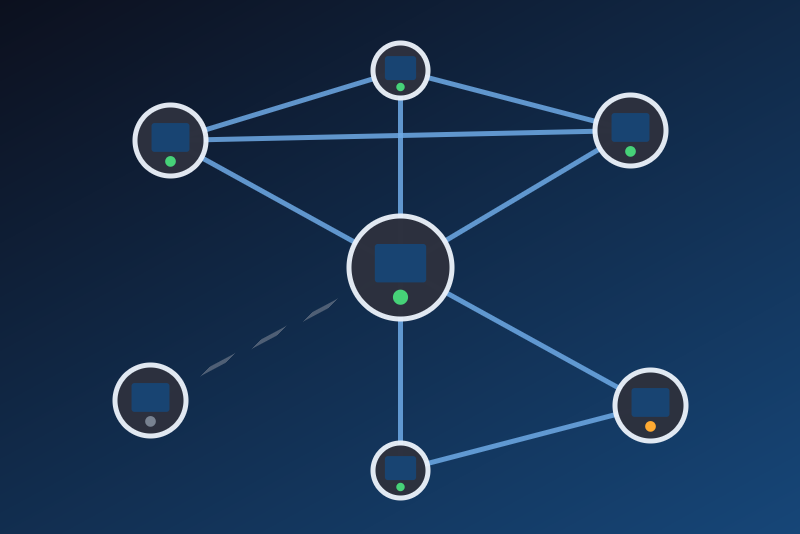
The peers of your NetBird network: connected, last seen, IP, version, login expiry.
Veröffentlicht von LM1LC3N7
- Geräte
- Version 0.1.1
- Erfordert Gladys >=5.1.0
- ★ 0
Die Dokumentation dieser Integration wird von ihrem Autor geschrieben und ist bisher nur auf Englisch verfügbar.
The peers of your NetBird network in Gladys, through the REST API of its management server (NetBird Cloud or your own server):
- each peer becomes a Gladys device: connected, last seen, NetBird IP, client version, login expired and login expires (the date its login session ends);
- the network becomes a device with its peers connected and its peers in total;
- three scene triggers: Peer connected, Peer disconnected and Peer login expired.
Read only: Gladys never changes anything in NetBird (no peer deleted, no rule or group changed).
This integration has never been tested with a real NetBird account. This first version was written from the public NetBird API reference (docs.netbird.io/api) and tested against a fake NetBird only. Please report what works and what does not on the Gladys forum.
Unofficial integration, not affiliated with NetBird.
Before you start: a token that only reads
- In the NetBird dashboard, open Team → Service Users and create a
service user
gladyswith the Auditor role: it reads every peer and changes nothing (a service user is not a person: its token does not stop working when someone leaves). If the Auditor role is not offered, use the User role: a service user reads every peer and the account settings whatever its role, and with User it can change nothing. Never Admin: Gladys only reads, the token needs no right to change anything. - Open the user, Create Token, name it
gladys, pick an expiration and copy the token (it starts withnbp_): NetBird shows it only once. - Not a personal token of a regular user with the User role: such a token lists only the peers that user registered, and none at all when the account restricts the dashboard of regular users ("Restrict dashboard for regular users"). When the integration can tell, the connection status says so. A service user does not have this limit.
- The expiration dates of the peers (login expires) come from the account settings: a token that may not read them leaves these dates empty, the rest works.
Configuration
- Management server: empty for NetBird Cloud (its API is
https://api.netbird.io; the dashboard addressapp.netbird.iois read as it). Self-hosted: the https address of your server, the one of the dashboard (https://netbird.example.org, a port and a path are kept, a trailing/apiis dropped).http://is refused: the token would cross the network in clear. - Personal access token: kept by Gladys in its database, never shown
again, sent only to the NetBird management server, in the
Authorization: Token …header (never in an address, never in a log, never in the/datavolume). Paste the token alone: a space or an invisible character copied with it is refused with a clear message. - Certificate fingerprint (optional, self-hosted only): by default the
certificate of the server must come from a known authority (NetBird Cloud,
Let's Encrypt). A server with its own certificate: type its SHA-256
fingerprint; that certificate, and no other, is then accepted, checked
before the token is sent. After a renewal, type the new one. To read it:
your browser (padlock, certificate, SHA-256 fingerprint) or
openssl s_client -connect netbird.example.org:443 </dev/null | openssl x509 -noout -fingerprint -sha256. - Groups (optional): names or ids of NetBird groups, separated by commas. Only their peers become devices and are counted. Empty: every peer the token sees.
- Refresh: every minute (default) to every 10 minutes. One request per
reading (the peers), plus the account settings once an hour, and the user
of the token (
/api/users/current) at start and at every new attempt after a failure. A service user gets 403 there: that is expected and ignored.
Then open the Discovery tab and create the peers and the network you want to follow. Only the created devices get their states.
What each feature shows
- Connected (1 / 0): what NetBird says about the peer right now. Nothing is published while NetBird does not say.
- Last seen: the last time the peer connected to the management server
(or changed its status there), as
2026-10-17 08:00 UTC(UTC, the time zone of NetBird). It may not move while the peer stays connected. - NetBird IP: the address of the peer inside the NetBird network
(
100.x.y.z). Its public address is never read into Gladys. - Client version: the version of the NetBird client on the peer. The API does not say whether an update exists: there is no "update available" feature in this version.
- Login expired (1 / 0): the login session of the peer expired; someone
must log in again on it (
netbird up). Only peers added through an SSO login expire; peers added with a setup key never do. - Login expires: the date the session ends (last login plus the
expiration of the account),
—when it never expires, nothing while it cannot be known (a token that may not read the account settings). - Peers connected / Peers (network device): the counts of the peers of the group filter (all, without a filter), including those beyond the 500 that become devices.
- Gladys accepts 300 states per minute from an integration: this one sends at most 250, the counts first, then connected, then login expired, then the texts (in turn). With many peers created at once, the first values arrive over a few minutes.
Scene triggers
- Peer connected: a peer that was disconnected is connected again.
- Peer disconnected: a connected peer is disconnected.
- Peer login expired: the login session of a peer just expired.
Each one carries the peer (filter: one peer, or any), its name and its NetBird IP. They fire at the next reading after the change (up to the refresh interval later), once per change. Never at the first reading after a start of the integration, nor at the first reading after an outage (when NetBird could not be read, the changes in between are unknown). A new peer fires nothing. At most 30 events per reading.
Connection problems
- Token refused (HTTP 401, or a 403 answered by the NetBird API itself,
on the list of the peers: wrong, expired, revoked, or without the right to
list peers): Gladys stops and does not try again by itself, even after a
restart or when Gladys reconnects. Create a new token (a service user
with the Auditor role), paste it and save the configuration: only saving
tries again. A 403 page that does not come from the API (a proxy or a
firewall in front of it) is retried normally. A refusal on the user of the
token (
/api/users/current, always 403 for a service user) never stops anything. - NetBird busy (HTTP 429) or server error (HTTP 5xx): every request
pauses, as long as NetBird asks (Retry-After) within 1 minute and 6 hours,
never less than the refresh interval. The pause is kept in
/data: a restart, a reconnection of Gladys or a saved configuration waits too. - NetBird unreachable (network, timeout, certificate): retried after the refresh interval (one minute at least), then the delay doubles up to 30 minutes; the devices show as unreachable meanwhile. The integration never gives up.
- Certificate refused or changed: nothing is sent. Install a certificate from a known authority, or type (again) the fingerprint of the server.
- Test the connection reads the peers again and says how many are connected; it never retries a refused token nor shortens a pause.
Limits
- One NetBird account per integration; 500 peers at most become devices (narrow the group filter beyond; the counts include them all).
- A peer deleted in NetBird and registered again gets a new NetBird id: it becomes a new device (the old one stays without values).
- The network device is one per integration (
network:main): pointing the integration at another account keeps the same device. - Read only in this version: no command (delete a peer, change a rule).
- Not tested with NetBird Cloud nor a self-hosted server, nor with the different roles of NetBird: see TODO.md in the repository.
Konfigurationseinstellungen
Diese Einstellungen fragt NetBird in seinem Konfigurationsbildschirm in Gladys ab.
| Einstellung | Typ | Pflichtfeld | Beschreibung |
|---|---|---|---|
| How it works | section | Nein | Gladys reads your NetBird network through the REST API of its management server (NetBird Cloud or your own server), with a personal access token. Each peer becomes a Gladys device (Discovery tab): connected, last seen, NetBird IP, client version, login expired and login expiry; the network becomes a device with its peers connected and in total. Read only: Gladys never changes anything in NetBird. Use the token of a service user with the Auditor role (it reads every peer and changes nothing; the User role otherwise, never Admin): the personal token of a regular user with the User role lists only that user's peers, often none (see the documentation). Unofficial integration, not affiliated with NetBird. |
| Management server (empty: NetBird Cloud) | string | Nein | Leave empty for NetBird Cloud (its API is https://api.netbird.io; the dashboard address app.netbird.io is read as it). Self-hosted: the https address of your server, the one of the dashboard (e.g. https://netbird.example.org), without /api. http:// is refused: the token would cross the network in clear. |
| Personal access token | secret | Ja | In the NetBird dashboard: Team, Service Users (or Users), the user, Create Token. Kept by Gladys in its database, never shown again, sent only to the NetBird management server, in the Authorization header. |
| Certificate | section | Nein | By default the certificate of the management server must come from a known authority (NetBird Cloud, Let's Encrypt). A self-hosted server with its own certificate: type its SHA-256 fingerprint below. That certificate, and no other, is then accepted, checked before the token is sent. Leave empty for NetBird Cloud. |
| Certificate fingerprint (SHA-256, optional) | string | Nein | Pins this certificate: the server must present exactly it, even after a renewal (type the new one then). Shown by your browser (certificate details) or by openssl (see the documentation). |
| Groups (optional) | string | Nein | Names or ids of the NetBird groups to follow, separated by commas: only their peers become devices and are counted. Empty: every peer the token sees. |
| Refresh | select | Ja | How often Gladys reads the peers (one request each time). The scene triggers start up to this long after the change. |
So installierst du NetBird in Gladys
- Öffne in Gladys Integrationen: NetBird erscheint im Katalog neben den nativen Integrationen, mit einem Community-Badge.
- Klicke auf Installieren. Gladys lädt das Docker-Image (
ghcr.io/lm1lc3n7/gladys-netbird:0.1.1) herunter, startet es in einer vom Kern isolierten Sandbox und erzeugt die Oberfläche der Integration (Geräte, Erkennung und Konfiguration). - Öffne den Bildschirm Konfiguration der Integration, fülle die Einstellungen aus und speichere.
- Du kannst sie auch direkt über die URL ihres Repositorys installieren: https://github.com/LM1LC3N7/gladys-netbird.
NetBird benötigt Gladys >=5.1.0. Der Katalog in Gladys wird stündlich aktualisiert, eine neue Version ist also spätestens eine Stunde nach ihrer Veröffentlichung verfügbar.
Du nutzt Gladys noch nicht? Es ist kostenlos und Open Source: folge der Installationsanleitung, um loszulegen.
Über externe Integrationen
NetBird ist eine externe Integration: eine Community-Integration, die als Docker-Container verpackt und auf GitHub veröffentlicht wird. Gladys installiert sie mit einem Klick und führt sie in einer vom Kern isolierten Sandbox aus. Sie wird von LM1LC3N7 veröffentlicht und gepflegt, nicht vom Gladys-Kernteam.
- Alle Integrationen durchsuchen, native und aus der Community
- Deine eigene externe Integration bauen und veröffentlichen
- Quellcode auf GitHub — Quelle dieser Dokumentation