Nest Protect Smart-Home-Integration, kostenlos und Open Source
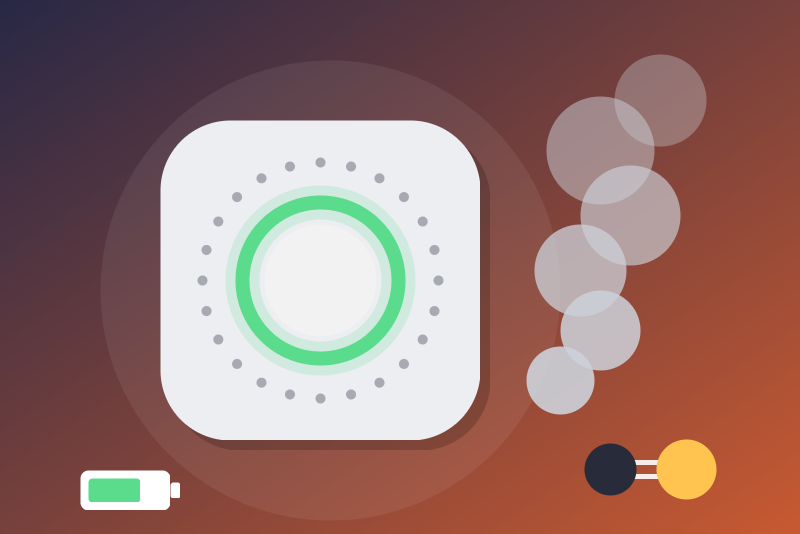
Google Nest Protect smoke and CO alarms, read only (unofficial API). Not a certified alarm.
Veröffentlicht von LM1LC3N7
- Geräte
- Version 0.1.1
- Erfordert Gladys >=5.1.0
- ★ 0
Die Dokumentation dieser Integration wird von ihrem Autor geschrieben und ist bisher nur auf Englisch verfügbar.
Shows in Gladys, read only, the Google Nest Protect smoke and carbon monoxide alarms of your Google account: smoke, CO, battery, online state, self-test, night light, and two scene triggers, "Smoke detected" and "CO detected".
This is not a certified alarm system. Never rely on this integration for the safety of people: an alert may come late, or never (Google, the Internet, Gladys or the integration down). Keep the Nest app and its notifications, and the detectors' own sirens. Use Gladys on top, never instead.
Unofficial API, never tested with a real account. Google offers no API for the Nest Protect (the official "SDM" API, the one of the Google Nest integration, does not cover them). The integration uses the API of the Nest web app (home.nest.com), which Google does not document and can change or shut down at any time. It was written from the Home Assistant integration ha-nest-protect and tested only against made-up answers. Not affiliated with Google or Nest.
What you get
One Gladys device per Nest Protect, named after its room (e.g. "Nest Protect (Kitchen)"). Every feature is read only: the integration sends no command to the detectors (no test, no hush, no night light setting).
| Feature | Values |
|---|---|
| Smoke | 1 = smoke reported (warning, emergency or test), 0 = nothing |
| Carbon monoxide (CO) | 1 = CO reported (warning, emergency or test), 0 = nothing |
| Alarm hushed | 1 = the alarm was hushed on the detector |
| Battery | % estimated from the battery voltage (the curve of ha-nest-protect) |
| Battery to replace | 1 = the detector asks for new batteries |
| Online (1 = yes) | when Nest gives it |
| Self-test passed (1 = yes) | 0 as soon as a component failed its last test (smoke, CO, Wi-Fi, LED...) |
| Days since the last manual test | a number of days |
| Night light on (1 = yes) | the night light setting, read only |
A feature only shows when the detector gives its value (smoke and CO always).
Setup
- In Gladys, install the Nest Protect integration from the store.
- Get the issue_token and the cookies of your Google account (below), paste them in the configuration, and save.
- Open the Discovery tab and add the detectors.
Getting the issue_token and the cookies
This method is fragile: it reuses your browser's sign-in to the Nest website. If you sign out of home.nest.com, change your Google password, or Google ends the session, you will have to do it again. Google can also break it at any time.
In Chrome or Edge, a normal window (not private browsing, which blocks third-party cookies):
- Allow third-party cookies for
home.nest.com(otherwise the site loops): Chrome, Settings → Privacy and security → Third-party cookies; Edge, Settings → Cookies and site permissions. - Open the developer tools (F12), Network tab, tick Preserve log.
- In the filter, type
issueToken. - Go to home.nest.com and click Sign in with Google; sign in.
- A call starting with
iframerpcshows up: click it. Under Headers, copy the whole Request URL (it starts withhttps://accounts.google.com/o/oauth2/iframerpc?action=issueToken): this is the issue_token. - In the filter, type
oauth2/iframe. Click the lastiframecall. Under Request Headers, copy the whole value of cookie (the longNAME=value; …string, without the wordcookie:): these are the cookies. - Do not sign out of home.nest.com: just close the tab.
(The method of ha-nest-protect, itself taken from homebridge-nest. The Chrome extension of ha-nest-protect gives a combined "code" this integration does not accept: paste the two values separately.)
Both fields are secret fields: Gladys keeps them in its database (in
plain text, like every configuration value, and in its backups), never shows
them again, and the integration sends them only to accounts.google.com.
Before anything is sent, the integration checks that the issue_token is a
https://accounts.google.com/o/oauth2/iframerpc address: otherwise nothing
is sent. When Google renews some cookies, the integration updates the
"Google cookies" field of the configuration (as ha-nest-protect does), so a
restart uses the right ones.
These values give access to your Google account: never share them, not even in a help request or an issue.
Scene triggers
- Smoke detected (Nest Protect) and CO detected (Nest Protect): once at every rise of the level (test < warning < emergency): a test, then a warning, then an emergency give three events. Never on the way down, nothing while the level stays the same, nothing when it goes back to 0. When the integration starts, an alarm already on fires once.
- Filters (optional): the detector, and the level (
testing,warning,emergency). Variables:level(testing,warning,emergency, orunknownfor an unknown code, after ha-nest-protect),roomanddelayed. - An event may come late: when Gladys did not take it (Gladys
restarting, for instance), the integration sends it again at the next read
or reconnection, while the alarm lasts and 15 minutes at most; it then
carries
delayed= true. - Reminder: not a certified alarm system. A scene can warn you, turn lights on or stop a ventilation, but it replaces neither the detector's alarm nor a call to the emergency services.
Refresh
Like the Nest web app, the integration reads everything at start, then keeps one request open ("long polling") that Nest answers as soon as a detector changes, at the latest after about ten minutes; it then sends another one (at most one every 2 seconds; a one-minute pause when Nest answers empty three times in a row at once). A full read is done again every hour.
Troubleshooting
- Google refused the cookies (signed out of the browser, password changed, expired): the integration stops and waits, even after a restart, never asking Google again by itself. Get a new issue_token and new cookies, save (or click Test the connection).
- Nest refused the session: the Nest session is made again once; refused again at once, the integration pauses and tries again after 1 hour, 6 hours, then every 24 hours (kept across restarts). Test the connection tries again at once.
- Too many requests (429): a pause of 1 minute to 6 hours (Nest's
Retry-After, 10 minutes without it), kept across restarts. - Nest unreachable (network, 5xx): a new try after 15 seconds, then 1, 2, 5, 10 and 15 minutes; the detectors' cards turn "unreachable" from the second failure in a row. A 502/504 of the open request: a 2-minute pause (as ha-nest-protect).
- A detector offline for Nest is marked "unreachable" on its card.
- During an outage, the values shown may be old: smoke that appeared during the outage is only seen when the connection is back, and an alarm that rises and falls during the outage is never seen (neither a state nor a scene event).
- Several 502/504 in a row of the open request: the integration says "Nest unreachable" and the cards turn "unreachable" from the second one.
- The pause after an error is kept in
/data: a restart does not read sooner.
Limits
- Unofficial API, fragile sign-in method: Google can change or block it at any time.
- Read only: no test, no hush, no setting from Gladys (ha-nest-protect can set the night light, not taken here).
- No heat (
heat_status), no replacement date, no Nest temperature sensors, no Nest x Yale locks. - Google accounts only (no legacy Nest accounts).
- Never tested with a real account: please report what you see on the GitHub repository (never paste the issue_token or the cookies).
Privacy
The integration keeps in /data/nest-protect-state.json (readable by its
own container only): the Nest session (its access token, the Nest user id,
its end, and the address of the update server), the one token needed so
Google is not asked again at every restart. This token gives access to
your whole Nest account (not only the detectors) while it is valid:
protect the backups of Gladys' /data folder like a password. Also: a
salted fingerprint of the
issue_token (the account of that session); a stop (cookies refused, session
refused and its next try) tied to a salted fingerprint of the issue_token
and the cookies; the end of a pause (429 or an error). Never the issue_token, the
cookies, nor your e-mail. The logs hold none of them. Nothing is sent
anywhere but to Google (accounts.google.com,
nestauthproxyservice-pa.googleapis.com) and Nest (home.nest.com and its
*.nest.com servers).
Konfigurationseinstellungen
Diese Einstellungen fragt Nest Protect in seinem Konfigurationsbildschirm in Gladys ab.
| Einstellung | Typ | Pflichtfeld | Beschreibung |
|---|---|---|---|
| Your Google account (Nest) | section | Nein | Shows your Google Nest Protect in Gladys, read only: smoke, carbon monoxide (CO), battery, online state, self-test, night light, and the "Smoke detected" and "CO detected" scene triggers. NOT A CERTIFIED ALARM SYSTEM: never rely on it for the safety of people, keep the Nest app and the detectors' own sirens. Google gives no API for the Protect: the integration uses the unofficial API of the Nest web app, signed in with the issue_token and the cookies of a browser signed in to home.nest.com (see the guide). This method is fragile: Google can break it at any time. Never tested with a real account. Not affiliated with Google or Nest. |
| issue_token (Google address) | secret | Ja | The whole Request URL of the iframerpc call, starting with https://accounts.google.com/o/oauth2/iframerpc?action=issueToken (see the guide). Kept by Gladys in its database, never shown again, sent only to accounts.google.com. |
| Google cookies | secret | Ja | The whole value of the "cookie" request header of the oauth2/iframe call (see the guide). Kept by Gladys in its database, never shown again, sent only to accounts.google.com. Updated by the integration when Google renews some of them. |
| Language of the feature names | select | Nein | Used for the feature names of the detectors added from now on. |
So installierst du Nest Protect in Gladys
- Öffne in Gladys Integrationen: Nest Protect erscheint im Katalog neben den nativen Integrationen, mit einem Community-Badge.
- Klicke auf Installieren. Gladys lädt das Docker-Image (
ghcr.io/lm1lc3n7/gladys-nest-protect:0.1.1) herunter, startet es in einer vom Kern isolierten Sandbox und erzeugt die Oberfläche der Integration (Geräte, Erkennung und Konfiguration). - Öffne den Bildschirm Konfiguration der Integration, fülle die Einstellungen aus und speichere.
- Du kannst sie auch direkt über die URL ihres Repositorys installieren: https://github.com/LM1LC3N7/gladys-nest-protect.
Nest Protect benötigt Gladys >=5.1.0. Der Katalog in Gladys wird stündlich aktualisiert, eine neue Version ist also spätestens eine Stunde nach ihrer Veröffentlichung verfügbar.
Du nutzt Gladys noch nicht? Es ist kostenlos und Open Source: folge der Installationsanleitung, um loszulegen.
Über externe Integrationen
Nest Protect ist eine externe Integration: eine Community-Integration, die als Docker-Container verpackt und auf GitHub veröffentlicht wird. Gladys installiert sie mit einem Klick und führt sie in einer vom Kern isolierten Sandbox aus. Sie wird von LM1LC3N7 veröffentlicht und gepflegt, nicht vom Gladys-Kernteam.
- Alle Integrationen durchsuchen, native und aus der Community
- Deine eigene externe Integration bauen und veröffentlichen
- Quellcode auf GitHub — Quelle dieser Dokumentation