MySensors Smart-Home-Integration, kostenlos und Open Source
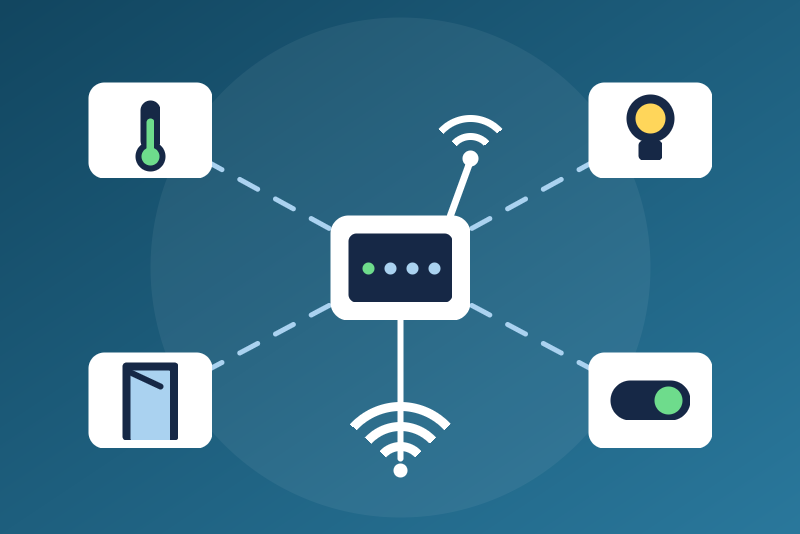
Your home-made MySensors nodes: sensors, relays and dimmers, through an Ethernet or MQTT gateway.
Veröffentlicht von LM1LC3N7
- Geräte
- Version 0.1.1
- Erfordert Gladys >=5.1.0
- ★ 0
Die Dokumentation dieser Integration wird von ihrem Autor geschrieben und ist bisher nur auf Englisch verfügbar.
Reads the nodes of your MySensors network and controls the relays and dimmers you declare safe, through your gateway on your local network:
- an Ethernet gateway (W5100, ENC28J60, ESP8266...): Gladys connects to it, TCP port 5003 by default;
- or an MQTT gateway and your MQTT broker (Mosquitto...), plain MQTT (TCP).
Serial (USB) gateways are not supported. Nothing goes through the Internet.
Unofficial integration, not affiliated with the MySensors project. It was never tested with a real device: it was built from the published serial protocol 2.x and from pymysensors, the library of Home Assistant, and tested against simulated gateways. Please report what works and what does not.
Security
The MySensors protocol has no password and no protection on the network: anyone on your network can talk to the gateway. Use it on a trusted network only. The MQTT password is kept by Gladys in its database, never shown again, sent only to your broker.
The protocol has no request id either: an answer of the gateway cannot be tied to the request of Gladys that asked for it. A device on your network (or a client of your broker) that forges the answer of the gateway right after each request of Gladys, while the real gateway is away, can make a turn-off count as read by the gateway: after 5 such answers it is reported as abandoned in the status although the gateway never read it. Answers that come when nobody asked are detected (see Turning off); such an attacker could as well send commands to your nodes himself.
Setup
- Choose the kind of gateway.
- Ethernet: type its address (
192.168.1.50, or192.168.1.50:5004for another port). MQTT: type the address of the broker, the user and password if it asks for them, and the two topic prefixes of the gateway sketch (MY_MQTT_PUBLISH_TOPIC_PREFIX,mygateway1-outby default, andMY_MQTT_SUBSCRIBE_TOPIC_PREFIX,mygateway1-inby default). - Save, then Test the connection: the gateway answers with its version.
- Open the Discovery tab: the nodes appear as they present themselves (when they start, or after a scan for those that are awake). Add them.
What is read
One Gladys device per node (its sketch name and node id), one feature per value of a child: temperature (°C), humidity, pressure (hPa), door (open / closed), motion, smoke, leak, vibration, light level (lux), soil moisture, power (W), voltage, current, UV index, distance (cm), pH, ORP, the battery of the node, and the on/off state and level of relays, dimmers, heaters and sprinklers. Gladys answers the nodes with the metric system: a node sketch that sends °F, inches or other units is read as if it were metric.
Values are published as they come. A value that is not a number, empty or out of range is ignored, never published as 0. A message kept by the MQTT broker (retained) may be old: it is ignored.
Covers, thermostats, RGB lights, energy counters (kWh), scene controllers, locks and IR are not handled in this version.
Relays and dimmers
A relay or a dimmer may feed anything (a lamp, but also a pump, a heater, a
freezer, a garage door), and a "turn everything off / on" of a voice
assistant or a scene reaches every switch and every light. So a relay
(S_BINARY) or a dimmer (S_DIMMER) is only shown, read only, until you
declare it safe in Relays and dimmers declared safe with its
node:child pair (for example 12:1, 12:2). It then becomes a switch or a
light (on/off and brightness). After changing the list, scan and update the
device in the Discovery tab. Heaters and sprinklers are never commanded.
A command is sent with the echo flag of MySensors: it is confirmed when the node echoes it (its radio received it); a report of the node is not a confirmation of the command. Without an echo within 3.5 s it is "sent, without confirmation". The state shown in Gladys is the one the node reports (an echo only proves the node received the command): a sketch that never sends its state back leaves the state unchanged in Gladys.
Turning on (or a brightness above 0) is refused, and nothing is sent, when: the configuration is not read or not valid; the pair is not declared safe; the node presented that child as another kind of sensor since the integration started (a presentation heard before a restart is not kept: the declaration is the guard until the node presents itself again); the gateway is not connected.
Turning off
Turning off a relay or a light (or a brightness of 0) is never refused for a declaration, an option or a configuration not read yet, and never waits for the disk. It is written at once when the gateway is connected, followed by a request for the version of the gateway: a send counts only once the gateway answers that request, or a later one, on the same connection (each answer is matched to the oldest request still waiting there; an answer nobody asked for, or a request left 10 s without answer, proves nothing; for a minute after an answer nobody asked for, as when another controller talks to the same gateway, only the echo of the node counts) (it read the off before it) or the node echoes the off. Otherwise Gladys connects at once, and it leaves first; a click during a connection attempt that fails tries once more at once.
Not echoed by the node, it is sent again after 1.5 s, 5 s, 20 s and 1 min. After 5 sends read by the gateway without any echo, it is reported as abandoned in the status until you click again. A write on a connection that closes before the gateway answered (a gateway restarting, or an ESP8266 gateway whose single client slot is taken) does not count: such an off is never abandoned, and is sent again on the next connection.
It is kept on disk until the node confirms it (echo, or a report of off after the send), and sent again after a restart, even before the configuration is read (Ethernet gateway, or MQTT broker without credentials). It is lifted without being sent again when a newer command of the same target actually left, or when the node, known off before the click, reports itself on twice after the off left (someone turned it on again at the node: a single report may have crossed the off, and the on/off + level pair of a dimmer is one report); the status then says so until the node reports itself off, a new click on it, or 10 minutes. Known off means: its last report before the click said off and, if Gladys turned it on (or set a brightness), a report came more than 3.5 s after that turn-on (a sooner one may have crossed it). When the node was on before the click, or its state unknown (never reported, or a turn-on of Gladys not followed by such a report: it may have been applied), a report of on is not a change made elsewhere: the off is sent again until the node echoes it or reports itself off (it is then confirmed, and a turn-on made at the node afterwards is kept), else it is abandoned after 5 sends read by the gateway.
It cannot leave while the gateway (or the broker) is unreachable, while the broker refuses the credentials, or while the configuration is not valid: it is then kept and leaves first as soon as the gateway is back, new credentials are saved or the test button succeeds. Its fate is shown in the status: kept (not written yet: the gateway is not connected), written and not counted as read yet (until the gateway answers or, while answers nobody asked for come, until the node echoes it), sent and not confirmed yet, abandoned, or turned on again at the node.
Node ids
A node without a fixed id (MY_NODE_ID AUTO) asks the controller for one.
With Hand out node ids on (default), Gladys gives the lowest id no node
uses, and keeps it on disk before giving it. An id given and not used within
5 minutes is given again; 10 unused ids at most. Turn the option off if
another controller of the same network hands out the ids.
Status
The Configuration screen shows the state of the link (connected, waiting for the gateway, unreachable with the next try), the turn-offs not confirmed, the entries ignored in the safe list, the messages ignored (malformed, too long, or over 200 per second), and whether the disk of the integration cannot be read or written. Over Ethernet, a gateway silent for more than 150 s (checked every minute) is reconnected; the next tries after a failure wait 1 s, then up to 1 minute.
Limits
- One gateway (one MySensors network) per integration.
- Lines of 256 bytes and MQTT packets of 4 KB at most; 200 messages per second at most.
- The node id is the identity of a node (MySensors gives no serial number): a node flashed with another sketch under the same id stays the same device.
Konfigurationseinstellungen
Diese Einstellungen fragt MySensors in seinem Konfigurationsbildschirm in Gladys ab.
| Einstellung | Typ | Pflichtfeld | Beschreibung |
|---|---|---|---|
| Your MySensors network in Gladys | section | Nein | Reads the nodes of your MySensors network (temperature, humidity, pressure, doors, motion, smoke, leaks, light, power, battery...) and controls the relays and dimmers you declare safe, through YOUR gateway on your local network: an Ethernet gateway (TCP, port 5003) or an MQTT gateway and your broker. Serial (USB) gateways are not supported. Nothing goes through the Internet; the MySensors protocol has no password: use it on a trusted network only. Unofficial integration, not affiliated with the MySensors project, never tested with a real device. |
| Gateway | select | Nein | |
| Ethernet gateway address | string | Nein | Its IP address or host name, port 5003 unless you add another one (192.168.1.50:5004). Gladys connects to it. |
| MQTT gateway | section | Nein | Only for an MQTT gateway: the broker it publishes to, and the two topic prefixes of its sketch (MY_MQTT_PUBLISH_TOPIC_PREFIX and MY_MQTT_SUBSCRIBE_TOPIC_PREFIX). Plain MQTT (TCP) only. |
| MQTT broker address | string | Nein | Its IP address or host name, port 1883 unless you add another one. |
| User name | string | Nein | The user of the broker, if it asks for one. |
| Password | secret | Nein | The password of the broker: kept by Gladys in its database, never shown again, sent only to your broker. |
| Topic the gateway publishes to | string | Nein | MY_MQTT_PUBLISH_TOPIC_PREFIX of the gateway sketch. |
| Topic the gateway listens to | string | Nein | MY_MQTT_SUBSCRIBE_TOPIC_PREFIX of the gateway sketch. |
| Relays and dimmers | section | Nein | A MySensors relay or dimmer may feed anything (a lamp, but also a pump, a heater, a freezer, a garage door), and a "turn everything off / on" of a voice assistant or a scene reaches every switch and every light. So a relay or a dimmer is only shown in Gladys, read only, until you declare it safe below: it then becomes a switch (relay, S_BINARY) or a light (dimmer, S_DIMMER). Turning one off is always allowed. Heaters, sprinklers and covers are never commanded. |
| Relays and dimmers declared safe | string | Nein | node:child pairs separated by commas (12:1, 12:2, 30:1). Only loads that may be switched off or on at any time (a lamp, a socket for a lamp). |
| Hand out node ids | boolean | Nein | A node without a fixed id (MY_NODE_ID AUTO) asks the controller for one: Gladys gives the lowest free id. Turn off if another controller of the same network does it. |
| Language of the names and messages | select | Nein |
So installierst du MySensors in Gladys
- Öffne in Gladys Integrationen: MySensors erscheint im Katalog neben den nativen Integrationen, mit einem Community-Badge.
- Klicke auf Installieren. Gladys lädt das Docker-Image (
ghcr.io/lm1lc3n7/gladys-mysensors:0.1.1) herunter, startet es in einer vom Kern isolierten Sandbox und erzeugt die Oberfläche der Integration (Geräte, Erkennung und Konfiguration). - Öffne den Bildschirm Konfiguration der Integration, fülle die Einstellungen aus und speichere.
- Du kannst sie auch direkt über die URL ihres Repositorys installieren: https://github.com/LM1LC3N7/gladys-mysensors.
MySensors benötigt Gladys >=5.1.0. Der Katalog in Gladys wird stündlich aktualisiert, eine neue Version ist also spätestens eine Stunde nach ihrer Veröffentlichung verfügbar.
Du nutzt Gladys noch nicht? Es ist kostenlos und Open Source: folge der Installationsanleitung, um loszulegen.
Über externe Integrationen
MySensors ist eine externe Integration: eine Community-Integration, die als Docker-Container verpackt und auf GitHub veröffentlicht wird. Gladys installiert sie mit einem Klick und führt sie in einer vom Kern isolierten Sandbox aus. Sie wird von LM1LC3N7 veröffentlicht und gepflegt, nicht vom Gladys-Kernteam.
- Alle Integrationen durchsuchen, native und aus der Community
- Deine eigene externe Integration bauen und veröffentlichen
- Quellcode auf GitHub — Quelle dieser Dokumentation