my-PV Smart-Home-Integration, kostenlos und Open Source
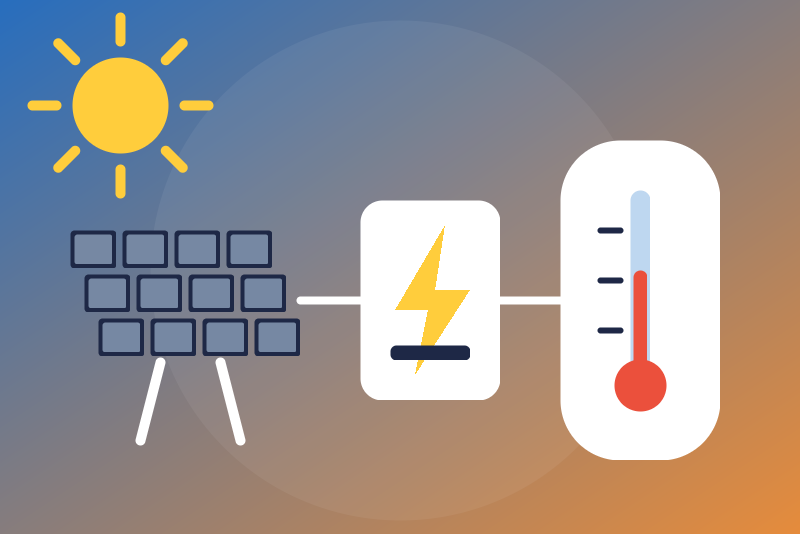
my-PV solar diverters (AC•THOR, AC ELWA 2), local first: power, tank, optional boost.
Veröffentlicht von LM1LC3N7
- Geräte
- Version 0.1.1
- Erfordert Gladys >=5.1.0
- ★ 0
Die Dokumentation dieser Integration wird von ihrem Autor geschrieben und ist bisher nur auf Englisch verfügbar.
Shows your my-PV solar power diverter in Gladys: AC•THOR, AC•THOR i, AC•THOR 9s, AC ELWA 2, SOL•THOR, HEA•THOR IoT (Viessmann, Greenheiss and Tuxhorn versions included). The logic is ported from py-mypv, the official library of my-PV (Apache-2.0), used by Home Assistant.
Unofficial integration, not affiliated with my-PV. Never tested with a real device: the answers were rebuilt from py-mypv. Your feedback is welcome.
What you get
One device per diverter, with, depending on what your model gives:
- the status (standby, heating, boost, heating finished, error, block…);
- the heating power (W); the solar power and voltage (SOL•THOR);
- the meter power ("surplus", in W, as the device gives it: my-PV does not document its sign);
- temperatures 1 to 4 (sensor 1 is the tank one) and the device temperature;
- the hot water charge (%);
- heating enabled, boost running (read only);
- the hot water setpoint and the boost setpoint;
- the "Start the boost" and "Stop the boost" buttons.
There is no energy index: the device gives none.
Connection: local first
- Give the device a fixed IP address in your router.
- In the configuration of the integration, leave Connection on "Local" and enter the IP address.
- If the web interface of the device asks for a password (recent firmware, HTTPS), enter it in Password of the device. It is kept by Gladys in its database, never shown again, and sent only to your device. The device shows a self-signed certificate: at the first connection the integration keeps its fingerprint, then refuses any other certificate (the password is then not sent). If you replace or reset the device, use the Trust the new certificate button.
- Save, then add the device from the Discovery tab.
Without a password the local API has no protection at all: keep the device on a trusted network.
The my-PV cloud (optional)
Only if the device is not on your network: choose "my-PV cloud", enter the serial number (shown on live.my-pv.com) and a token created in your my-PV account. The token is kept by Gladys in its database, never shown again, sent only to api.my-pv.com and never written in the logs. Through the cloud the device is read once a minute at most. The device keeps the same id locally and through the cloud: switching keeps its history.
Hot water commands (off by default)
Scalding risk: hot water is capped at 55 °C by default (from 40 to 60 °C, never more than 60 °C, whatever is typed).
- Allow the hot water setpoint: Gladys may change the setpoint (whole degrees, from 10 °C to the ceiling).
- Allow starting the boost: Gladys may start a manual boost (heating from the grid up to the boost setpoint set on the device). It is refused when that boost setpoint is above the ceiling, when the boost mode is off on the device, when the device is off or has no sensor 1, or in space heating mode (AC•THOR).
- Stop the boost is always allowed, without option, even while the device asks to slow down (then one try). It withdraws a start not sent yet, and is sent once more when a start was in flight, or when a read still shows the boost running (within 90 s).
Locally, a command needs the settings of the device to give its serial number
(serialno): if your firmware does not, the commands are refused with a
message that says so (please report it, with the firmware version).
Each command reads the settings again just before acting, checks the options and the ceiling again right before sending, leaves within 3.5 s or is refused unsent. A command that may have reached the device without a clear answer is "sent, without confirmation", then the device is read again 5 and 20 s later. One setpoint or start at a time.
The buttons and the setpoint are never switches: a "turn everything off" of a voice assistant or a scene never reaches them.
The legionella programme of the device (which may heat higher) is not controlled by Gladys: set it on the device.
Errors and limits
- Password or token refused: the reads stop (kept in /data), a new try once an hour at most, at once when you change the password or the token, or with Test the connection. A refused command (401/403 to a write) never stops the reads.
- 429 or a server error: reads and commands paused (Retry-After, 1 min to 6 h, 1 min without Retry-After locally, kept in /data), except "Stop the boost". Through the cloud, a 429 to a command is never sent again and pauses too.
- Never a read sooner than the interval, even after a restart, a save or a click on Test the connection (only a new address, password or token reads at once).
- Device unreachable: a new try after 30 s to 5 min, never sooner than the interval.
- An AC ELWA 2 in an AC ELWA-E compatibility mode is not supported (as in py-mypv).
Troubleshooting
Test the connection reads the device and shows its state (or, before the interval, the last state and when the next read comes). The logs of the integration never hold a password, a token nor a cookie.
Konfigurationseinstellungen
Diese Einstellungen fragt my-PV in seinem Konfigurationsbildschirm in Gladys ab.
| Einstellung | Typ | Pflichtfeld | Beschreibung |
|---|---|---|---|
| Your my-PV device | section | Nein | Shows your my-PV solar power diverter (AC•THOR, AC•THOR 9s, AC ELWA 2, SOL•THOR, HEA•THOR) in Gladys: heating power, tank temperatures, meter power, hot water charge and status. Local first: enter the IP address of the device (give it a fixed address in your router), and its password if its web interface has one. The my-PV cloud is optional: choose it only if the device is not on your network. Save, then add the device from the Discovery tab. The hot water setpoint and the boost start are off by default and capped (55 °C by default, never more than 60 °C); stopping the boost is always allowed. Never tested with a real device. Unofficial integration, not affiliated with my-PV. |
| Connection | select | Nein | Local (recommended): the API of the device on your network, no account. Cloud: api.my-pv.com, with a token of your my-PV account. |
| IP address of the device (local) | string | Nein | An IPv4 address or a host name, with an optional port (80 without a password, 443 with one). |
| Password of the device (local, optional) | secret | Nein | Only if the web interface of the device asks for one (recent firmware, HTTPS). Kept by Gladys in its database, never shown again, sent only to your device, over HTTPS, after checking its certificate is the one seen at the first connection. |
| Serial number (cloud) | string | Nein | Only for the cloud connection: the serial number of the device, as shown on live.my-pv.com. |
| my-PV cloud token (cloud) | secret | Nein | Only for the cloud connection: a token created in your my-PV account (live.my-pv.com). Kept by Gladys in its database, never shown again, sent only to api.my-pv.com, never written in the logs. |
| Hot water commands | section | Nein | By default Gladys only reads the device, and can stop a boost (always allowed, even while the device asks to wait). Once allowed below, it can also change the hot water setpoint and start a boost. Scalding risk: the setpoint is never set above the ceiling, and a boost is refused while the boost setpoint of the device is above it. The legionella programme of the device is not controlled by Gladys. |
| Allow the hot water setpoint | boolean | Nein | Off by default. On: Gladys may change the hot water setpoint (ww1target), up to the ceiling below. |
| Allow starting the boost | boolean | Nein | Off by default. On: Gladys may start a manual boost (heating from the grid up to the boost setpoint of the device), only when that setpoint is under the ceiling below. |
| Hot water ceiling (°C) | number | Nein | Scalding risk: Gladys never sets the hot water above this temperature. 55 °C by default, from 40 to 60 °C (never more than 60 °C, whatever is typed). |
| Refresh interval (s) | number | Nein | How often the device is read, in seconds (60 s at least through the cloud). |
| Language of the feature names | select | Nein | Used for the names of the features added from now on, for the status texts and for the command errors. |
So installierst du my-PV in Gladys
- Öffne in Gladys Integrationen: my-PV erscheint im Katalog neben den nativen Integrationen, mit einem Community-Badge.
- Klicke auf Installieren. Gladys lädt das Docker-Image (
ghcr.io/lm1lc3n7/gladys-my-pv:0.1.1) herunter, startet es in einer vom Kern isolierten Sandbox und erzeugt die Oberfläche der Integration (Geräte, Erkennung und Konfiguration). - Öffne den Bildschirm Konfiguration der Integration, fülle die Einstellungen aus und speichere.
- Du kannst sie auch direkt über die URL ihres Repositorys installieren: https://github.com/LM1LC3N7/gladys-my-pv.
my-PV benötigt Gladys >=5.1.0. Der Katalog in Gladys wird stündlich aktualisiert, eine neue Version ist also spätestens eine Stunde nach ihrer Veröffentlichung verfügbar.
Du nutzt Gladys noch nicht? Es ist kostenlos und Open Source: folge der Installationsanleitung, um loszulegen.
Über externe Integrationen
my-PV ist eine externe Integration: eine Community-Integration, die als Docker-Container verpackt und auf GitHub veröffentlicht wird. Gladys installiert sie mit einem Klick und führt sie in einer vom Kern isolierten Sandbox aus. Sie wird von LM1LC3N7 veröffentlicht und gepflegt, nicht vom Gladys-Kernteam.
- Alle Integrationen durchsuchen, native und aus der Community
- Deine eigene externe Integration bauen und veröffentlichen
- Quellcode auf GitHub — Quelle dieser Dokumentation