Moon phase Smart-Home-Integration, kostenlos und Open Source
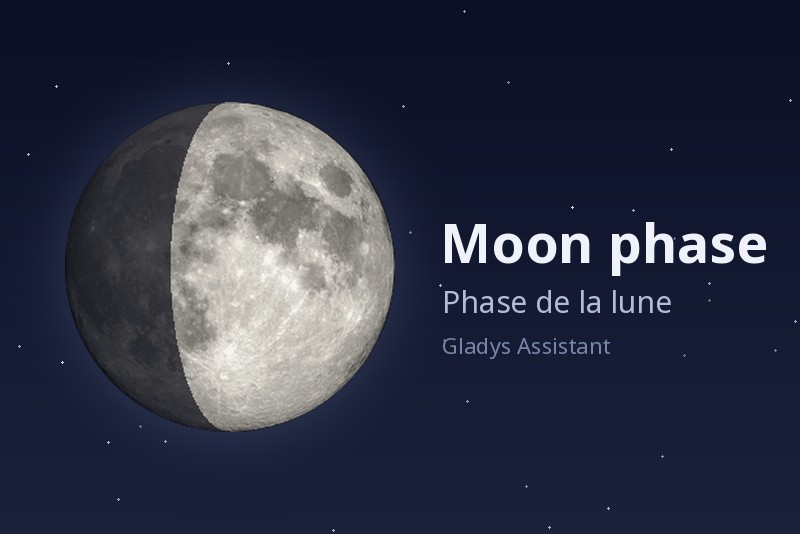
Mondphasen-Widget: Beleuchtung, Mondauf- und -untergang, nächste Mondereignisse.
Veröffentlicht von William-De71
- Geräte
- Version 1.2.0
- Erfordert Gladys >=5.3.0
- ★ 0
Diese Integration fügt Gladys ein Dashboard-Widget „Mondphase“ hinzu: die Phase des Tages, Beleuchtung und Alter des Mondes, seine beleuchtete Scheibe, Mondauf- und -untergang und die nächsten Mondereignisse. Szenen können auf die Mondereignisse reagieren (Vollmond, Neumond, Finsternis …) und die Mondphase abfragen.
Sofort einsatzbereit
Nichts zu konfigurieren: Alles wird lokal aus dem Standort deines Zuhauses berechnet, ohne Konto, ohne Schlüssel und ohne Internetzugang.
Das Zuhause muss einen Standort haben: Lege ihn unter Einstellungen → Zuhause fest.
Das Widget hinzufügen
Bearbeite ein Dashboard, wähle Mondphase unter den Integrations-Widgets und stelle dann ein:
| Einstellung | Wirkung |
|---|---|
| Zuhause | Name des Zuhauses, dessen Standort verwendet wird. Leer lassen für das erste Zuhause mit Standort (der Fall eines einzigen Zuhauses). |
| Details anzeigen | Zeigt die Liste unter dem Mond (Entfernung, Bahn, Sternbild, nächste Ereignisse). Deaktivieren, um nur die Phase, die Scheibe sowie Mondauf- und -untergang zu behalten. |
| Werte um Mitternacht berechnen | Berechnet Beleuchtung, Entfernung, Alter und Countdowns um Mitternacht, wie Mondkalender, damit beide Zeile für Zeile verglichen werden können. Auf- und Untergang ändern sich nicht. |
Was das Widget zeigt
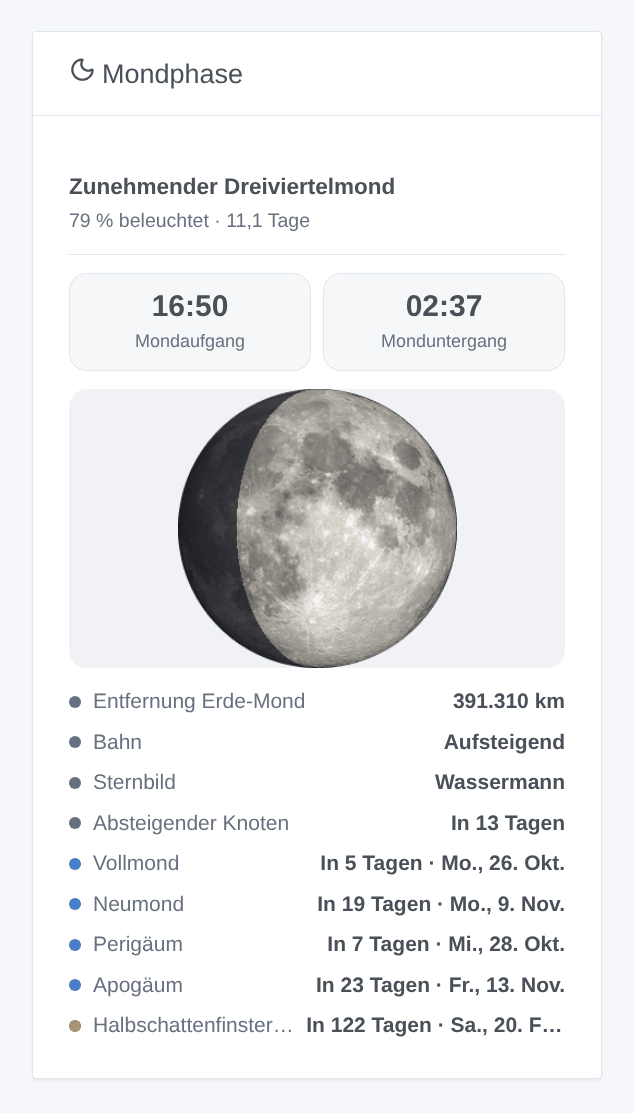
- Die Phase (Neumond, Zunehmende Sichel, Erstes Viertel, Zunehmender Dreiviertelmond, Vollmond …), den beleuchteten Anteil und das Alter des Mondes (Tage seit dem letzten Neumond).
- Die Mondscheibe (ein NASA-Foto) mit ihrem beleuchteten Teil.
- Mondauf- und -untergang des Tages, in der Zeitzone von Gladys.
--:--, wenn der Mond an diesem Tag nicht auf- oder untergeht (etwa einen Tag im Monat). - Heute: Entfernung Erde-Mond, Bahn (aufsteigend oder absteigend), Sternbild (siderischer Tierkreis, wie in Mondkalendern) und der nächste Knoten.
- Demnächst: Vollmond, Neumond, Perigäum, Apogäum und nächste Mondfinsternis, mit der Zahl der Tage und dem Datum.
Das Widget wird alle 10 Minuten und kurz nach Mitternacht aktualisiert.
Szenen
Auslöser „Mond: Mondereignis“
Ausgelöst zur Minute des Ereignisses, in der Uhrzeit von Gladys:
| Ereignis | Wann |
|---|---|
| Neumond | der Mond steht zwischen Erde und Sonne |
| Erstes Viertel | die Hälfte der Scheibe ist beleuchtet, der Mond nimmt zu |
| Vollmond | die ganze Scheibe ist beleuchtet |
| Letztes Viertel | die Hälfte der Scheibe ist beleuchtet, der Mond nimmt ab |
| Perigäum | der Mond ist der Erde am nächsten |
| Apogäum | der Mond ist am weitesten von der Erde entfernt |
| Mondfinsternis | ein Vollmond, der durch den Erdschatten zieht |
Wähle die Ereignisse, auf die reagiert werden soll (leer: alle). Die Szene erhält das Ereignis, seinen Namen, sein Datum und seine Uhrzeit, die Beleuchtung, die Entfernung Erde-Mond und einen Satz Zusammenfassung, der direkt verschickt werden kann: „Vollmond um 05:11: Der Mond ist zu 100 % beleuchtet, 368.600 km von der Erde entfernt.“
Ein Ereignis wird nur einmal ausgelöst, auch nach einem Neustart. War die Integration in dieser Minute gestoppt, wird das Ereignis nicht später ausgelöst (eine Szene „Vollmond“ eine Stunde zu spät würde eher überraschen als helfen).
Ideen: die Gartenbeleuchtung in eine „Vollmond“-Stimmung schalten, am Abend einer Mondfinsternis eine Nachricht erhalten, eine Erinnerung zum Säen bei Neumond.
Aktion „Mond: Mondphase“
Liefert den Mond eines Zuhauses jetzt (leer: das erste Zuhause mit Standort): Phase, beleuchteter Anteil, Alter, zunehmend oder nicht, Mondauf- und -untergang, das Datum des nächsten Vollmonds und Neumonds mit der Zahl der Tage und eine Zusammenfassung, zum Beispiel um in einer Nachricht auf „Welcher Mond ist heute Abend?“ zu antworten.
Sprache der Szenentexte
Gladys übergibt die Sprache nur an die Widgets. Die Ereignisnamen und Zusammenfassungen der Szenen folgen der Einstellung Sprache der Szenentexte der Integration: Englisch, Französisch, Deutsch, Spanisch oder automatisch (die Sprache deines Dashboards, sobald das Widget angezeigt wurde).
Häufige Fragen
Das Widget meldet, dass kein Zuhause einen Standort hat. Lege den Standort eines Zuhauses unter Einstellungen → Zuhause fest.
Das Widget meldet „Kein Zuhause namens …“. Der in der Einstellung Zuhause eingegebene Name passt zu keinem Zuhause: Die Meldung listet die zu verwendenden Namen.
Die Uhrzeiten sind verschoben. Prüfe die Zeitzone von Gladys (Einstellungen → System); die Integration verwendet sie. Starte die Integration nach einer Änderung neu.
Meine Sprache ist weder Englisch, Französisch, Deutsch noch Spanisch. Das Widget wird dann auf Englisch angezeigt.
Die Szenentexte sind auf Englisch. Stelle in den Einstellungen Sprache der Szenentexte ein oder zeige das Widget einmal an.
Konfigurationseinstellungen
Diese Einstellungen fragt Moon phase in seinem Konfigurationsbildschirm in Gladys ab.
| Einstellung | Typ | Pflichtfeld | Beschreibung |
|---|---|---|---|
| Sofort einsatzbereit | section | Nein | Nichts zu konfigurieren: alles wird lokal aus dem Standort deines Zuhauses berechnet, ohne Konto und ohne Internetzugang. Füge das Widget „Mondphase“ einem Dashboard hinzu. Das Zuhause muss einen Standort haben (Einstellungen → Zuhause). Die Szenen erhalten einen Auslöser für die Mondereignisse und eine Aktion, die die Mondphase liefert. |
| Sprache der Szenentexte | select | Nein | Ereignisnamen und Zusammenfassungen der Szenen. Automatisch: die Sprache deines Dashboards, sobald das Widget angezeigt wurde. |
So installierst du Moon phase in Gladys
- Öffne in Gladys Integrationen: Moon phase erscheint im Katalog neben den nativen Integrationen, mit einem Community-Badge.
- Klicke auf Installieren. Gladys lädt das Docker-Image (
ghcr.io/william-de71/gladys-moon-phase:1.2.0) herunter, startet es in einer vom Kern isolierten Sandbox und erzeugt die Oberfläche der Integration (Geräte, Erkennung und Konfiguration). - Öffne den Bildschirm Konfiguration der Integration, fülle die Einstellungen aus und speichere.
- Du kannst sie auch direkt über die URL ihres Repositorys installieren: https://github.com/William-De71/gladys-moon-phase.
Moon phase benötigt Gladys >=5.3.0. Der Katalog in Gladys wird stündlich aktualisiert, eine neue Version ist also spätestens eine Stunde nach ihrer Veröffentlichung verfügbar.
Du nutzt Gladys noch nicht? Es ist kostenlos und Open Source: folge der Installationsanleitung, um loszulegen.
Über externe Integrationen
Moon phase ist eine externe Integration: eine Community-Integration, die als Docker-Container verpackt und auf GitHub veröffentlicht wird. Gladys installiert sie mit einem Klick und führt sie in einer vom Kern isolierten Sandbox aus. Sie wird von William-De71 veröffentlicht und gepflegt, nicht vom Gladys-Kernteam.
- Alle Integrationen durchsuchen, native und aus der Community
- Deine eigene externe Integration bauen und veröffentlichen
- Quellcode auf GitHub — Quelle dieser Dokumentation