KEBA KeContact Smart-Home-Integration, kostenlos und Open Source
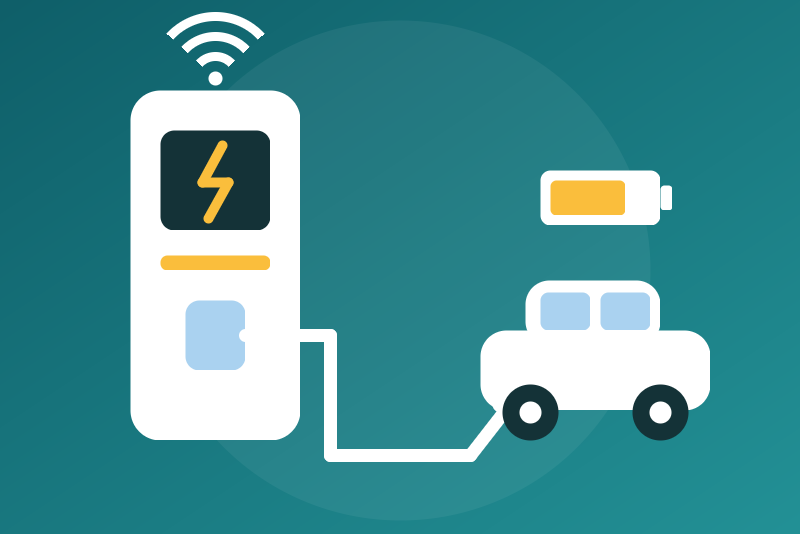
KEBA KeContact P20/P30 chargers over local UDP: state, power, energy; optional commands.
Veröffentlicht von LM1LC3N7
- Geräte
- Version 0.1.1
- Erfordert Gladys >=5.1.0
- ★ 0
Die Dokumentation dieser Integration wird von ihrem Autor geschrieben und ist bisher nur auf Englisch verfügbar.
Follow your KEBA KeContact P20 or P30 charging station (or a BMW wallbox built on it) in Gladys, through its local UDP interface (port 7090), without any cloud.
Unofficial integration, never tested with a real station: it follows the keba-kecontact library (the one of Home Assistant) and KEBA's UDP guide. Feedback is welcome. Not affiliated with KEBA.
What you get
One device per station (identified by its serial number), with:
- the state of the station (starting, not ready, ready, charging, error, authorization rejected), the connector and the charging state;
- plug and cable: vehicle plugged in, cable plugged at the station, cable locked;
- power (W), current (A) and voltage (V) of each phase;
- energy of the session and total energy (kWh): plain sensors, never an index of the energy tab (the station is already behind your meter, it would be counted twice);
- maximum current allowed (A), charging enabled by the station and charging allowed ("ena"), failsafe mode on or off, authorization required (RFID);
- optionally, three commands (see below).
A station without a built-in meter (P20 e-series, P30 "Deutschland Edition") gives no power, current, voltage nor energy: these features stay empty.
1. Turn the UDP interface on in the station
The UDP interface ("smart home interface") is off from the factory. On a P20 or a P30 c-series, it is turned on with a DIP switch inside the station: according to KEBA's documentation, switch DSW1.3 set to ON (check the installation manual of your model). On a P30 x-series it is set in its web interface (the "UDP" / "Smart Home interface" setting).
Have an electrician do it: the station must be opened, powered off. Do not touch the other switches (maximum current, etc.).
The station must be on your network (Ethernet cable) with a fixed IP address (DHCP reservation in your router).
2. Configure the integration
- In Gladys, install the KEBA KeContact integration from the store.
- Enter the IP address of the station (an IPv4 address; several stations: separate them with commas, eight at most), then save.
- Open the Discovery tab and add the station.
The Test the connection button reads every station once.
Security: no authentication
KEBA's UDP interface has no authentication: any device on your local network can read the station and send it commands, even without Gladys. Keep the station on a trusted local network (never exposed to the Internet, ideally on a network apart from guests and untrusted devices). Allowing the commands in Gladys opens nothing more on the station, but lets Gladys (scenes, AI chat through MCP, Gladys accounts) send them.
Commands (off by default)
With the Allow the commands option:
- Allow charging and Forbid charging: two buttons that send
ena 1andena 0; - Set the charging current: a list from 6 A to the hardware limit of the
station (
curr), at most once a minute per station. This is no fine regulation (following solar production second by second): the station may keep the value in permanent memory, still to check. A change sooner is refused unsent; "Forbid charging" stays always available.
Never a switch: a "turn everything off" of a voice assistant or a scene cannot
cut the charge. Before each command the station is read again (report 2) and
the command decided on that read; the current is refused above the hardware
limit read then (Curr HW, rounded down to the ampere). The option is checked
again right before the command leaves.
What the answers mean:
- TCH-OK means the station accepted the command, not that it applied it. The integration reads the station afterwards; if the value never moved, it says so once in the log and in the status ("accepted … without applying it"): a model that cannot be driven (c-series?) or a setting (DSW1.3, load management of a group of stations).
- TCH-ERR: the station refused (model or configuration).
- No answer: "sent, without confirmation"; check the state a few seconds later.
- A product the integration does not recognize (neither KEBA P20/P30 nor BMW), or a station that gives no serial number in report 2, refuses the commands (read only).
Forbid charging always goes first: it does not wait for the answer of another command in progress (that one becomes "sent, without confirmation"), and an older "allow" or current never leaves after it. Forbid stays in place until an "Allow charging" (to check: maybe also until the station restarts): a scene that forbids charging must allow it again too.
"Charging allowed (ena)" shows the state of these two buttons. "Charging
enabled (station)" (Enable sys) shows whether the station allows charging
overall: it may stay at 0 with "ena" at 1 for another reason (X1 input, RFID
tag, load management, DIP switches).
The failsafe mode is only read: the integration never changes it. Starting or stopping a session with an RFID tag is not offered.
With the commands allowed, the AI chat of Gladys (MCP) can create and run a scene that allows or forbids charging.
Network and Docker
The station answers to UDP port 7090 of the sender, whatever port the question left from. The integration opens port 7090 in its container, on the Docker network of Gladys (a bridge with NAT). This only works if Docker keeps source port 7090 on the way out:
- on Linux with "classic" Docker, the translation (MASQUERADE) usually keeps the source port when it is free on the host: the expected case;
- with Docker Desktop (Windows, macOS) or rootless Docker, traffic goes through a network layer that may change the source port: the answers are then lost and the station looks unreachable;
- if another program on the same machine already talks to the station from port 7090 (Home Assistant or evcc on the host network, for instance), Docker must change the source port and the answers are lost: keep only one.
None of this was checked on a real setup.
Pace
Each station is read every 30 s by default (10 s to 10 min): report 2 (state),
report 3 (meter), and report 1 (identity) once an hour. One request at a time
for all the stations, at least 100 ms between two messages, and a 2 s pause
for the station that just got ena 0 (the others go on), as keba-kecontact.
An answer arriving late is never taken for the one of a later request. A
station that stops answering is read again after 30 s, 1, 2 then 5 min; it
shows "Station unreachable".
Limits
- Never tested with a real station.
- IPv4 addresses only (an answer is attributed to its request by its source address).
- No automatic discovery (a broadcast does not cross the Docker network).
- No RFID start, no failsafe setting, no phase switching, no session history (reports 1xx).
Credits
The protocol is ported from keba-kecontact (MIT, Philipp Danner), the
library of Home Assistant's KEBA integration. See THIRD_PARTY_NOTICES.md.
KEBA and KeContact are trademarks of KEBA AG.
Konfigurationseinstellungen
Diese Einstellungen fragt KEBA KeContact in seinem Konfigurationsbildschirm in Gladys ab.
| Einstellung | Typ | Pflichtfeld | Beschreibung |
|---|---|---|---|
| Your KEBA charging station | section | Nein | Shows your KEBA KeContact P20 or P30 charging station (or a BMW wallbox built on it) in Gladys through its local UDP interface (port 7090), without any cloud: state, plug and cable, power, current and voltage per phase, energy of the session, total energy, current limit, enabled and failsafe states. Turn the UDP interface on in the station first (DIP switch, see the guide). This interface has NO authentication: keep the station on a trusted local network. Enter its IP address, save, then add it from the Discovery tab. Allowing or forbidding the charge and the charging current can be changed from Gladys only if you allow the commands below. Never tested with a real station. Not affiliated with KEBA. |
| IP address of the station | string | Ja | An IPv4 address (give the station a fixed address in your router). Several stations: separate them with commas, eight at most. |
| Allow the commands | boolean | Nein | Off by default. On: Gladys may allow or forbid the charge (ena 1 / ena 0) and set the charging current (6 A to the hardware limit of the station, at most once a minute). Anyone on your network can already send them: the station has no authentication. Off: these three features refuse every command. The failsafe mode is never changed. |
| Refresh interval (s) | number | Nein | How often each station is read, in seconds. |
| Language of the feature names | select | Nein | Used for the feature names of the devices added from now on, for the status texts and for the command errors. |
So installierst du KEBA KeContact in Gladys
- Öffne in Gladys Integrationen: KEBA KeContact erscheint im Katalog neben den nativen Integrationen, mit einem Community-Badge.
- Klicke auf Installieren. Gladys lädt das Docker-Image (
ghcr.io/lm1lc3n7/gladys-keba:0.1.1) herunter, startet es in einer vom Kern isolierten Sandbox und erzeugt die Oberfläche der Integration (Geräte, Erkennung und Konfiguration). - Öffne den Bildschirm Konfiguration der Integration, fülle die Einstellungen aus und speichere.
- Du kannst sie auch direkt über die URL ihres Repositorys installieren: https://github.com/LM1LC3N7/gladys-keba.
KEBA KeContact benötigt Gladys >=5.1.0. Der Katalog in Gladys wird stündlich aktualisiert, eine neue Version ist also spätestens eine Stunde nach ihrer Veröffentlichung verfügbar.
Du nutzt Gladys noch nicht? Es ist kostenlos und Open Source: folge der Installationsanleitung, um loszulegen.
Über externe Integrationen
KEBA KeContact ist eine externe Integration: eine Community-Integration, die als Docker-Container verpackt und auf GitHub veröffentlicht wird. Gladys installiert sie mit einem Klick und führt sie in einer vom Kern isolierten Sandbox aus. Sie wird von LM1LC3N7 veröffentlicht und gepflegt, nicht vom Gladys-Kernteam.
- Alle Integrationen durchsuchen, native und aus der Community
- Deine eigene externe Integration bauen und veröffentlichen
- Quellcode auf GitHub — Quelle dieser Dokumentation