GareSNCF Smart-Home-Integration, kostenlos und Open Source
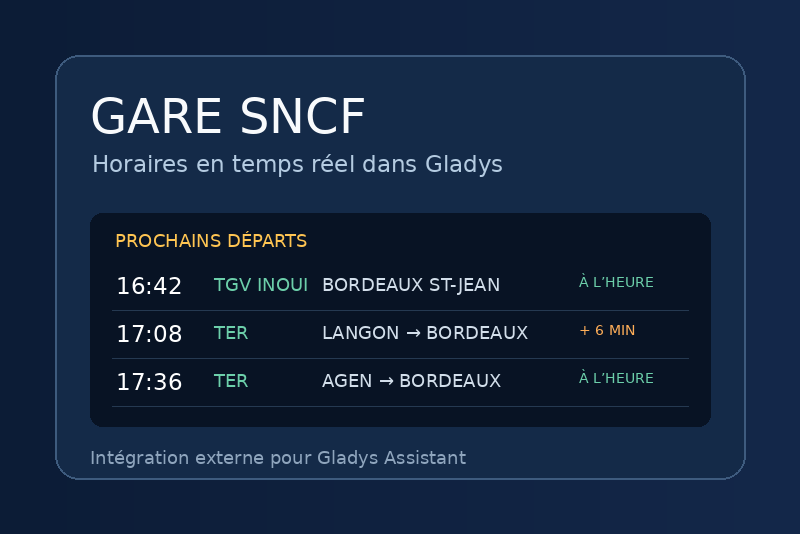
Searches SNCF stations and tracks multiple timetables and delays.
Veröffentlicht von Quentin-CS
- Geräte
- Version 2.1.1
- Erfordert Gladys >=5.1.0
- ★ 1
Die Dokumentation dieser Integration wird von ihrem Autor geschrieben und ist bisher nur auf Englisch verfügbar.
GareSNCF connects Gladys to the official SNCF API (Navitia API). Station search is integrated into Gladys device discovery so users can select and follow several stations.
Get a token and add stations
- Request a free developer token from the SNCF API portal.
- In the integration configuration, enter the API token and a station or city name in Search for stations.
- Save the configuration, open Discovery, and scan for devices. Matching stations appear as selectable devices.
- Select every station you want to follow and add them to Gladys. To follow stations in other cities, change the search and scan again; stations already added remain tracked.
- Set the refresh interval per station and the delay threshold that triggers scenes.
- Use the Followed stations widget to review tracked devices. To stop following a station, delete its device from the Gladys devices list. Repeated searches do not create duplicates because SNCF station IDs are stable keys.
API usage is shared across the integration. The default interval is 10 minutes per station. Cancellation detection is enabled by default and adds one request for the theoretical timetable per refresh; disable it in the integration settings to reduce API usage. Increase the refresh interval if you follow many stations.
Optional global filters match line/train code, destination and transport type. They apply to boards, sensors and scenes; each board widget can also set its own display filters. On HTTP 429, the widget keeps the last received data and shows the error and retry delay when SNCF provides one. The API does not expose the remaining quota here.
Widget
Add Followed stations to review tracked devices, or SNCF station board to display one station. The board shows train times, countdowns, available platforms, delays and cancellations reported by the API. It can be limited to three trains in compact view. Its status shows data freshness and refresh errors; Refresh queries the API immediately.
Scene trigger and action
The Delayed train, Cancelled train and Platform change triggers can be filtered by station. The latter two use information returned by SNCF and changes compared between refreshes. Variables include the station, train, destination, delay, time and platform (plus the previous platform on a platform change).
The Get upcoming trains action lets you choose one of your added stations. It forces a refresh and returns count, next_train, destination, minutes, platform, delay_minutes and cancelled to later scene steps.
Data and privacy
The token is stored in the GareSNCF configuration and sent to api.sncf.com in the Basic Authentication header. It is never included in the URL or logs. Train schedules and real-time details are provided by SNCF and may be missing or change.
Konfigurationseinstellungen
Diese Einstellungen fragt GareSNCF in seinem Konfigurationsbildschirm in Gladys ab.
| Einstellung | Typ | Pflichtfeld | Beschreibung |
|---|---|---|---|
| SNCF API | section | Nein | A free token is required. Request one at numerique.sncf.com/startup/api/token-developpeur/. |
| SNCF API token | secret | Ja | Your personal SNCF token. It is passed to the container and must not be shared. |
| Search for stations | string | Ja | Enter a station or city name, then scan to select one or more stations. |
| Displayed board | select | Nein | |
| Refresh interval (seconds) | number | Nein | |
| Delay threshold for scene trigger (minutes) | number | Nein | |
| Filter by line or train code (optional) | string | Nein | Leave empty to show all results. |
| Filter by destination (optional) | string | Nein | Leave empty to show all results. |
| Filter by transport type (optional) | string | Nein | Leave empty to show all results. |
| Trigger a scene when a train is cancelled | boolean | Nein | |
| Trigger a scene when the platform changes | boolean | Nein |
So installierst du GareSNCF in Gladys
- Öffne in Gladys Integrationen: GareSNCF erscheint im Katalog neben den nativen Integrationen, mit einem Community-Badge.
- Klicke auf Installieren. Gladys lädt das Docker-Image (
ghcr.io/quentin-cs/gladysgaresncf:2.1.1) herunter, startet es in einer vom Kern isolierten Sandbox und erzeugt die Oberfläche der Integration (Geräte, Erkennung und Konfiguration). - Öffne den Bildschirm Konfiguration der Integration, fülle die Einstellungen aus und speichere.
- Du kannst sie auch direkt über die URL ihres Repositorys installieren: https://github.com/Quentin-CS/GladysGareSNCF.
GareSNCF benötigt Gladys >=5.1.0. Der Katalog in Gladys wird stündlich aktualisiert, eine neue Version ist also spätestens eine Stunde nach ihrer Veröffentlichung verfügbar.
Du nutzt Gladys noch nicht? Es ist kostenlos und Open Source: folge der Installationsanleitung, um loszulegen.
Über externe Integrationen
GareSNCF ist eine externe Integration: eine Community-Integration, die als Docker-Container verpackt und auf GitHub veröffentlicht wird. Gladys installiert sie mit einem Klick und führt sie in einer vom Kern isolierten Sandbox aus. Sie wird von Quentin-CS veröffentlicht und gepflegt, nicht vom Gladys-Kernteam.
- Alle Integrationen durchsuchen, native und aus der Community
- Deine eigene externe Integration bauen und veröffentlichen
- Quellcode auf GitHub — Quelle dieser Dokumentation