energieleser Smart-Home-Integration, kostenlos und Open Source
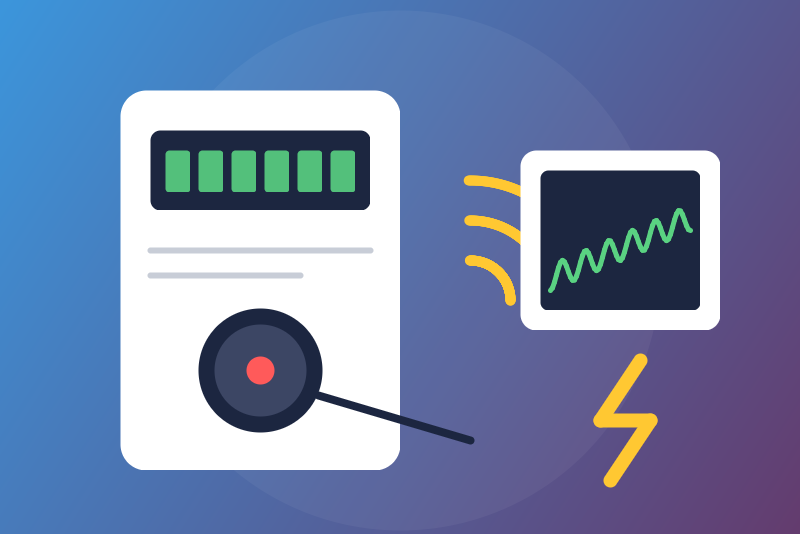
Unofficial: energieleser stromleser on your network: meter power and indexes.
Veröffentlicht von LM1LC3N7
- Geräte
- Version 0.1.1
- Erfordert Gladys >=5.2.0
- ★ 0
Die Dokumentation dieser Integration wird von ihrem Autor geschrieben und ist bisher nur auf Englisch verfügbar.
Unofficial integration, not affiliated with energieleser (nineti GmbH). It reads a stromleser, the energieleser optical reader clipped on the infrared port of a German electricity meter, through its local API: no cloud, no account, nothing sent to the reader but one read every 10 seconds.
Never tested with a real energieleser reader: it was built from the maker's own Python library (the one Home Assistant uses). Feedback welcome.
What you get
One device per reader, named after its id (stromleser STROM_ONE_…), with the
values the meter gives (a meter sends a subset of them):
| Feature | Kind | Meter code |
|---|---|---|
| Net power (see below) | energy sensor, W | 16.7.0 |
| Consumption index | energy index, kWh | 1.8.0 |
| Consumption index, tariff 1 to 4 (kWh) | plain sensor | 1.8.1 to 1.8.4 |
| Injection index (kWh), tariffs 1 to 4 | plain sensor | 2.8.0 to 2.8.4 |
| Power taken, injected, absolute (W) | plain sensor | 1.7.0, 2.7.0, 15.7.0 |
| Power L1, L2, L3 (W) | plain sensor, no history | 36.7.0, 56.7.0, 76.7.0 |
| Wi-Fi signal (dBm) | plain sensor, no history | rssi |
- The consumption index feeds the Gladys energy monitoring: Gladys derives the consumption and its cost from it. It is published once a minute and checked first: never 0; any drop, even of 1 Wh, or a jump that the home could not have drawn is held back (the last accepted value is sent again) and shown in the integration status. If it is right (a new meter, a long outage), click Accept the held index: exactly the value shown is taken. Saving the configuration never accepts it.
- The injection is never in the energy monitoring (it would be billed as consumption): plain sensors.
- The net power is usually negative when the home injects, depending on the meter (to be confirmed on a real meter).
- The powers are sent every 10 seconds, only when they change (and every 10 minutes otherwise). When the reader gives no new reading for 5 minutes (optical head moved), they are no longer sent and the status says so. After a start, they wait until the reading is seen moving (about 10 seconds), so that a reading frozen before a restart is never sent as new. A reader that gives no timestamp cannot be checked: the status says so.
- When the meter shows new values later (a meter unlocked by its PIN), the device gets new features: in the Discover tab, click Update on the device to add them (its history is kept).
Setup
- Install the energieleser app, put the stromleser on your meter and connect it to your Wi-Fi, as the maker explains.
- Find its IP address (in your router or the app) and preferably give it a fixed address in your router.
- In Gladys, open the integration, enter this address, save.
- In the Discover tab, create the device.
If the status says the meter gives no power, the meter is probably PIN-locked: enter on the meter the PIN given by your grid operator to unlock its extended data. The indexes go on in the meantime.
Buttons
- Test the connection: reads the reader when a read is due (never more than one every 10 seconds), otherwise tells the last read.
- Accept the held index: see above.
Limits
- Only the stromleser (electricity) is read. A gasleser, wasserleser or wärmeleser at the address is recognized and refused, with its name.
- One reader per integration. Another reader answering at the address (a changed IP) gets its own device: its values never go to the previous one.
- A meter index without a known unit (Wh, kWh, MWh) is never used.
- Read-only: the reader takes no command.
Troubleshooting
The status of the integration says what happens: address missing, reader
unreachable (a new try after 10 s, doubled up to 5 minutes), wrong answer,
reader asking to wait (HTTP 429 or 5xx: reads paused from 1 minute to
6 hours, kept across restarts), index held back. To look at the reader yourself, open
http://<address>/v1/data in a browser on the same network.
Konfigurationseinstellungen
Diese Einstellungen fragt energieleser in seinem Konfigurationsbildschirm in Gladys ab.
| Einstellung | Typ | Pflichtfeld | Beschreibung |
|---|---|---|---|
| energieleser | section | Nein | Unofficial connector, not affiliated with energieleser (nineti GmbH). It reads your stromleser, the optical reader clipped on the infrared port of a German electricity meter, through its local API, without any cloud: the power every 10 seconds, the consumption index (1.8.0) every minute for the Gladys energy monitoring, and, when the meter gives them, the indexes per tariff, the injection (2.8.0) as plain sensors, the power per phase and the Wi-Fi signal. Read-only. The gasleser, wasserleser and wärmeleser are not supported yet. Never tested with a real energieleser reader. |
| Reader address | string | Ja | The IP address of the stromleser on your network (shown by your router or the energieleser app), with a port only if it is not 80. Preferably give it a fixed address in your router; if it changes, enter the new one: the device and its history are kept. |
So installierst du energieleser in Gladys
- Öffne in Gladys Integrationen: energieleser erscheint im Katalog neben den nativen Integrationen, mit einem Community-Badge.
- Klicke auf Installieren. Gladys lädt das Docker-Image (
ghcr.io/lm1lc3n7/gladys-energieleser:0.1.1) herunter, startet es in einer vom Kern isolierten Sandbox und erzeugt die Oberfläche der Integration (Geräte, Erkennung und Konfiguration). - Öffne den Bildschirm Konfiguration der Integration, fülle die Einstellungen aus und speichere.
- Du kannst sie auch direkt über die URL ihres Repositorys installieren: https://github.com/LM1LC3N7/gladys-energieleser.
energieleser benötigt Gladys >=5.2.0. Der Katalog in Gladys wird stündlich aktualisiert, eine neue Version ist also spätestens eine Stunde nach ihrer Veröffentlichung verfügbar.
Du nutzt Gladys noch nicht? Es ist kostenlos und Open Source: folge der Installationsanleitung, um loszulegen.
Über externe Integrationen
energieleser ist eine externe Integration: eine Community-Integration, die als Docker-Container verpackt und auf GitHub veröffentlicht wird. Gladys installiert sie mit einem Klick und führt sie in einer vom Kern isolierten Sandbox aus. Sie wird von LM1LC3N7 veröffentlicht und gepflegt, nicht vom Gladys-Kernteam.
- Alle Integrationen durchsuchen, native und aus der Community
- Deine eigene externe Integration bauen und veröffentlichen
- Quellcode auf GitHub — Quelle dieser Dokumentation