Eco-Devices RT2 Smart-Home-Integration, kostenlos und Open Source
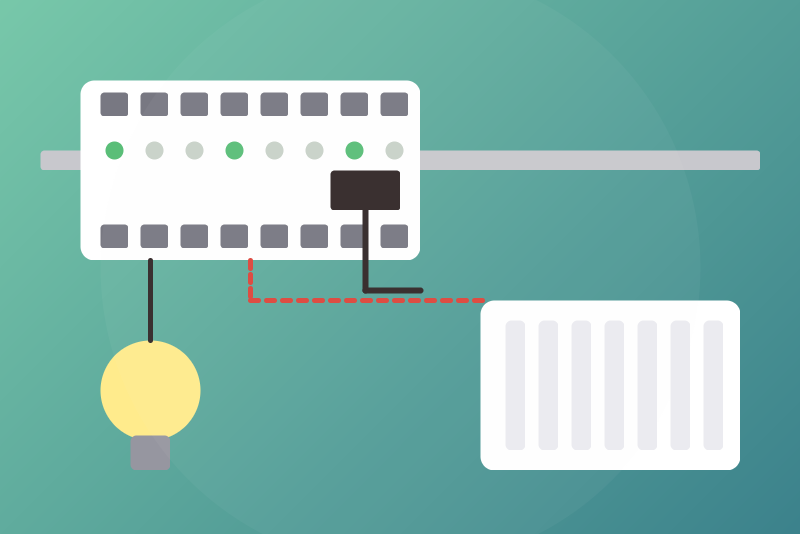
GCE Eco-Devices RT2 on your network: counters, relays, inputs, pilot wire (X-4FP), X-THL.
Veröffentlicht von LM1LC3N7
- Geräte
- Version 0.1.2
- Erfordert Gladys >=5.1.0
- ★ 0
Die Dokumentation dieser Integration wird von ihrem Autor geschrieben und ist bisher nur auf Englisch verfügbar.
Brings up to three GCE Electronics Eco-Devices RT2 into Gladys through their local JSON API: the indexes of the teleinformation, of the current clamps and of the pulse counters (water, gas, electricity), their relays, their inputs, the pilot-wire zones of their X-4FP extensions and their X-THL sensors (temperature, humidity, luminosity).
Never tested with a real device: written from the API documentation of GCE Electronics ("API Eco Devices RT", 2017), the open library of the Home Assistant integration (pyecodevices_rt2), cce66's test tools and the answers of his RT2 to its reads (October 2026). Tell us what you see on yours. Not affiliated with GCE Electronics.
Installation
-
In the Eco-Devices RT2, note the API key ("apikey" by default: change it). If you turned this protection off, leave the field empty.
-
In Gladys, Integrations > Eco-Devices RT2: type the address of the Eco-Devices (e.g.
192.168.1.60; give it a fixed address in your router: its devices are tied to this address) and the key. On the same page:- list in "Relays Gladys may drive" the relays Gladys must drive, and
those only (e.g.
R1; see "Relays" below: never a pump, a ventilation, a door strike…); - list in "Extensions" the X-4FP and X-THL wired (e.g.
FP1-FP4, THL1); - list in "Pulse counters" those to bring in, with what they measure and
the unit of their index in the Eco-Devices (e.g.
C1:water:l, C2:gas:m3).
Then save.
- list in "Relays Gladys may drive" the relays Gladys must drive, and
those only (e.g.
-
"Test the connection" reads the Eco-Devices at once (once an interval has passed since the last read) and shows what it found.
-
In Discover, create the devices you want. A listed relay comes as a switch (or a light); the others come read only ("State (read only)"): Gladys shows their state, nothing can switch them.
A relay listed after its creation stays read only until you click "Update" on it in Discover: it then gets its switch (or light), next to its "State (read only)", which stays. The status of the integration says how many relays are read only while none is listed, and which listed relays still wait for "Update".
The Eco-Devices wants the key in the address of every request, over plain http: anyone who can watch your local network can read it. The key is kept by Gladys in its database, never shown again, sent only to the Eco-Devices, and never written in the logs nor in the files of the integration.
The address must be an Eco-Devices RT2's. An IPX800 V4 speaks the same API
(the same relay and pilot-wire commands): before each command, the
integration reads the relays (Get=R) and checks that the answer comes from
an Eco-Devices RT2 ("product": "EcoDevices_RT"), unless such a read left
since the click (or 250 ms before it). A command waits for that read within
its 3.5 s; an Off or a Frost protection waits 1 s at most, then leaves anyway
when it does not answer (a read without answer proves no other product). As
soon as any answer (a read, a read back, a command) names another product,
the status says so, nothing more is sent to that address, not even an Off,
not after a restart either (kept in /data), and nothing is published, until
a read finds an Eco-Devices RT2 there. A command that left just before that
answer may have reached the other product: its ack says so. An answer
without product to a read is never taken for an Eco-Devices RT2: the
status says "its answer has no product field" (tell us if you see it). A
write answered "status": "Success" without product is taken: the product
was checked by the read right before it, and the read back confirms the
value.
What you get
| On the Eco-Devices RT2 | In Gladys | Code (in the name) |
|---|---|---|
| Teleinformation index 1 to 7 | energy index (kWh) | TI1 |
| Current clamp 1 to 20 | not yet (see "Units" below) | TORE3 |
| Pulse counter 1 to 12 (when listed) | water or gas index (m³), or energy index (kWh) | C1 |
| Relay 1 to 10 (2 + an X-8R) | read only, or a switch / light when you list it | R3 |
| Input 1 to 12 | a binary input (read only) | D3 |
| Zone of an X-4FP (FP1 to FP8, listed) | pilot wire (Off, Frost protection, Eco, Comfort, Comfort -1, -2) | FP5 |
| X-THL 1 and 2 (when listed) | temperature (°C), humidity (%), luminosity (lux) | THL1 |
The API answers for the 10 relays and the 12 inputs, wired or not: all of them are offered in Discover. Pilot-wire zone n is zone z of the X-4FP e: n = 4 × (e − 1) + z (two X-4FP at most).
The Eco-Devices is read every 15 seconds by default (5 s at least): the relays, then the inputs, the zones (when listed), the X-THL (when listed) and the indexes, one request after the other. A value the Eco-Devices does not give (absent, a text, out of range) is not published: never as 0. An index read 4294967295 is an entry with nothing behind it (a teleinformation input without a meter): never offered nor published, never a jump. A zone of an X-4FP that answers a number instead of a mode (0 on a real RT2: no X-4FP there, or a firmware we do not know yet) is not published; the status lists it, Eco and Comfort are refused there, Off and Frost protection are still sent. When the relays cannot be read, the whole read fails; when another group fails, its values are not published this time and the status says so.
Indexes: never 0, never lower without your two clicks
Gladys counts the consumption and the cost from the differences of an index. A wrong index would count thousands of kWh at once: every index goes through a guard.
- An index at 0, absent or unreadable is never published; Gladys keeps the last one.
- A drop (meter replaced, reset) or a jump the house cannot draw (more than 100 kW on average since the last value for electricity, 10 m³/h for water, 16 m³/h for gas, plus a small margin) is held back: the last value accepted stays, the status shows it ("Index held back…"), and nothing is counted. Neither time nor repetition makes it accepted.
- To accept it, check the value on the meter, then click "Accept the held index" twice: the first click lists the indexes held, the second (3 s to 5 min later) sends them to Gladys at the next read, only when they did not change meanwhile (otherwise, start again). A jump accepted is counted once as consumption; a drop accepted is not counted (Gladys skips a negative difference) and the values rise from there.
- The guard keeps its values in
/datawith the Gladys device it belongs to: an index held stays held after a restart (not its acceptance), and a device deleted then created again starts from the first value read. - Its dates follow the session clock (the time at the start plus the measured time since): a jump of the system clock never widens its margin.
- When
/datacannot be written or read, no index is published.
Units. The teleinformation indexes are read in Wh and published in kWh: confirmed on a real RT2, whose TI1 matched, within 143 Wh, the index an Eco-Devices 3 (Wh) read on the same meter. Its own page may show kWh: same value, divided by 1000. The unit of the clamp indexes (Wh or kWh) is not confirmed yet; a factor of 1000 corrected later would be a jump counted once as consumption: the clamps are therefore neither offered nor published until it is; the status says how many were read. A pulse counter is read in the unit you give: compare the first value published with the meter. A counter whose type you change gets a new feature, which starts from the first value read. If you change its unit after its index was published, the index is no longer published at all (its values would be 1000 times off those of Gladys) and the status says so: put the unit back, or delete the device and create it again (its history starts over).
Several Eco-Devices RT2
Keep the first one in the top fields, and put the other one in
"Eco-Devices RT2 #2" (address with :port when needed, key, relays Gladys
may drive, extensions, counters), a third one in "Eco-Devices RT2 #3". Each
one has its own devices in Discover ("Eco-Devices #2 · Relay 1 (R1)"), its
list of relays and its status on its own line. The poll interval, the
heating option and the language are shared. "Accept the held index" answers
for each one.
Never change the slot of an Eco-Devices to try another one: the devices already created stay with their slot.
Each Eco-Devices keeps its devices
The API of the Eco-Devices RT2 gives no MAC address (only its status files,
behind the user or admin password, do). So the integration keeps, in
/data, the address and the port of the Eco-Devices the devices of each
slot belong to.
When the address or the port of the slot changes:
- no command leaves, not even an Off;
- the Offs kept for the old address are dropped;
- no value is published onto these devices, no index;
- Discover is empty for this slot;
- the status says so.
Put back the old address. If the Eco-Devices only got a new address, click "Attach the devices" twice (within a minute), choosing the slot: its devices then drive the Eco-Devices read at the new address. A slot without any device created simply takes the Eco-Devices it reads.
Limit: another Eco-Devices RT2 put at the same address and port cannot be told from the first one. If you replace the box, check the relays listed and the indexes (a drop or a jump will be held back).
/data.
- Unreadable, or never writable (no file, devices there, and the first write fails): which Eco-Devices the devices belong to is unknown. Only Off and Frost protection leave, to the address typed; no index is published; "Attach the devices" is refused (it would be kept nowhere); the status says so.
- Lost but writable (the file deleted or emptied while devices exist, Gladys restored on a new machine): the identity of an Eco-Devices is the address typed, nothing proves another box. Off and Frost protection leave to the address typed; On, Eco, Comfort and the values wait for "Attach the devices" (two clicks), which is then kept; the status says so.
- A read or a write of
/datathat does not end counts as failed after 2 s: the reads go on, the status says so, no index is published.
Relays: read only unless you list them
A relay you do not list is read only. To drive one from Gladys, list it
in "Relays Gladys may drive", e.g. R1, R2:light (:light makes it a
light, a switch otherwise), preferably before creating it in Discover;
already created, click "Update" on it in Discover. A switch or a light obeys
every "turn everything off" of Google, Alexa, the MCP and the scenes: never
list a pump, a freezer, a ventilation, a heating, a door strike nor a valve.
A relay removed from the list is read only again at once: its commands are
refused, and a switch-off the integration still held for it is dropped (in
memory and in /data, at a restart too). Its switch stays on the device in
Gladys (without effect): Gladys does not delete a single feature; only
deleting the device, then creating it again, removes it, with its history.
Pilot wire
- Off and Frost protection need no option and go before everything else: during a pause after failed reads, with a refused key, with the queue of commands full, and before the first read after a restart (the zones come from the configuration). Clicked, they cut any request in progress (a read, a read back, a command, a resend), except another Off or Frost protection clicked just before. The same goes for switching off a relay you listed.
- Eco, Comfort, Comfort -1, Comfort -2 drive the heating: they are off by
default. Tick "Allow Eco and Comfort from Gladys" to allow them; every
Gladys user, every scene and the Gladys app can then choose them. They are
refused while the state cannot be written to
/data. - Zone
00of the Eco-Devices (every zone at once) is never used.
An Off or a Frost protection is refused only when: the address is missing or
not valid, or the key is not valid; the zone is not listed in "Extensions";
the value is not one of the six modes; the Eco-Devices is not the device's
(another address than the devices', or another GCE product answered); the
slot has the address of another slot (it is not read). A /data unreadable,
never writable or lost does not stop it (see "Each Eco-Devices keeps its
devices"). Switching a relay off is
refused when the relay is not listed. Before it leaves, it waits 1 s at most
for the read that checks the product (see above). When the Eco-Devices
refuses the key, the Off is kept and sent again as soon as a new key is saved
or "Test the connection" succeeds; its ack says so.
Clicked before the configuration is read from Gladys (the key is kept there
only, never in /data), an Off asks Gladys for it at once and waits 3 s;
when it has not come, it is kept in memory and sent as soon as it is read
(read again 5 s later, then every minute at most), before anything goes to
Gladys; when the output turns out unknown or not listed, the status says so.
An Off kept in /data leaves the same way at start, without waiting for
Gladys. When the Eco-Devices does not take it within 3.5 s (no connection),
it is kept and sent again as soon as the Eco-Devices is free, before the read
backs, by the next reads that show another mode, and after a restart. An Off
clicked while another one has had no answer for 1 s cuts it. A resend cut by
a click before it left goes again right behind that click.
An Off or Frost protection the reads do not show is sent again, 3 times at most; then the status says so (check on site). It is held until a newer command on that zone leaves (your click), another Off / Frost protection, or, once applied, another mode read twice in a row (changed on the Eco-Devices itself, by its page or its schedules): never by the time. What was asked before an Off on the same zone and not sent yet is cancelled, a Frost protection waiting for a new try included: nothing leaves after it. A mode sent by the integration before the Off and left without an answer (cut by the Off, say), if the Eco-Devices still applies it within 5 s after it left, is no change on the Eco-Devices: the Off is sent again.
Commands
A command is written within 3.5 s of the click or refused with "nothing was sent". It is then read back on the Eco-Devices (the relays or the zones): the value asked is a success; another value is "not applied yet"; no answer in time gives "sent, without confirmation". Two reads follow, 5 s and 20 s later. The commands of a scene are written one after the other, after one read of the product, then read back once. On an Eco-Devices taking 600 ms a request, a scene of 5 commands goes through whole; slower, the last ones are refused "too slow" (nothing sent).
Pauses and refusals
A failed read pauses 10 s, 30 s, 1 min, 2 min then 5 min (a minute at least when the Eco-Devices answers 429 or 503), the pause kept at a restart; Eco, Comfort and switching a relay on are refused until the pause ends. A key refused by the Eco-Devices (401, 403) stops the reads until you change the key or "Test the connection" succeeds. While an Eco-Devices does not answer (or refuses the key, or is not an Eco-Devices RT2), its devices leave Discover; a Scan does not put them back. They come back at the first read that succeeds.
Limits
- Teleinformation, pulse counters, relays, inputs, X-4FP and X-THL only (the clamp indexes wait for their unit to be confirmed): the instant power, the posts and sub-posts, the prices, the virtual outputs and EnOcean are not in this version.
- Three Eco-Devices at most per integration.
- Known by its address and port (see above). One address in two slots: the second is not read, the status says so.
- http only (the Eco-Devices answers over http on the local network).
Konfigurationseinstellungen
Diese Einstellungen fragt Eco-Devices RT2 in seinem Konfigurationsbildschirm in Gladys ab.
| Einstellung | Typ | Pflichtfeld | Beschreibung |
|---|---|---|---|
| Your Eco-Devices RT2 | section | Nein | Brings up to three GCE Electronics Eco-Devices RT2 into Gladys through their local JSON API: the indexes of the teleinformation and of the pulse counters (never 0; a drop or a jump held back until you accept it; clamps once their unit is confirmed), relays (read only unless you list them below), digital inputs, pilot-wire zones of the X-4FP and X-THL sensors. Pilot wire: Off and Frost protection go first, without any option (see the guide for their limits); Eco and Comfort only once allowed below. Each Eco-Devices keeps its own devices: a box at another address, or another GCE product, never gets their commands. Never tested with a real device. Not affiliated with GCE Electronics. |
| Address of the Eco-Devices RT2 | string | Ja | Its IP address (or name) on your network, without path nor key; give it a fixed address in your router: its devices are tied to this address. |
| Port | number | Nein | 80 unless you changed the port of its web server. |
| API key | secret | Nein | The key of its API (Eco-Devices menu, "apikey" by default: change it); leave empty only if you turned the protection off. The Eco-Devices wants it in the address of every request, over plain http: anyone who can watch your network can read it. Kept by Gladys in its database, never shown again, sent only to the Eco-Devices, never written in the logs. |
| Relays Gladys may drive | string | Nein | The other relays are read only. Codes as in the device names: R1 and R2 (the Eco-Devices), R3 to R10 (an X-8R); add :light for a light, e.g. "R1, R2:light". A relay listed here obeys every "turn everything off" of Google, Alexa, the MCP and the scenes: never list a pump, a freezer, a ventilation, a heating, a door strike nor a valve. List them before creating them in Discover; a relay already created stays read only until you click "Update" on it in Discover. |
| Extensions | string | Nein | The X-4FP and X-THL wired to the Eco-Devices (its API answers for them even when absent): pilot-wire zones FP1 to FP8 (four per X-4FP), X-THL THL1 and THL2, e.g. "FP1-FP4, THL1". |
| Pulse counters | string | Nein | The pulse counters to bring in, what they measure and the unit of their index in the Eco-Devices: C1 to C12, water (l or m3), gas (m3 or l) or electricity (wh or kwh), e.g. "C1:water:l, C2:gas:m3". Water and gas arrive in m³, electricity in kWh. Compare the first value published with the meter; changing the unit later stops its index (see the guide). |
| Pilot wire | section | Nein | Off and Frost protection need no option and go before everything else, during a pause or before the first read; they are refused only when the zone is not listed in Extensions or the Eco-Devices is not known yet (see the guide). Eco, Comfort, Comfort -1 and Comfort -2 drive the heating: they are off by default. Once allowed, every Gladys user, every scene and the Gladys app can choose them. |
| Allow Eco and Comfort from Gladys | boolean | Nein | |
| Read every (seconds) | number | Nein | How often the Eco-Devices is read: 15 s by default, 5 s at least. |
| Language of the names | select | Nein | Used for the names of the devices and features added from now on. |
| Eco-Devices RT2 #2 (optional) | section | Nein | A second Eco-Devices RT2 of the house, with its own devices: fill in its address (and its API key); leave empty otherwise. Never move an Eco-Devices from one slot to another: its devices stay with their slot. The poll interval, the heating option and the language above are shared. |
| Address of Eco-Devices #2 | string | Nein | Its IP address (or name), with :port only if its web server is not on 80; give it a fixed address in your router. |
| API key of Eco-Devices #2 | secret | Nein | As for the first one: kept by Gladys in its database, never shown again, sent only to this Eco-Devices, never written in the logs. |
| Relays of Eco-Devices #2 Gladys may drive | string | Nein | Same rules as for the first one (R1 to R10, :light for a light). A relay listed here obeys every "turn everything off": never list a pump, a freezer, a ventilation, a heating, a door strike nor a valve. |
| Extensions of Eco-Devices #2 | string | Nein | Same rules as for the first one, e.g. "FP1-FP4, THL1". |
| Pulse counters of Eco-Devices #2 | string | Nein | Same rules as for the first one, e.g. "C1:water:l, C2:gas:m3". |
| Eco-Devices RT2 #3 (optional) | section | Nein | A third Eco-Devices RT2 of the house, with its own devices: fill in its address (and its API key); leave empty otherwise. Never move an Eco-Devices from one slot to another: its devices stay with their slot. The poll interval, the heating option and the language above are shared. |
| Address of Eco-Devices #3 | string | Nein | Its IP address (or name), with :port only if its web server is not on 80; give it a fixed address in your router. |
| API key of Eco-Devices #3 | secret | Nein | As for the first one: kept by Gladys in its database, never shown again, sent only to this Eco-Devices, never written in the logs. |
| Relays of Eco-Devices #3 Gladys may drive | string | Nein | Same rules as for the first one (R1 to R10, :light for a light). A relay listed here obeys every "turn everything off": never list a pump, a freezer, a ventilation, a heating, a door strike nor a valve. |
| Extensions of Eco-Devices #3 | string | Nein | Same rules as for the first one, e.g. "FP1-FP4, THL1". |
| Pulse counters of Eco-Devices #3 | string | Nein | Same rules as for the first one, e.g. "C1:water:l, C2:gas:m3". |
So installierst du Eco-Devices RT2 in Gladys
- Öffne in Gladys Integrationen: Eco-Devices RT2 erscheint im Katalog neben den nativen Integrationen, mit einem Community-Badge.
- Klicke auf Installieren. Gladys lädt das Docker-Image (
ghcr.io/lm1lc3n7/gladys-ecodevices-rt2:0.1.2) herunter, startet es in einer vom Kern isolierten Sandbox und erzeugt die Oberfläche der Integration (Geräte, Erkennung und Konfiguration). - Öffne den Bildschirm Konfiguration der Integration, fülle die Einstellungen aus und speichere.
- Du kannst sie auch direkt über die URL ihres Repositorys installieren: https://github.com/LM1LC3N7/gladys-ecodevices-rt2.
Eco-Devices RT2 benötigt Gladys >=5.1.0. Der Katalog in Gladys wird stündlich aktualisiert, eine neue Version ist also spätestens eine Stunde nach ihrer Veröffentlichung verfügbar.
Du nutzt Gladys noch nicht? Es ist kostenlos und Open Source: folge der Installationsanleitung, um loszulegen.
Über externe Integrationen
Eco-Devices RT2 ist eine externe Integration: eine Community-Integration, die als Docker-Container verpackt und auf GitHub veröffentlicht wird. Gladys installiert sie mit einem Klick und führt sie in einer vom Kern isolierten Sandbox aus. Sie wird von LM1LC3N7 veröffentlicht und gepflegt, nicht vom Gladys-Kernteam.
- Alle Integrationen durchsuchen, native und aus der Community
- Deine eigene externe Integration bauen und veröffentlichen
- Quellcode auf GitHub — Quelle dieser Dokumentation