DeepL Smart-Home-Integration, kostenlos und Open Source
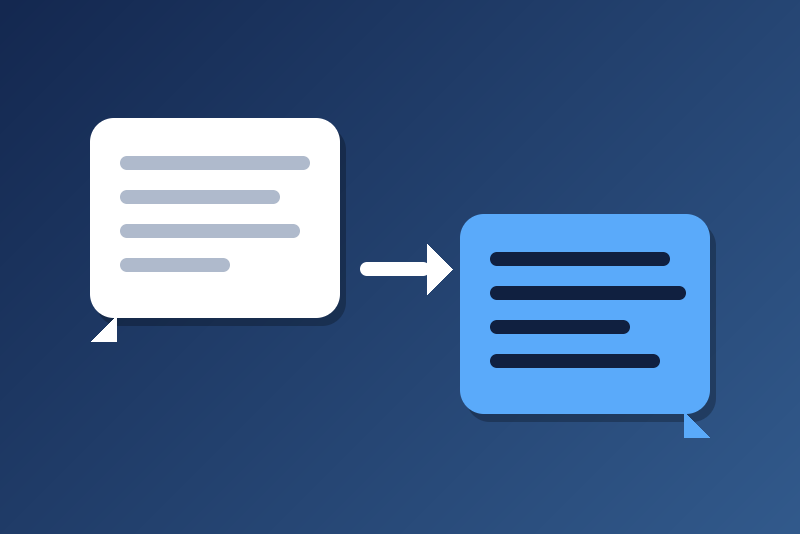
Unofficial: translate texts in your scenes with your DeepL API key (Free or Pro).
Veröffentlicht von LM1LC3N7
- Geräte
- Version 0.1.1
- Erfordert Gladys >=5.1.0
- ★ 0
Die Dokumentation dieser Integration wird von ihrem Autor geschrieben und ist bisher nur auf Englisch verfügbar.
Unofficial connector, not affiliated with DeepL. It adds a "Translate (DeepL)" scene action: a text goes to DeepL, and the translation is given to the next actions of the scene (send it by message, speak it on a speaker, show it…). It uses your own DeepL API key, Free or Pro.
Never tested with a real DeepL key yet: tell us how it goes.
What you need
- A DeepL API account (not the DeepL Translator subscription): create it on
deepl.com/pro-api.
- DeepL API Free: 500,000 characters a month at no cost. Its key ends in
:fxand is sent toapi-free.deepl.com. - DeepL API Pro: a monthly base fee, then billed per character
translated (see the prices on deepl.com; you can set a cost limit in your
DeepL account). Its key is sent to
api.deepl.com.
- DeepL API Free: 500,000 characters a month at no cost. Its key ends in
- The authentication key, in your DeepL account, "API Keys" tab.
Configuration
| Field | What it does |
|---|---|
| DeepL API authentication key | Kept by Gladys in its database, never shown again, sent only to DeepL. The module picks the Free or Pro address from the key. |
| Maximum characters per translation | 1 to 5000 (1000 by default). A longer text is refused, never cut. Every Unicode code point counts, spaces and punctuation included, as on the DeepL bill (most emoji: 1, some several). |
| Maximum characters over 24 hours | 100 to 1000000 (10000 by default), on a rolling 24 hours. A safety cap against a runaway scene. 10,000 a day stays under 310,000 a month, within the Free plan. |
The "Check the key" button asks DeepL whether it accepts the key and shows the characters used this billing period, and those this module counted over 24 hours. It translates nothing and counts no character.
The scene action
Fields:
- Text to translate (required): may use scene variables, such as the output of a previous action.
- Into: the target language (English American by default).
- From: the source language; empty, DeepL detects it.
- Formality: default, more formal, less formal (for the languages that have both, like German, French or Spanish; ignored otherwise).
Outputs, for the next actions: translation (the text, cut at 10,000
characters, the most Gladys keeps), detected_language (for instance FR),
characters (the characters counted for this translation) and truncated
(the translation was cut).
Example: a "Translate (DeepL)" action on {{triggerEvent.data.title}} into
French, followed by a "Send a message" action with the translation output.
Costs and caps
- A translation is counted before it leaves, and the count is saved in
/datafirst: a restart does not reset the 24-hour cap. If/datacannot be written, nothing is sent. - A translation that DeepL may have counted (no answer in 10 seconds, a cut connection, a 5xx error) is never tried again, and stays in the cap: a second try could be billed twice. The scene action then fails with "Sent to DeepL without an answer".
- A translation DeepL surely did not take (a 4xx error, a network error before the request left) is given back to the cap.
- When DeepL reports more billed characters than the module counted, the larger number is kept.
- A DeepL quota reached (456 error: the character quota of the account, its cost limit or a limit of the key) pauses the module for 1 hour at least; a 429 "too many requests" follows the delay asked by DeepL (60 s to 6 h); a DeepL failure (5xx) pauses 60 s, doubled on repeat, 6 h at most (or longer when DeepL sends a Retry-After, still 6 h at most).
- One request at a time; 10 translations at most in the queue, the one in flight included.
When the scene action fails
The scene goes on; the error is in the scene log. Main causes: empty text,
text longer than the maximum, cap over 24 hours reached, key refused by DeepL
(403: no scene uses it again until you type another key or the "Check the key"
button succeeds; rarely, a new key typed while the integration is stopped also
needs the button), pause asked by DeepL, /data unreadable or not writable.
Privacy
The text, the translation and the key are never written in the logs, the
status nor /data. /data keeps only the dates and character counts of the
last 24 hours, a possible pause, and an 8-bit fingerprint of a refused key.
The texts go to DeepL, under the terms of your DeepL account.
Konfigurationseinstellungen
Diese Einstellungen fragt DeepL in seinem Konfigurationsbildschirm in Gladys ab.
| Einstellung | Typ | Pflichtfeld | Beschreibung |
|---|---|---|---|
| DeepL translation in your scenes | section | Nein | Unofficial connector, not affiliated with DeepL. The "Translate (DeepL)" scene action translates a text and gives the translation to the next actions of the scene (to send it, speak it…). Create a DeepL API account on deepl.com (API Free: 500,000 characters a month at no cost; API Pro: billed per character) and copy its authentication key here. DeepL is called only by the scene action and the check button, never at start nor on a timer. Never tested with a real DeepL key yet. |
| DeepL API authentication key | secret | Ja | Kept by Gladys in its database, never shown again, sent only to DeepL (api-free.deepl.com for a Free key ending in ":fx", api.deepl.com otherwise). |
| Maximum characters per translation | number | Nein | A longer text is refused, never cut (1 to 5000). Spaces and punctuation count, as on DeepL's bill. |
| Maximum characters over 24 hours | number | Nein | Safety cap against a runaway scene, on a rolling 24 hours, kept across a restart (100 to 1000000). Counted before each request; beyond it, nothing is sent and the scene action fails. 10,000 a day stays under 310,000 a month. |
So installierst du DeepL in Gladys
- Öffne in Gladys Integrationen: DeepL erscheint im Katalog neben den nativen Integrationen, mit einem Community-Badge.
- Klicke auf Installieren. Gladys lädt das Docker-Image (
ghcr.io/lm1lc3n7/gladys-deepl:0.1.1) herunter, startet es in einer vom Kern isolierten Sandbox und erzeugt die Oberfläche der Integration (Geräte, Erkennung und Konfiguration). - Öffne den Bildschirm Konfiguration der Integration, fülle die Einstellungen aus und speichere.
- Du kannst sie auch direkt über die URL ihres Repositorys installieren: https://github.com/LM1LC3N7/gladys-deepl.
DeepL benötigt Gladys >=5.1.0. Der Katalog in Gladys wird stündlich aktualisiert, eine neue Version ist also spätestens eine Stunde nach ihrer Veröffentlichung verfügbar.
Du nutzt Gladys noch nicht? Es ist kostenlos und Open Source: folge der Installationsanleitung, um loszulegen.
Über externe Integrationen
DeepL ist eine externe Integration: eine Community-Integration, die als Docker-Container verpackt und auf GitHub veröffentlicht wird. Gladys installiert sie mit einem Klick und führt sie in einer vom Kern isolierten Sandbox aus. Sie wird von LM1LC3N7 veröffentlicht und gepflegt, nicht vom Gladys-Kernteam.
- Alle Integrationen durchsuchen, native und aus der Community
- Deine eigene externe Integration bauen und veröffentlichen
- Quellcode auf GitHub — Quelle dieser Dokumentation