Carte des artisans Smart-Home-Integration, kostenlos und Open Source
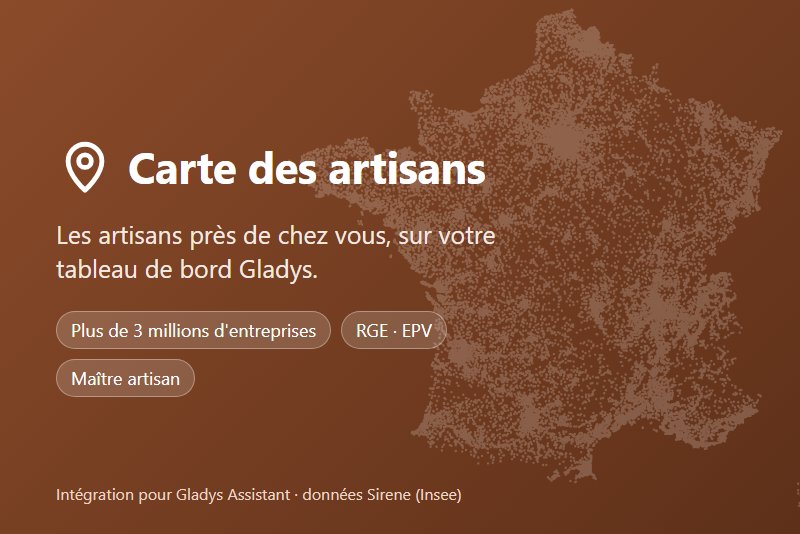
Find certified craftsmen near your home (French public data, Sirene).
Veröffentlicht von tlse-vins
- Geräte
- Version 1.0.0
- Erfordert Gladys >=5.1.0
- ★ 0
Die Dokumentation dieser Integration wird von ihrem Autor geschrieben und ist bisher nur auf Englisch verfügbar.
Find craftsmen of a trade around your house, right in Gladys: plumbers, electricians, carpenters, bakers, mechanics… The integration reads the public data of the Carte des artisans, an independent website (not affiliated with Insee or the French chambers of trades) listing more than 3 million active craft businesses in mainland France and Corsica. Trade names and texts are in French.
Before you start
- Gladys 5.1 or later.
- Your house location must be set in Settings › Houses. The integration searches around the first located house (alphabetical order).
- The installation asks for the house location: it is only used to compute distances, inside Gladys, and never sent to the website or any other service.
There is nothing to set up in the Configuration tab: the Test the connection button checks that the data can be read and that the house is located.
"Craftsmen near me" widget
Add it to a dashboard, then choose in its settings:
- Trade: one of the 126 trades of the map;
- Radius: 5, 10, 25 or 50 km around the house;
- Certified companies only (RGE, EPV, master craftsman).
The widget shows how many craftsmen were found and up to 8 businesses. Tap one to see its activity, address, certifications, phone number when the craftsman added it, and the Details and Directions links. Open the map opens the website map for this trade and your town (never your exact location).
Add several widgets to follow several trades.
Order of the results
As on the website: certified businesses (RGE, Living Heritage Company, master craftsman) first, then the nearest.
"Sponsored" entries
Up to 3 entries marked Sponsored may appear at the top of the list: craftsmen who subscribed to the paid "recommended craftsman" option for this trade in your department or town. They are drawn at random, always marked, and never change the other results or their order. The scene action never returns them. Details: ranking rules (in French).
"Find a craftsman" scene action
In the scene editor, Integrations category. Choose the trade, the radius and optionally "certified only". The action gives the next actions of the scene:
| Variable | Content |
|---|---|
trouve | true when at least one craftsman was found |
nombre | number of craftsmen within the radius |
nom | name of the first craftsman (certified first) |
telephone | phone number, when added on the website |
adresse | address |
distance | distance to the house ("2,4 km") |
lien | link to the business page on cartedesartisans.fr |
Data and privacy
- Sources: Sirene (Insee) and the trades register (CMA), open licence, updated monthly; RGE (ADEME) and EPV (DGE) certifications.
- The integration only downloads the files it needs (one per trade and nearby
department, a few kilobytes), keeps them in its
/datafolder and only reads them again after the monthly update. What craftsmen add themselves (phone, master craftsman title, recommended craftsmen) is read again every 6 hours. - Nothing about you is sent: no location, no identifier, no cookie. Links to
the website only carry
mtm_campaign=gladys, to count visits coming from Gladys.
Troubleshooting
- "Set your house location": set it in Settings › Houses, then reopen the dashboard.
- "This trade no longer exists": the trade was removed from the website; pick another one in the widget settings.
- No result: widen the radius.
- Wrong information about a business (address, removal request): use the "Signaler une erreur" link of its page on the website.
Konfigurationseinstellungen
Diese Einstellungen fragt Carte des artisans in seinem Konfigurationsbildschirm in Gladys ab.
| Einstellung | Typ | Pflichtfeld | Beschreibung |
|---|---|---|---|
| How it works | section | Nein | Nothing to set up here: the integration searches around the location of your Gladys house. Add the "Craftsmen near me" widget to a dashboard, or the "Find a craftsman" action to a scene. Data: Sirene (Insee) and the French chambers of trades register, updated monthly, read from cartedesartisans.fr, an independent website (not affiliated with Insee or the chambers of trades). Your location never leaves Gladys. |
So installierst du Carte des artisans in Gladys
- Öffne in Gladys Integrationen: Carte des artisans erscheint im Katalog neben den nativen Integrationen, mit einem Community-Badge.
- Klicke auf Installieren. Gladys lädt das Docker-Image (
ghcr.io/tlse-vins/gladys-carte-des-artisans:1.0.0) herunter, startet es in einer vom Kern isolierten Sandbox und erzeugt die Oberfläche der Integration (Geräte, Erkennung und Konfiguration). - Öffne den Bildschirm Konfiguration der Integration, fülle die Einstellungen aus und speichere.
- Du kannst sie auch direkt über die URL ihres Repositorys installieren: https://github.com/tlse-vins/gladys-carte-des-artisans.
Carte des artisans benötigt Gladys >=5.1.0. Der Katalog in Gladys wird stündlich aktualisiert, eine neue Version ist also spätestens eine Stunde nach ihrer Veröffentlichung verfügbar.
Du nutzt Gladys noch nicht? Es ist kostenlos und Open Source: folge der Installationsanleitung, um loszulegen.
Über externe Integrationen
Carte des artisans ist eine externe Integration: eine Community-Integration, die als Docker-Container verpackt und auf GitHub veröffentlicht wird. Gladys installiert sie mit einem Klick und führt sie in einer vom Kern isolierten Sandbox aus. Sie wird von tlse-vins veröffentlicht und gepflegt, nicht vom Gladys-Kernteam.
- Alle Integrationen durchsuchen, native und aus der Community
- Deine eigene externe Integration bauen und veröffentlichen
- Quellcode auf GitHub — Quelle dieser Dokumentation