Calendrier Tempo EDF Smart-Home-Integration, kostenlos und Open Source
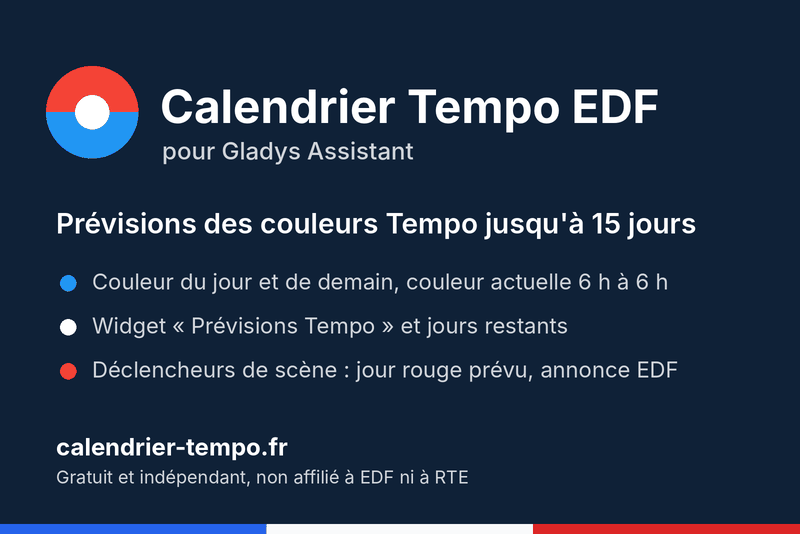
EDF Tempo colors, kWh prices, forecasts up to 15 days, days left, widget and scene triggers.
Veröffentlicht von thomasissa-png
- Geräte
- Version 0.3.0
- Erfordert Gladys >=5.1.0
- ★ 0
Die Dokumentation dieser Integration wird von ihrem Autor geschrieben und ist bisher nur auf Englisch verfügbar.
This integration adds the French EDF Tempo electricity tariff to Gladys: today's and tomorrow's official color, forecasts up to 15 days ahead, the red and white days left in the season, a "Tempo forecasts" dashboard widget and three scene triggers.
Data comes from the free public API of calendrier-tempo.fr: no account, no key, nothing to fill in.
Requirements
- Gladys Assistant 5.1 or later.
- Internet access from your Gladys.
Getting started
- Install the integration from the Gladys catalog.
- Open the Discovery tab of the integration and create the Calendrier Tempo EDF device (one click).
- Add the Tempo forecasts widget to your dashboard if you like.
What the device provides
Feature names are in French. Colors are bleu (blue), blanc (white) and rouge (red).
| Feature | Value |
|---|---|
| Aujourd'hui (officielle) | today's official color |
| Couleur actuelle | the color that applies right now: the previous day's until 6:00 |
| Période tarifaire | hp (peak hours, 6:00 to 22:00) or hc (off-peak) |
| Prix actuel du kWh | current price per kWh in euros incl. VAT (previous day until 6:00) |
| Prix HP / HC du jour | peak and off-peak price per kWh of the current Tempo day |
| Demain (officielle) | inconnue (unknown) until EDF announces it, around 11:00 |
| Prévision J+2 to J+5 | forecast color, the most reliable range |
| Jours rouges sur 15 jours | red days, official or forecast, from today to D+15 |
| Prochain jour rouge / blanc | date of the next red or white day (YYYY-MM-DD), or aucun (none) |
| Jours rouges / blancs restants | red and white days left in the season |
To drive heating, use Couleur actuelle: a Tempo day runs from 6:00 to 6:00.
Prices come from the grid published by the calendrier-tempo.fr API, never from a tariff written in the integration: when a response lacks it, the last grid read is used with no time limit (it only changes on its effective date), until a new one is read. The price stays unknown only if no grid was ever read or if the day's color is unknown. Gladys shows prices with 3 significant digits ("0.165 €"); the value usable in scenes is exact (0.1654).
The Tempo forecasts widget shows today, tomorrow, days left, the current price ("€0.1654/kWh (peak, blue)"), the chance of a red day over 15 days (0 to 100 %) and the next days. When none of the next 15 days can be red (1 November to 31 March only, never on weekends or French public holidays), the chart gives way to "No red day possible before 1 November.". Chart ticks show without "%" (Gladys rendering); on a phone, the Gladys floating bar may hide the last rows of the widget: scroll the page.
Configuration
One option: Also publish D+6 to D+15 forecasts (off by default). It adds one feature per day; these forecasts are an indicative trend. After changing it, update the device from the Discovery tab. The widget always shows all 15 days.
Scene triggers
- Tomorrow's Tempo color announced: EDF has just published tomorrow's color. Filter by color; variables
couleuranddate. - Red day forecast: a date from D+2 to D+15 is now forecast red. Filter by reliability; variables
date,jours_avant(days ahead),probabilite_rouge(in %) andfiabilite. - Tempo day started: at 6:00, with the day's color. Filter by color.
Each event is sent once, even after a restart. Installing the integration fires nothing.
For a scene on a feature of the device, prefer the integration's triggers, or tick the Gladys threshold option.
Reliability
Only the color published by EDF is official. From D+2 to D+5 the forecast is in the range where the site measures its performance, the most reliable one; from D+6 to D+15 it is a trend. Success rates are published on the methodology page, not in the integration.
Troubleshooting
- No device in Gladys: create it from the Discovery tab; the integration never creates it by itself.
- "Disconnected" status on the Configuration screen: calendrier-tempo.fr is not answering. The integration retries 5 minutes later, then every 30 minutes. Official colors already read stay displayed for their date, even after a restart; forecasts and days left are kept for 24 hours at most. Prices keep their last value (Gladys has no unknown state for a currency value): in a scene on a price, add the condition "Couleur actuelle is not
inconnue". - No kWh price: the API has not published its price grid yet, or the color of the current Tempo day is unknown. After updating to 0.2.0, update the device from the Discovery tab to get the three price features.
- Tomorrow's color is
inconnuein the morning: expected, EDF announces it around 11:00. The integration reads the API again at 11:35 (Paris time).
Contact: [email protected]. Free, independent service with no availability guarantee. Not affiliated with EDF or RTE.
Konfigurationseinstellungen
Diese Einstellungen fragt Calendrier Tempo EDF in seinem Konfigurationsbildschirm in Gladys ab.
| Einstellung | Typ | Pflichtfeld | Beschreibung |
|---|---|---|---|
| How it works | section | Nein | Data comes from the free public API of calendrier-tempo.fr: no account, no key. Create the "Calendrier Tempo EDF" device from the Discovery tab. Only the color published by EDF is official; forecasts are a guide. |
| Also publish D+6 to D+15 forecasts | boolean | Nein | Adds one feature per day from D+6 to D+15 (indicative forecasts). The whole horizon is always shown in the widget, with both colors and their percentages when a forecast hesitates. After a change, update the device from the Discovery tab. |
So installierst du Calendrier Tempo EDF in Gladys
- Öffne in Gladys Integrationen: Calendrier Tempo EDF erscheint im Katalog neben den nativen Integrationen, mit einem Community-Badge.
- Klicke auf Installieren. Gladys lädt das Docker-Image (
ghcr.io/thomasissa-png/gladys-calendrier-tempo:0.3.0) herunter, startet es in einer vom Kern isolierten Sandbox und erzeugt die Oberfläche der Integration (Geräte, Erkennung und Konfiguration). - Öffne den Bildschirm Konfiguration der Integration, fülle die Einstellungen aus und speichere.
- Du kannst sie auch direkt über die URL ihres Repositorys installieren: https://github.com/thomasissa-png/gladys-calendrier-tempo.
Calendrier Tempo EDF benötigt Gladys >=5.1.0. Der Katalog in Gladys wird stündlich aktualisiert, eine neue Version ist also spätestens eine Stunde nach ihrer Veröffentlichung verfügbar.
Du nutzt Gladys noch nicht? Es ist kostenlos und Open Source: folge der Installationsanleitung, um loszulegen.
Über externe Integrationen
Calendrier Tempo EDF ist eine externe Integration: eine Community-Integration, die als Docker-Container verpackt und auf GitHub veröffentlicht wird. Gladys installiert sie mit einem Klick und führt sie in einer vom Kern isolierten Sandbox aus. Sie wird von thomasissa-png veröffentlicht und gepflegt, nicht vom Gladys-Kernteam.
- Alle Integrationen durchsuchen, native und aus der Community
- Deine eigene externe Integration bauen und veröffentlichen
- Quellcode auf GitHub — Quelle dieser Dokumentation