Buderus KM (Bosch) Smart-Home-Integration, kostenlos und Open Source
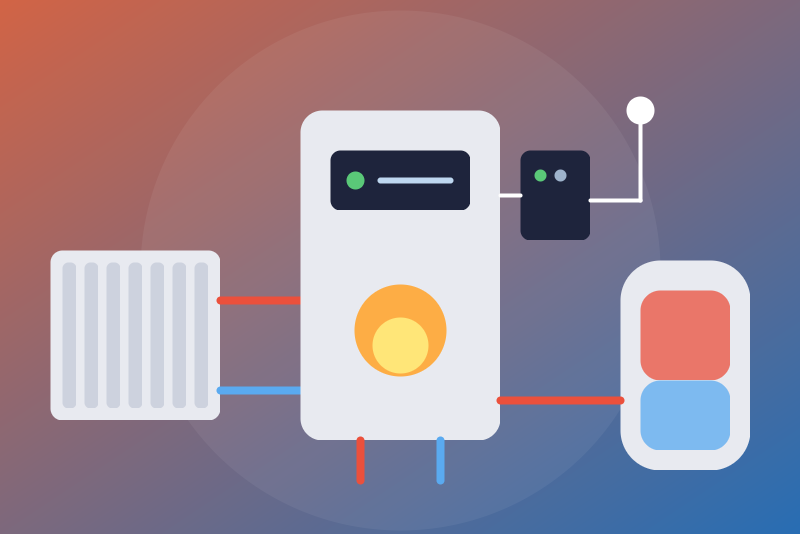
Buderus KM50/KM100/KM200 gateways on your network: heating circuits, hot water, optional commands.
Veröffentlicht von LM1LC3N7
- Geräte
- Version 0.1.1
- Erfordert Gladys >=5.1.0
- ★ 0
Die Dokumentation dieser Integration wird von ihrem Autor geschrieben und ist bisher nur auf Englisch verfügbar.
This integration shows in Gladys a Buderus (Bosch group) boiler or heat pump through its KM50, KM100 or KM200 network gateway (and the IVT gateways speaking the same protocol), on your local network, without any cloud.
Never tested with a real gateway: Buderus does not document the local protocol; the integration follows bosch-thermostat-client (the library of the Bosch integration of Home Assistant) and its controller databases (RC300, RC200, RC35, CAN, iCom). Not affiliated with Bosch or Buderus. Feedback is welcome.
Newer gateways (MX300, MX400, MyBuderus / HomeCom Easy app) go through the Bosch cloud and are not read here: the gladys-bosch-homecom integration by guim31 covers them.
What you get
One Gladys device per gateway, read every 60 s by default:
- outdoor and supply temperatures, system pressure;
- for each heating circuit (hc1 to hc4): room temperature, room setpoint, mode (manual, automatic, day, night... depending on the controller);
- for each hot water circuit (dhw1, dhw2): water temperature, setpoint, mode (Off, High, Low, Eco, schedule...);
- the link status ("OK", "Gateway unreachable", a stop from Gladys under way...).
A feature appears once the gateway gives its value (a circuit listed without a mode, a missing sensor create none) and stays afterwards. The modes offered are those the circuit lists when the device is added.
Setup
- Find the address of the gateway on your network (in your router), e.g.
192.168.1.50. Make it fixed (reserved DHCP lease). - Note the access token ("Access token" or "Login token") printed on the label of the gateway, and the password chosen in the Buderus app (MyDevice, EasyControl) when it was set up.
- In Gladys, open the configuration of the integration, enter the address
(with
:portif not 80), the access token and the password. A password without an access token is refused. - Save, then add the device from the Discovery tab.
The access token and the password are kept by Gladys in its database, never shown again; they do not travel on the network: they form the AES key of the exchanges. The gateway and the integration talk plain http on your network, each message going through AES with that key (the protocol of the gateway). A mistake in either shows at once: the answers do not open, the status says so and the reads stop until you correct them.
The integration presents itself to the gateway with the
User-Agent: TeleHeater header, the one of the Buderus app, which the
gateway expects (as bosch-thermostat-client sends it); Louis accepted it for
this integration only, on 2026-11-05.
The Test the connection button reads the gateway once, but never sooner than the refresh interval after the read before.
Commands
By default Gladys only reads. The option Allow the modes and the setpoints (off by default) lets the dashboard, the scenes and the voice assistants:
- change the mode of a circuit, among those it lists;
- change the room setpoint of a heating circuit, by half degrees, from 5 to 30 °C and within the bounds the gateway gives for the setpoint of the current mode (manual: the manual setpoint; automatic: the temporary setpoint, until the next change of the schedule; day or night on RC35 controllers);
- change the hot water setpoint, in whole degrees, the one of the current mode (High, Low, Eco, On), within the bounds of the gateway, from 20 °C to the configured ceiling: 65 °C by default, 40 to 65 °C, 65 °C at most whatever is typed or the gateway allows (scalding risk).
In a mode without a setpoint of its own (a schedule, off), the setpoint is refused and nothing is sent: choose a fixed mode first.
None of them is a switch or a binary: a "turn everything off" of a scene or a voice assistant does not reach the boiler.
Each command first reads the gateway again (its identity, the mode of the circuit, the setpoint of that mode with its bounds) and decides on that read, never on the values kept in memory; commands arriving together (a scene) share that read, leave one by one, then each is read back. A command leaves at the latest 3.5 s after the click, otherwise it is refused and nothing is sent. It is reported successful only when a read made after it, before 4.3 s, shows the value asked; otherwise Gladys shows "sent and accepted, not applied yet" (or "sent, without confirmation" when the gateway did not answer), and the follow-up reads, 5 s and 20 s later, publish the value as soon as it shows. Beyond 4 commands waiting, they are refused. An HTTP 4xx refusal of a command concerns that command only: the reads go on.
A setpoint is refused while a stop of its circuit sent from Gladys holds (see below): choose another mode first. When /data cannot be read, the modes and the setpoints are refused (a stop kept there would be unknown).
The stop
Choosing an "Off" mode (off, Off, Always_Off, heating_off
depending on the controller, mostly for hot water) needs no option.
The heating of an RC300 or RC200 controller cannot be stopped from Gladys in this version: its circuits list no off mode (only manual and automatic). Lower its setpoint (with the option), or stop it on the controller or in the app.
The stop leaves without waiting for a read, ahead of any other request: a read under way is cut, the commands not sent yet are cancelled (nothing asked before the stop leaves after it). Neither the option, nor the bounds, nor a pause asked by the gateway (HTTP 429/5xx), nor credentials refused before (one try), nor /data unreadable or stuck, nor a device not read yet hold it.
It is refused in these three cases only:
- the configuration of the integration is not valid, or could not be read yet since the integration started;
- the value is not a mode the circuit lists (those of the created select, or of the last read);
- the last read showed another gateway at this address (a different identifier).
Only an answer of the gateway counts as a try. When it cannot leave (gateway unreachable, outage), it is tried again for 250 ms, then kept in /data and sent again first thing at every next read, without limit, until the gateway answers it: it leaves at the first read that reaches the gateway, and at a restart of the integration or a change of configuration. Sent without an answer (timeout, connection cut) or refused with HTTP 429/5xx, it is sent again the same way, without being counted. It is not sent to another gateway read at the address. When the gateway refuses it with HTTP 4xx while accepting the reads, it is sent again twice at most, then the status says so. Clicked while the access token or the password is refused, it is sent once (the gateway may not be able to read it), kept, and sent again first as soon as other credentials are saved or the button gets through.
It is reported successful when a read that left after it shows the circuit in an off mode. Once seen applied, nothing is sent again. When a read that left after it still shows another mode, it is sent again, 3 times at most (only the sends that got an answer count), then the status says so.
The stop from Gladys is kept in /data, with no time limit. It is lifted only by another mode chosen from Gladys (with the option; the lifting is written to /data before the mode leaves), or when, once the stop was seen applied, another mode is read twice in a row (changed on the controller or in the app).
Status and errors
- Access token or password refused (answers our key does not open): the reads stop, with no automatic retry; save other credentials or use "Test the connection".
- The gateway asks to slow down (HTTP 429 or 5xx): a pause of 1 min to 6 h, kept in /data, for everything but the stop.
- Gateway unreachable: tried again after 1, 2, 5 then 10 min, never sooner than the interval; the link status says so, and values older than two intervals are not published again.
- Value missing (HTTP 404 of a path the controller does not have): that value is left out, the others are read.
- Another gateway answers at the address: its values do not go to the created device; it appears as a new device in Discovery.
The identity of the device is a print of the identifier (uuid, the serial
number) of the gateway; the identifier itself is neither published nor kept.
What /data keeps
bosch-km-state.json: a pause under way, a refusal of the credentials (with
8 bits of a salted print, enough to tell whether they changed, not enough to
find a password), the time of the last read (a restart does not read sooner
than the interval), the stops sent from Gladys. No secret. A read or a write
of /data is not waited on for more than 1.5 s: a stuck volume counts as
unreadable and holds no stop.
Known limits
- One request per value: about fifteen per read for one heating and one hot water circuit. Measured on a fake server: a scene of four commands (two modes, two setpoints) is sent and confirmed up to 300 ms per request; a command alone up to 800 ms. Beyond, Gladys shows "not applied yet" or "nothing sent", and the follow-up reads publish the value.
- The heating of RC300/RC200 controllers cannot be stopped from Gladys (no off mode in their circuits; the summer/winter mode that would do it is not in this version).
- Schedules, summer/winter mode, single hot water charge, energy, solar circuits, EasyControl and Nefit gateways: not in this version.
Credits
The local protocol (key, AES, paths, setpoints by mode) is ported from bosch-thermostat-client (Pawel Szafer and contributors, Apache 2.0 license); see THIRD_PARTY_NOTICES.md.
Konfigurationseinstellungen
Diese Einstellungen fragt Buderus KM (Bosch) in seinem Konfigurationsbildschirm in Gladys ab.
| Einstellung | Typ | Pflichtfeld | Beschreibung |
|---|---|---|---|
| Your Buderus KM gateway | section | Nein | Shows in Gladys a Buderus (Bosch group) boiler or heat pump through its KM50, KM100 or KM200 gateway (and IVT gateways speaking the same protocol), on your local network, without any cloud: outdoor and supply temperatures, pressure, and for each heating circuit and hot water circuit its temperature, setpoint and mode, optionally changed from Gladys. Enter the address of the gateway, the access token printed on it and the password set in the Buderus app, save, then add the device from the Discovery tab. Never tested with a real gateway. Not affiliated with Bosch or Buderus. |
| Address of the gateway | string | Ja | Its IPv4 address or host name on your network, with a port if not 80 (plain http, as the gateway answers). Give it a fixed address in your router. |
| Access token (printed on the gateway) | secret | Ja | The "Access token" (or "Login token") on the label of the gateway, e.g. AbCd-EfGh-IjKl-MnOp; the dashes are optional. Kept by Gladys in its database, never shown again, never sent: it only forms the key of the exchanges with the gateway. |
| Password set in the Buderus app | secret | Ja | The password you chose in the Buderus app (MyDevice, EasyControl) when you first set the gateway up. Kept by Gladys in its database, never shown again, never sent: it only forms the key of the exchanges with the gateway. |
| Commands | section | Nein | By default Gladys only reads. Once allowed, the dashboard, the scenes and the voice assistants can change the mode of each circuit and the room and hot water setpoints, always within the bounds the gateway gives and those below. An "Off" mode (off, Off, Always_Off, heating_off, listed by some circuits, hot water mostly) needs no option: it stops that circuit; the guide lists the cases where it is still refused. The heating of an RC300/RC200 controller lists no off mode: it cannot be stopped from Gladys in this version (lower its setpoint, or use the controller or the app). |
| Allow the modes and the setpoints | boolean | Nein | Off by default. Off: every mode other than "Off" and every setpoint change are refused. An "Off" mode is never refused for this reason. |
| Hot water setpoint ceiling (°C) | number | Nein | Gladys never sets the hot water above this temperature (scalding risk). 65 °C by default, from 40 to 65 °C (never more than 65 °C, whatever is typed; the gateway's own maximum applies when lower). The floor is 20 °C. |
| Refresh interval (s) | number | Nein | How often the gateway is read, in seconds (one request per value: about 15 for one heating and one hot water circuit). |
| Language of the feature names | select | Nein | Used for the names of the device and features added from now on, for the mode labels, the status texts and the command errors. |
So installierst du Buderus KM (Bosch) in Gladys
- Öffne in Gladys Integrationen: Buderus KM (Bosch) erscheint im Katalog neben den nativen Integrationen, mit einem Community-Badge.
- Klicke auf Installieren. Gladys lädt das Docker-Image (
ghcr.io/lm1lc3n7/gladys-bosch-thermostat:0.1.1) herunter, startet es in einer vom Kern isolierten Sandbox und erzeugt die Oberfläche der Integration (Geräte, Erkennung und Konfiguration). - Öffne den Bildschirm Konfiguration der Integration, fülle die Einstellungen aus und speichere.
- Du kannst sie auch direkt über die URL ihres Repositorys installieren: https://github.com/LM1LC3N7/gladys-bosch-thermostat.
Buderus KM (Bosch) benötigt Gladys >=5.1.0. Der Katalog in Gladys wird stündlich aktualisiert, eine neue Version ist also spätestens eine Stunde nach ihrer Veröffentlichung verfügbar.
Du nutzt Gladys noch nicht? Es ist kostenlos und Open Source: folge der Installationsanleitung, um loszulegen.
Über externe Integrationen
Buderus KM (Bosch) ist eine externe Integration: eine Community-Integration, die als Docker-Container verpackt und auf GitHub veröffentlicht wird. Gladys installiert sie mit einem Klick und führt sie in einer vom Kern isolierten Sandbox aus. Sie wird von LM1LC3N7 veröffentlicht und gepflegt, nicht vom Gladys-Kernteam.
- Alle Integrationen durchsuchen, native und aus der Community
- Deine eigene externe Integration bauen und veröffentlichen
- Quellcode auf GitHub — Quelle dieser Dokumentation