Bresser Weather Station Smart-Home-Integration, kostenlos und Open Source
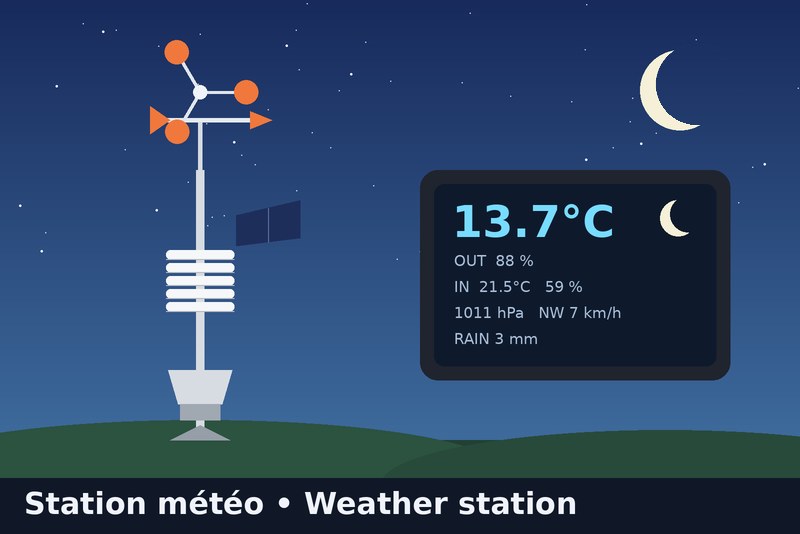
Bresser 7002580 station: Wunderground API or local relay (full data), plus a moon phase widget
Veröffentlicht von Gaetanb76
- Geräte
- Version 1.1.6
- Erfordert Gladys >=5.1.0
- ★ 0
Die Dokumentation dieser Integration wird von ihrem Autor geschrieben und ist bisher nur auf Englisch verfügbar.

Brings your Bresser 7002580 WiFi colour station (5-in-1) into Gladys Assistant, plus a moon-phase dashboard widget (local astronomical calculation, nothing needed from the station).
The console cannot send its data to a server of your choice: it only uploads to Weather Underground (and Weathercloud). So the integration offers two ways to get the data. Pick one in the integration's Configuration tab ("Data source").
Which mode should I choose?
| A. Wunderground API (simple) | B. Local relay (complete) | |
|---|---|---|
| Installation | none: enter your station ID + a free API key | a small relay on your network (DNS + nginx), on the Gladys machine or a Raspberry Pi |
| Needs Internet / Wunderground | yes | no for Gladys (the upload is copied locally) |
| Update delay | about 5 min (adjustable, minimum 2) | about 12 s |
| Outdoor temperature, humidity, dew point | yes | yes |
| Pressure | yes | yes |
| Wind speed, gust, direction (degrees and N, NE, E… in French initials) | yes | yes |
| Rain (last hour, daily total) | yes | yes |
| Indoor temperature and humidity | no | yes |
| Battery level of the outdoor sensor | no | no |
| Moon-phase widget | yes | yes |
What is NOT available, whatever the mode
- Battery level: the station never sends it (neither to Wunderground nor to Weathercloud).
- Indoor values in mode A: Weather Underground does not publish the console's indoor sensor. The only service that shows them is Weathercloud, which has no read API, so they cannot be fetched directly: use mode B.
- UV, solar radiation: not measured by the 5-in-1 sensor.
Mode A: Wunderground API
- Your station must already upload to Weather Underground (Pro Weather Link page,
http://192.168.1.1when connected to thePWS-xxxxxxWiFi). - On wunderground.com: Member Settings > API Keys to get a free key (it is tied to your account and your personal station).
- In Gladys, Configuration: Data source = Wunderground API, enter the station ID (e.g.
ISAINT1234) and the API key. - Open the Discovery tab and create the "Bresser Weather Station" device (indoor features are not offered in this mode).
Mode B: Local relay
The station believes it talks to Weather Underground. A relay answers in its place, forwards each upload to the real Wunderground and sends a copy to the integration. Your Wunderground page keeps working.
- Choose Data source = Local relay. The Configuration tab then shows the address to use.
- Install the relay (see
relay/README.mdin the repository). Two options:- on the machine that hosts Gladys (Docker Compose, no extra hardware, Linux with Docker);
- on a Raspberry Pi or any always-on Linux box.
- In your router, set the relay machine as DNS server. The Livebox cannot change its DNS: use a second router in router mode behind it (e.g. TP-Link Deco) or set the DNS on each device.
- Open the Discovery tab and create the "Bresser Weather Station" device.
Moon phase widget
The widget shows a picture of today's moon, the phase name, the illumination and the dates of the next full and new moon. Everything is computed locally.
The moon is drawn as seen from your Gladys house: lit on the right while waxing in the northern hemisphere, upside down in the southern hemisphere. For this the integration asks Gladys for the house latitude ("location" authorization shown at install); the coordinates are neither stored nor displayed. If Gladys holds several houses, enter the one to use in Gladys house for the moon widget; leave it empty for the first located house. Without a located house, the moon is drawn as seen from the northern hemisphere.
Troubleshooting
- After an integration update, a feature is missing or has no icon: open the Discovery tab and click Update on the station.
- No data in mode A: check the station ID and API key, and that your station is online on wunderground.com. The log says "refused the API key" for a wrong key.
- No data in mode B: test the relay with the
curlcommand ofrelay/README.md. - Pressure is the value the station sends, converted from inHg to hPa.
- "Rain (last hour)" is the rate value the station sends (
rainin). - Moon phase widget missing: it requires Gladys 5.1.0 or later.
Support
Open an issue on the integration's GitHub repository, or ask on the Gladys Assistant community forum.
Konfigurationseinstellungen
Diese Einstellungen fragt Bresser Weather Station in seinem Konfigurationsbildschirm in Gladys ab.
| Einstellung | Typ | Pflichtfeld | Beschreibung |
|---|---|---|---|
| Choose how to get your station data | section | Nein | Wunderground API: nothing to install, outdoor data only (no indoor values). Local relay: complete data (including indoor temperature and humidity) but needs a small relay on your network (see the integration docs). If you pick the relay, send a copy of the station uploads to http://{{gladys_host}}:{{port:wunderground}}/weatherstation/updateweatherstation.php |
| Data source | select | Nein | |
| Wunderground station ID (API mode) | string | Nein | |
| Wunderground API key (API mode) | secret | Nein | Free: wunderground.com > Member Settings > API Keys. |
| Update interval in minutes (API mode) | number | Nein | |
| Gladys house for the moon widget | string | Nein | Name of the Gladys house the moon is seen from: its latitude decides whether the moon is drawn as seen from the northern or southern hemisphere. Leave it empty to use the first house that has a location. The coordinates stay in the integration and are shown nowhere. |
So installierst du Bresser Weather Station in Gladys
- Öffne in Gladys Integrationen: Bresser Weather Station erscheint im Katalog neben den nativen Integrationen, mit einem Community-Badge.
- Klicke auf Installieren. Gladys lädt das Docker-Image (
ghcr.io/gaetanb76/gladys-bresser-weather-station:1.1.6) herunter, startet es in einer vom Kern isolierten Sandbox und erzeugt die Oberfläche der Integration (Geräte, Erkennung und Konfiguration). - Öffne den Bildschirm Konfiguration der Integration, fülle die Einstellungen aus und speichere.
- Du kannst sie auch direkt über die URL ihres Repositorys installieren: https://github.com/Gaetanb76/gladys-bresser-weather-station.
Bresser Weather Station benötigt Gladys >=5.1.0. Der Katalog in Gladys wird stündlich aktualisiert, eine neue Version ist also spätestens eine Stunde nach ihrer Veröffentlichung verfügbar.
Du nutzt Gladys noch nicht? Es ist kostenlos und Open Source: folge der Installationsanleitung, um loszulegen.
Über externe Integrationen
Bresser Weather Station ist eine externe Integration: eine Community-Integration, die als Docker-Container verpackt und auf GitHub veröffentlicht wird. Gladys installiert sie mit einem Klick und führt sie in einer vom Kern isolierten Sandbox aus. Sie wird von Gaetanb76 veröffentlicht und gepflegt, nicht vom Gladys-Kernteam.
- Alle Integrationen durchsuchen, native und aus der Community
- Deine eigene externe Integration bauen und veröffentlichen
- Quellcode auf GitHub — Quelle dieser Dokumentation