Gladys Assistant 5.3.4: all of Gladys on your phone, and a new Zigbee2MQTT setup

Hey everyone!
New version of Gladys today, 5.3.4 🎉
Last week, 5.3.3 rebuilt the dashboard and the scenes for the phone. This release finishes the job: the rest of Gladys gets its phone layout, from the sign-in page to the energy contract wizard, by way of every device page. On a computer, the layouts stay the same.
There is a lot more in it: Zigbee2MQTT gets a setup wizard and a dashboard, and Gladys now tells you when something goes wrong instead of letting you believe everything worked.
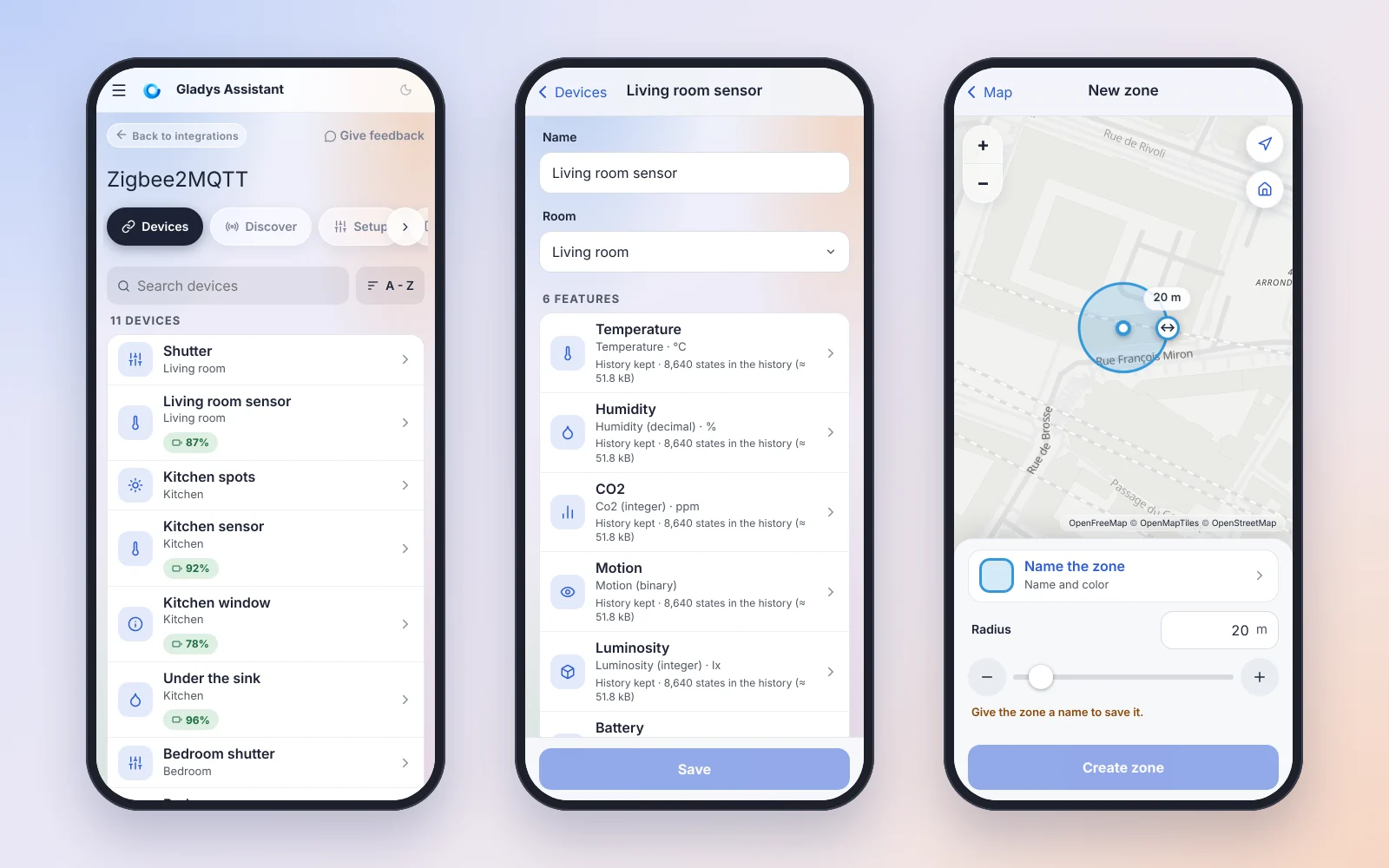
All of Gladys, on your phone
Below 768 pixels wide (or on a phone held in landscape), the pages follow the same rules as the dashboard and the scenes: targets of at least 44 pixels, 16-pixel fields (the iPhone no longer zooms in), nothing that scrolls sideways, nothing destructive on a single tap, and your changes are never lost silently, the phone's "back" gesture included.
Devices and their integrations
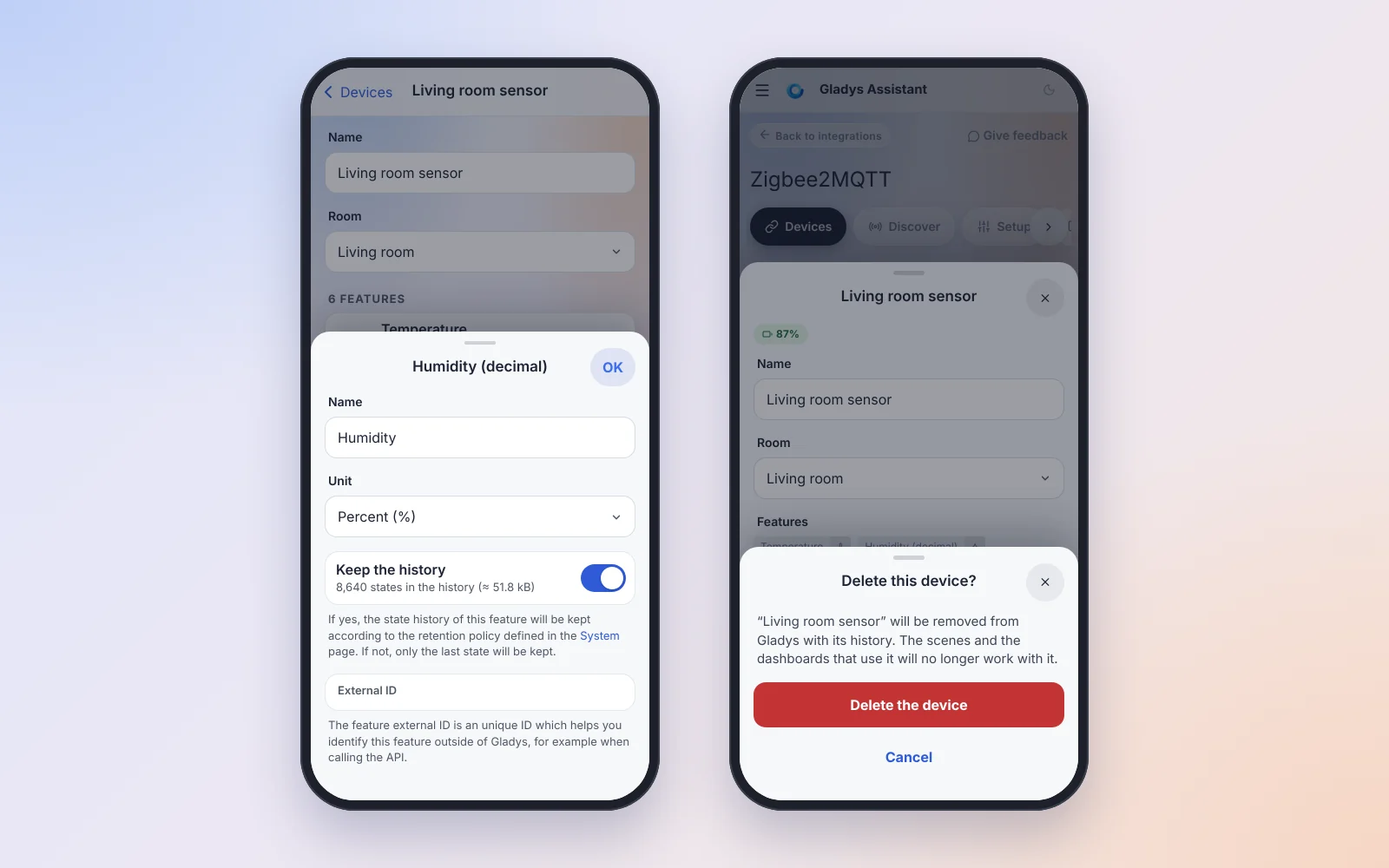
- The page of a device: the name and the room first, then one row per feature, which opens in a panel (name, unit, keep history, external id). Save is in the bottom bar, and a "Saved" message confirms it.
- The "Devices" and "Discovery" tabs of Matter, MQTT, Bluetooth, AirPlay, LAN Manager, Enedis, Thermostat, RTSP cameras, Zigbee2MQTT and every external integration: one row per device instead of a stack of desktop cards. Three Matter devices used to be 2,452 pixels of scrolling! A tap opens the device in a panel, with what the card showed.
- Nothing is deleted on a single tap: a confirmation names the device and what goes with it.
- Closing a panel with unsaved changes asks: "Save and close", "Close without saving" or "Keep editing".
- On the Discovery tabs, the scan is the main button of the page and says "Stop the scan" while it runs.
- For RTSP cameras, "Test connection" shows the image of the camera right in the panel.
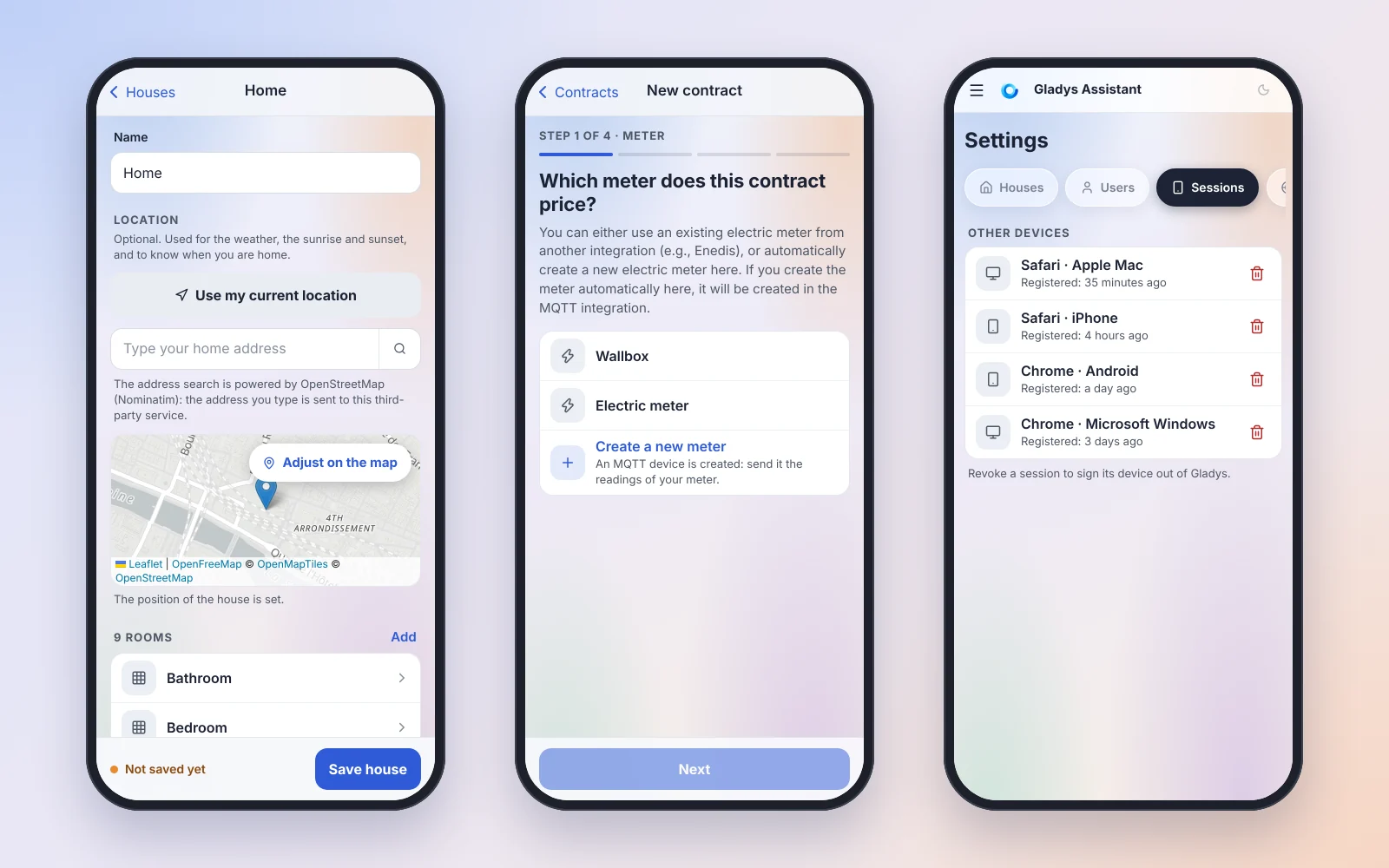
Houses, settings, energy and zones
- Houses and rooms: a room is renamed in a panel, deleted with an "Undo", and added with suggestions of common rooms. "Use my current location" places the house, and the alarm code is typed on a numeric keypad.
- Settings: sessions, services, background jobs, backups, system and Open API keys are lists of rows. Revoking a session, restoring a backup, rebooting or shutting down asks for confirmation first.
- Energy contract wizard: four steps (meter, template, settings, preview), with off-peak hours picked as time ranges.
- Map zones: the map fills the screen. Tap to place the zone, drag the circle to move it, drag the handle on its edge to resize it, with the radius shown live.
- Onboarding: the five steps of the first setup are full screen, with a progress bar and a single button at the bottom.
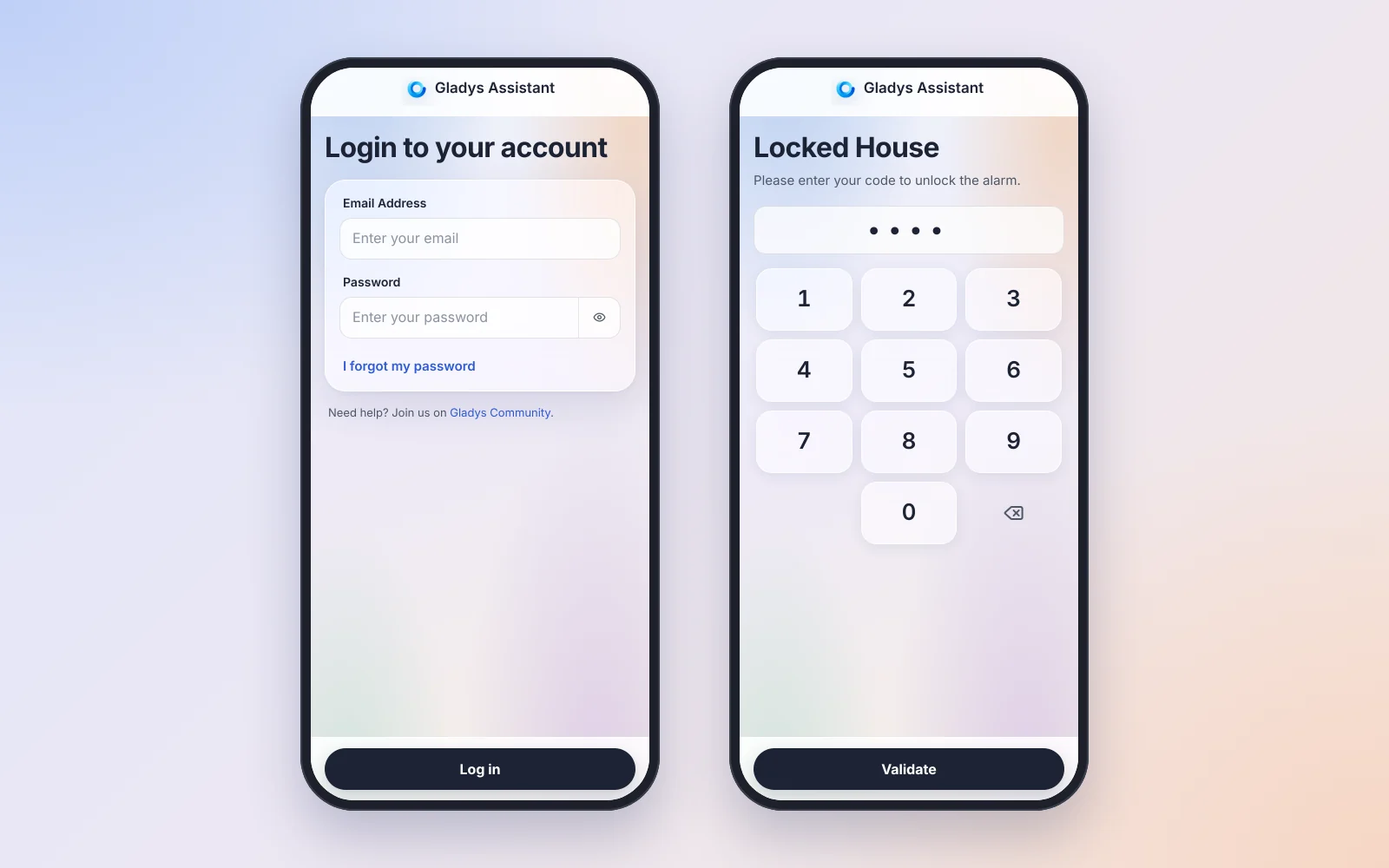
Sign-in and locked keypad
The sign-in, password recovery and Gladys Plus pages get the right keyboard and autofill on every field, a button to show the password, and errors next to the field they are about.
The locked keypad of a wall tablet has big keys sized to the screen, never scrolled, and a two-column layout in landscape. And on Gladys Plus, setting up two-factor authentication from the phone now offers "Open my two-factor app" first: no more QR code to scan with the phone that displays it.
Zigbee2MQTT: a setup wizard and a dashboard
The Zigbee2MQTT audit goes on, with its biggest step so far. Thanks @cicoub13 for this huge piece of work!
A wizard for the first installation
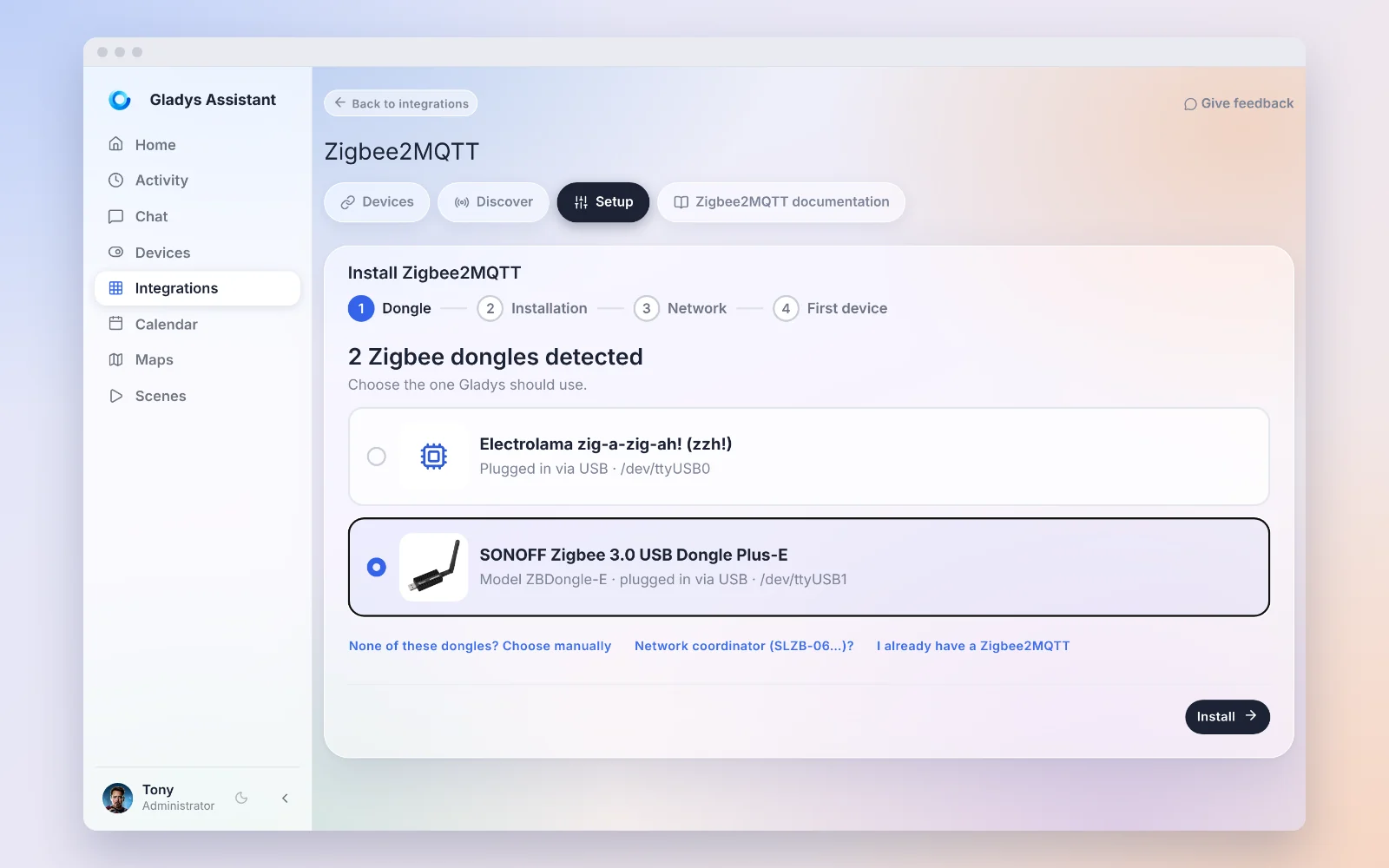
When nothing is set up, the Zigbee2MQTT page is now a four-step wizard:
- The dongle: Gladys shows the dongle it detected, with its photo and its name. You can also pick a model by hand in a list grouped by brand, use a network coordinator (SLZB-06…), or connect to a Zigbee2MQTT that already runs elsewhere.
- The installation, phase by phase. A failure is explained in plain words, with "Try again" or "Change dongle or model".
- Network ready: the driver, the firmware and how long the installation took.
- First device: joining is allowed for 4 minutes, then the Discovery tab.
A faster installation, in the background
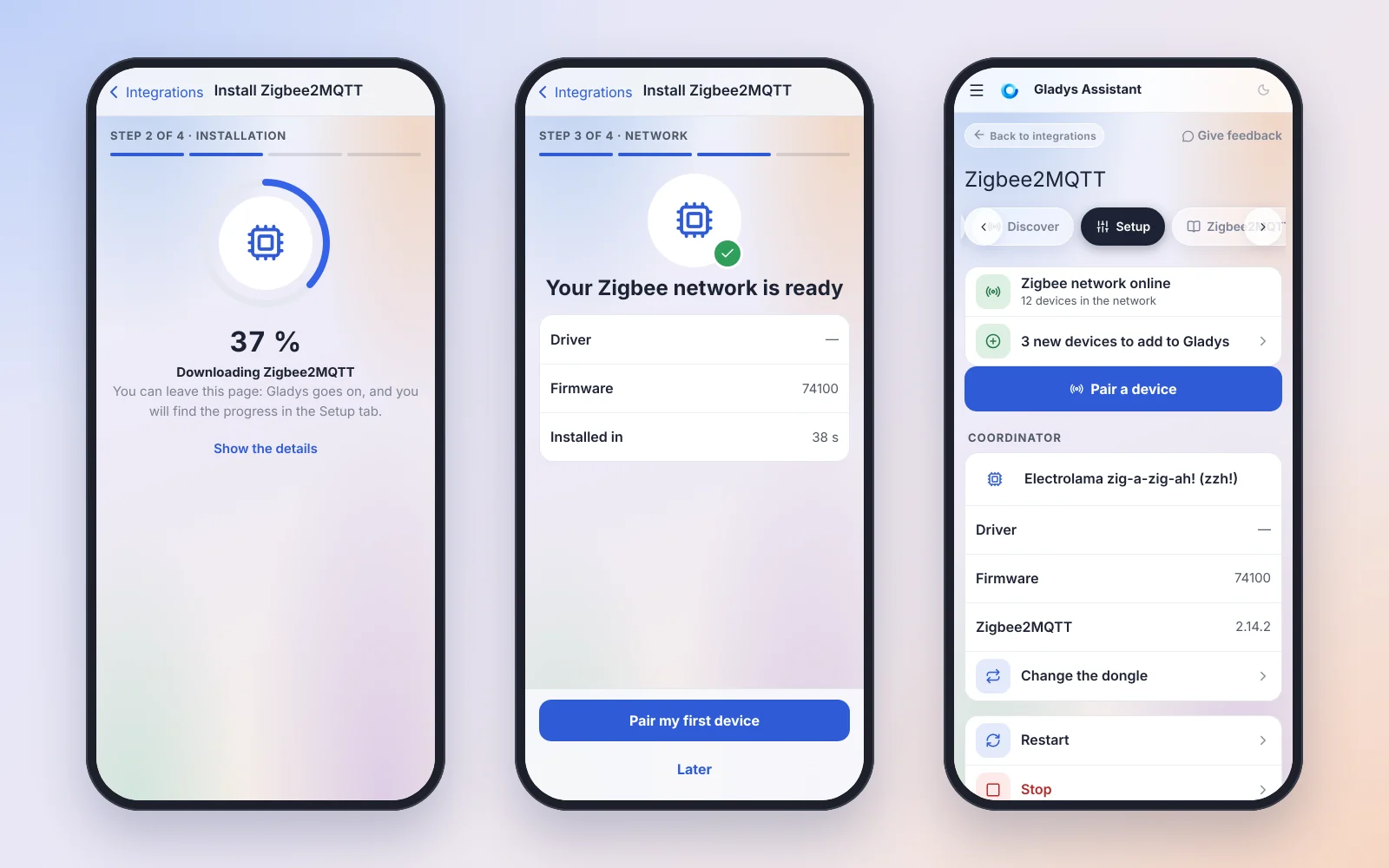
- The installation runs in the background: you can leave the page, the progress is still there when you come back (and in Settings › Tasks).
- The two images are downloaded in parallel, and as soon as you pick a dongle, before you even click "Install".
- The MQTT broker starts once, ready as soon as it answers: no more fixed waits and double restarts. On a Raspberry Pi 4, the images downloaded in about 15 seconds and Zigbee2MQTT answered 15 seconds after it started.
- The free disk space is checked before every download: a clear error instead of a full disk.
- Updating the Zigbee2MQTT image no longer cuts your Zigbee network during the download: the new image is downloaded first. Without Internet, the running version keeps running.
A dashboard for a configured installation
The old setup page is replaced by a dashboard: the state of Zigbee2MQTT with the action to take (devices to add, a failure explained, "Restart"…), the coordinator, and the "Restart", "Stop" and "Advanced settings" buttons. "Stop" is remembered: neither a restart of Gladys nor a reboot of the machine starts Zigbee2MQTT again until you click "Start".
And under the hood
- The dongle is found again wherever it is plugged: Gladys stores it by its stable path (
/dev/serial/by-id/…), not by/dev/ttyUSB0, which can change at the next reboot. Existing installations are moved over by themselves. - Unplugged then plugged back, the dongle restarts Zigbee2MQTT on its own, within about ten seconds, without restarting Gladys. A setup with a dongle that is not plugged in is refused before anything is saved.
- A new device shows its values right away when you add it to Gladys, instead of staying empty until its next report. Devices on mains are asked for their current values. Thanks to everyone who reported it on the forum!
- New installations generate their own network keys, like a standalone Zigbee2MQTT, and a lost or corrupted configuration file is restored from the backup Gladys keeps. If you move a coordinator to a new Gladys installation, restore your Gladys Plus backup before setting up Zigbee2MQTT to keep your network.
Gladys tells you when something goes wrong
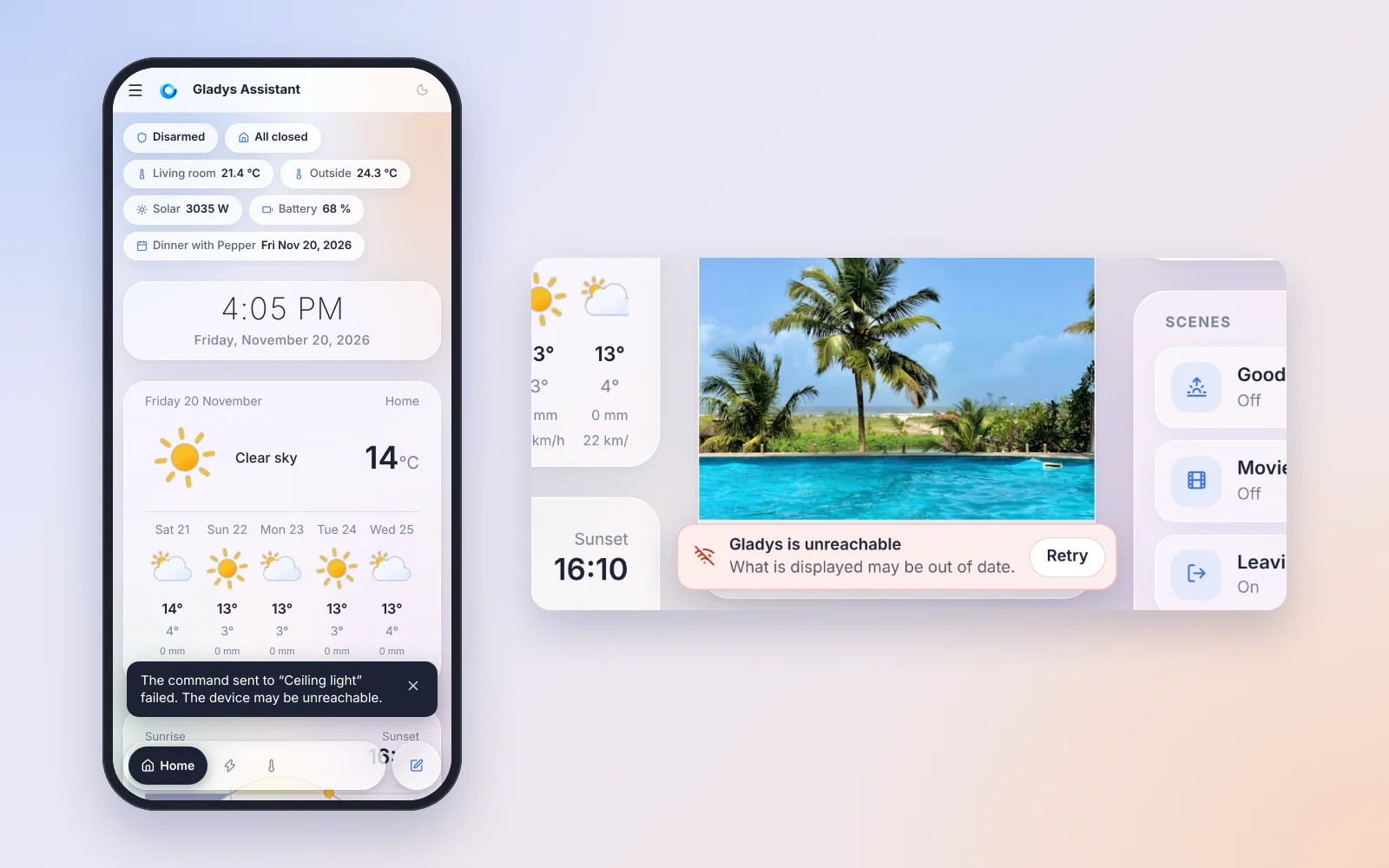
Until now, when Gladys was restarting, updating or off the network, the app looked alive and was not: values stopped moving, switches seemed to work, and nothing said so.
- A command that fails is announced: if the light could not be driven (device unreachable, integration not configured…), a message says so and the switch goes back to the real state. Only the page that sent the command shows the message: the wall tablet stays quiet when the command from your phone fails.
- "Gladys is unreachable": after 4 seconds without a connection, a notice shows up on every page, with a "Retry" button. A dashboard reloads itself once Gladys is back.
- The live connection reconnects until Gladys is back. Before, it was retried only once: after an update or a Wi-Fi drop, a wall tablet could stay frozen silently until someone reloaded it.
- The sign-in page tells failures apart: wrong credentials, Gladys unreachable, too many attempts or server error. Before, everything was "Wrong email/password.", even a stopped server.
- Gladys Plus: the infinite spinner on iPhone, after the app spent time in the background, is fixed (forum).
Fewer accidental deletions
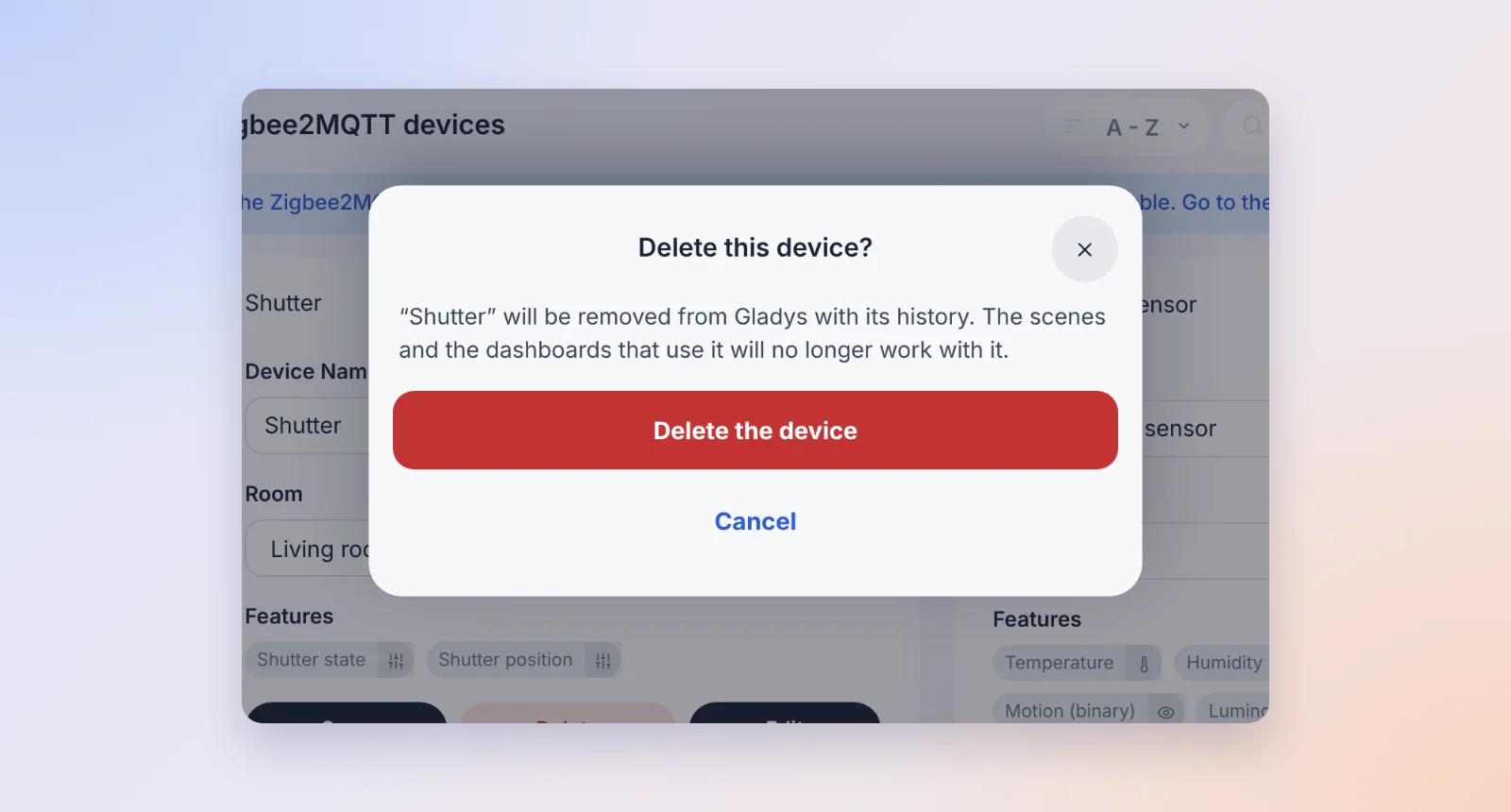
On a computer, a red "Delete" button sat next to "Save" on every device card: one stray click, and the device was gone with its history.
- Deleting a device now asks first, in 22 integrations, with the same confirmation as on the phone.
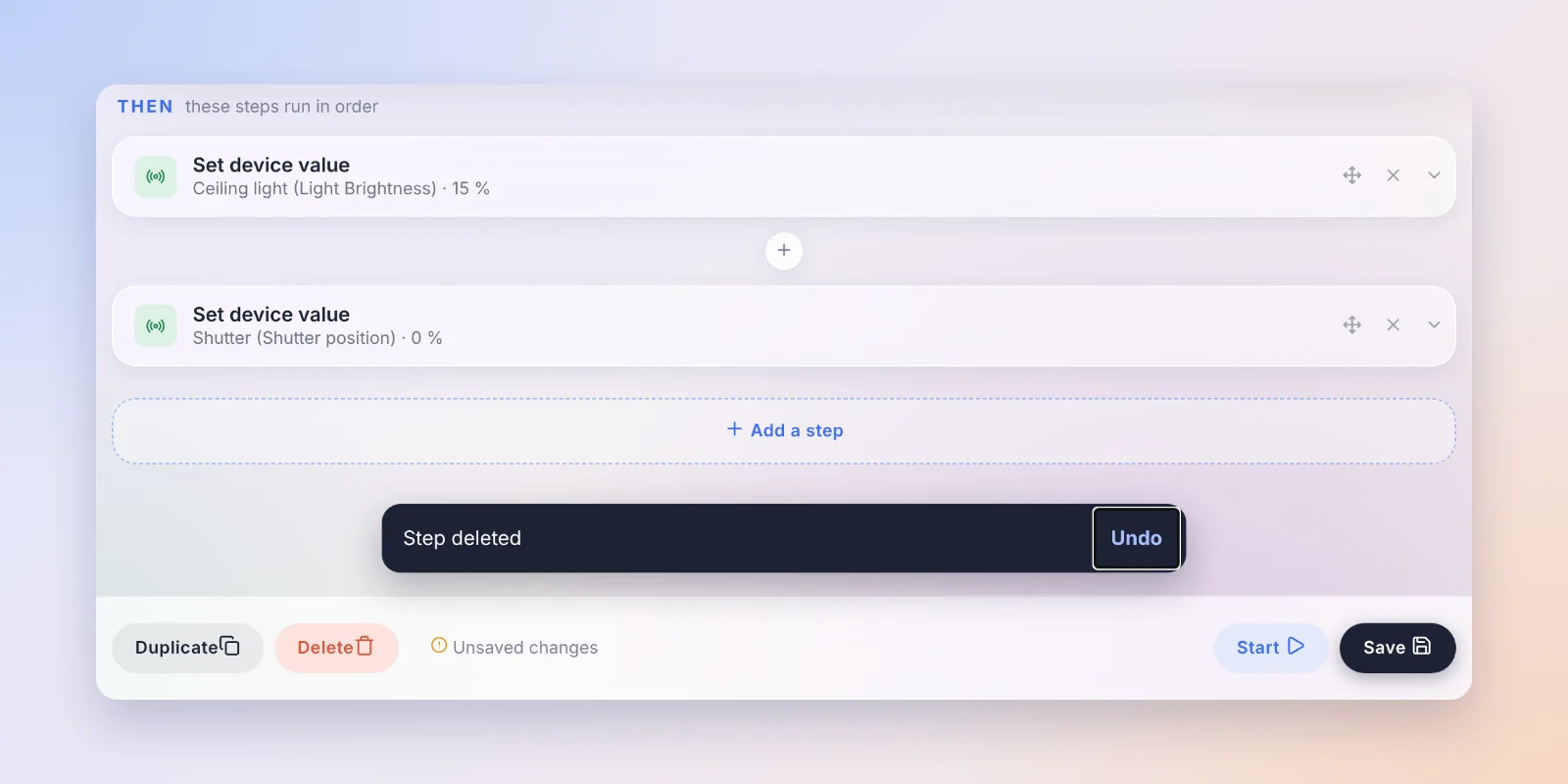
- In the scene editor on a computer, a deleted step can be restored with an "Undo" message, as on the phone.
- Disconnecting Gladys Plus asks first, and warns that the backup key is deleted too. Revoking a session asks first.
- A device with a long history is deleted on its own: above 5,000 states, Gladys used to purge them in the background and ask you to come back and click "Delete" again. A single background task now purges the history and then deletes the device.
Wall tablets: tablet mode from a URL
To set up a wall tablet (or ten), a URL is now enough: /dashboard/<dashboard>?tablet_mode_house=<house>&fullscreen=force opens the right dashboard, in tablet mode and full screen, without going through the menu. The "Tablet mode" menu shows the ready-to-use URL for the selected house, with a copy button. Handy when a kiosk browser was reset. Thanks @vincentBesseau (forum)!
And also
- AI chat: messages sent by your scenes are now part of the conversation. If a scene asks "Should I turn the dryer off?", answering "Yes" is understood as an answer to that question (forum).
- Calendar: when you have no calendar, the page explains how to connect one, with links to the calendar integrations installed or to the catalog.
- Nuki: the native integration is deprecated in favor of the community Gladys-Nuki integration. A "Migrate" button moves your devices. The native integration keeps running for now.
- Thermostat: the dial stays within the range of the thermostat (a Tado X through Matter showed a dial from -100 to 200 °C!), and a manual setpoint on a virtual thermostat is kept within its range. A widget whose thermostat was deleted says so, and preset names stay inside their column in every language. Thanks @William-De71!
- Energy consumption widget: the series are named after their device ("Living room outlet") instead of a long feature name followed by "(1)", "(2)", and the editor shows readable names.
- Gladys Plus: the invitation card reminds you to check the Spam folder, and someone who lost both their password and their two-factor app no longer goes round in circles in the recovery flow.
Fixes
- Gladys could freeze for minutes, even hours, after a device was saved while integrations were publishing states. Thanks @smuteau for the diagnosis and the fix (forum)!
- Matter: a command to an offline device no longer waits forever (it fails after 15 seconds), and the Stop button of a scene now ends an execution blocked inside an action (forum). "Update" on the Matter page keeps the name, the room and the energy settings of the device, and is no longer offered for every device that measures energy.
- External integrations: "Update" in the Discovery tab keeps the name you gave the device. Thanks @smuteau!
- MQTT: the "Receive message from MQTT" trigger works with
+and#wildcards, and Home Assistant devices whose "off" payload is0orfalse(a presence radar that stayed "detected") report their state correctly. Thanks @zagg! - Cameras: the live stream starts for cameras whose scaled image had an odd height (an 896×512 sub-stream, for example).
- Autocorrection is really off on the email, password and code fields of the phone.
That's 38 pull requests since version 5.3.3.
Thanks to the contributors
A big thank you to @cicoub13 for the Zigbee2MQTT wizard, dashboard and installation, to @William-De71 for the thermostat, to @smuteau for the freeze fix and the external integrations, to @zagg for MQTT, and to @vincentBesseau for tablet mode from a URL. And thanks to everyone who reported bugs and ideas on the forum!
See you on the forum if you want to talk about this release :)
How to update?
As always, Gladys updates automatically within 24 hours if you use Watchtower, otherwise you can do it in one click from the settings.
The full CHANGELOG of 5.3.4 is on GitHub.