Gladys 4.84: External Integrations Are Here 🚀

Hey everyone!
Version 4.84.0 is out, and it's probably the most important release in the history of the project. 🚀
For 6 years, we patiently built 36 integrations inside the Gladys core. Each one required a pull request, a review, tests, and a lot of my time. That was the bottleneck of the project.
Today, that bottleneck is gone. With external integrations, anyone can build and publish a Gladys integration, without asking my permission. The result came fast: 20 integrations are already available, built in a few days by 6 different contributors.
In other words: in a few days, the community produced more than half of what we had achieved in 6 years. This is a step change for the project.
🧩 How external integrations work
An external integration is a Docker container supervised by Gladys. It talks to Gladys through a dedicated API, and Gladys automatically generates its whole interface: device list, discovery, configuration form.
Concretely, for you as a user:
- You open the integrations catalog in Gladys
- External integrations show up next to the native ones, with a community badge
- You click Install: Gladys pulls the image, starts the container, and displays the interface
- You can start, stop, update it, view its logs or uninstall it, right from Gladys
Each integration runs in an isolated sandbox (256 MB of RAM, 0.5 CPU, read-only filesystem, isolated network). If an integration crashes, it crashes alone: it cannot take your Gladys instance down with it. That guarantee is what makes it safe to publish without review.
📦 20 integrations, in a few days
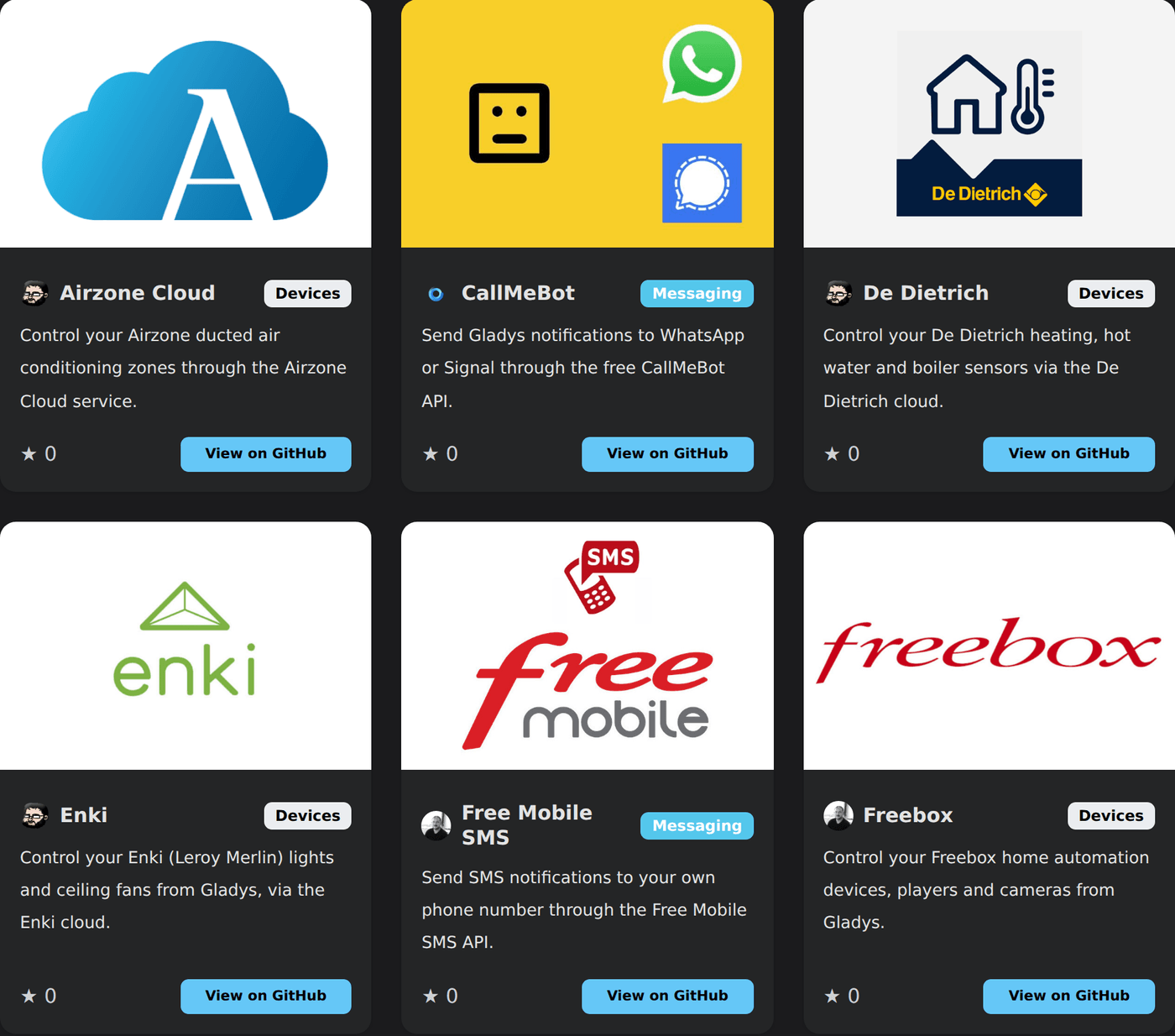
Here is what the community has already published:
Devices: Airzone Cloud, De Dietrich, Enki, Freebox, MELCloud, MELCloud Home, MyNeomitis (Axenco), Netatmo, Philips Hue, Roborock, SmartThings, Spotify, TP-Link Kasa, Tuya, UPnP / IGD, Zendure
Messaging: CallMeBot, Free Mobile SMS, ntfy, Telegram
Thanks to @callemand, @cicoub13, @Dreamthy, @Terdious and @William-De71 for these first integrations!
👉 Browse the full catalog on the website, updated live.
👨💻 A call to developers: we need you
This is where I need you.
If you own a device Gladys doesn't support, you can now make it work yourself, and share it with the whole community. Here is what that means in practice:
- A template to clone. The official template already contains a working integration (sensors, a switch, a dimmable light, a plug, a camera), the JavaScript SDK, a Dockerfile and a GitHub Actions workflow that builds and publishes your image in one click. You start from something that runs, and replace the logic with yours.
- With AI, it's even faster. The simplest path today: clone the template, and ask Claude to rewrite the integration for your device starting from that base. That's exactly how I ported the CallMeBot integration to an external integration, and in my experience the result was good on the first try.
- You're not alone with your protocol. Many devices already have an open-source library or integration somewhere else. You can take inspiration from it, or reuse the existing dependency directly: that's often the bulk of the work already done.
- No pull request, no review, no approval from me. You publish a public GitHub repository with a manifest file, you add the
gladys-assistant-integrationtopic, and that's it. - Published within an hour. An automatic indexer runs every hour, validates your manifest, and publishes your integration in the catalog of every Gladys instance.
There has never been an easier way to contribute to Gladys. If everyone brings the integration they need, we can cover in a few months what we would never have covered in years.
👉 Read the step-by-step developer guide
And if you publish something, come show it on the forum: I can't wait to see what you build.
🤖 Gladys' AI keeps improving
The AI assistant keeps getting better, with several requests coming straight from the forum:
- Full light control: you can now ask Gladys to set the brightness, the color and the color temperature of a bulb, not just turn it on or off.
- Energy questions: Gladys now answers consumption (kWh) and cost questions over a date range ("how much did electricity cost me in July?").
- More reliable scene creation: a two-stage tool routing significantly improves the quality of AI-generated scenes.
- Better formatted answers: the Markdown in AI answers is finally rendered properly in the chat. No more raw
**27 °C**.
🏠 Matter
- Air conditioners: operating mode management (Thermostat SystemMode), requested on the forum.
- CO2 sensors: now supported.
- Fixed a "Cannot mix BigInt and other types" crash on electrical attributes.
- Updated matter.js to 0.17.6.
🔌 Other integrations
- Enedis: energy costs are recalculated after each sync.
- CalDAV: better sync, with support for deleted events.
- Zigbee2MQTT: the IEEE address and the Z2M link are no longer lost after saving a device.
- MQTT: an empty custom topic no longer matches every message, and the "manually stopped" status is properly cleared when saving the configuration.
- Telegram: the integration can now be disabled (stops the bot, deletes the key, unlinks users).
- RTSP cameras: more readable logs when an image poll fails.
🖥️ Interface
- Charts: displayed units now follow the live device feature units, and undefined values no longer break formatting.
- Dashboard: it is now clear that tablet mode only applies to the current browser.
- Integrations catalog: your filters and sort order are preserved when you navigate back from an integration page, and a button lets you refresh the catalog on demand.
🛠️ Technical
- Service dependency installs are now parallelized (4 at a time), which noticeably speeds up the Gladys build. This is on the development side only: it changes nothing on your instance.
- Messaging service failures are now isolated: one failing service no longer prevents the others from delivering the message.
- On the CI side: branch Docker images are automatically pushed to the GitHub registry, and a
/build-arm64command builds an ARM64 image on demand on a PR.
❤️ Thank you
Thanks to everyone who contributed to this version, and especially to the first external integration developers who jumped in before the official announcement. In a few days, you proved the model works.
As always, Gladys updates automatically within 24 hours if you use Watchtower, otherwise you can do it in one click from the settings.
Remember to set up Telegram to get an alert on your phone when Gladys updates!
See the full release notes on GitHub